



Release Date: May 2023
What’s New?
Template Modal
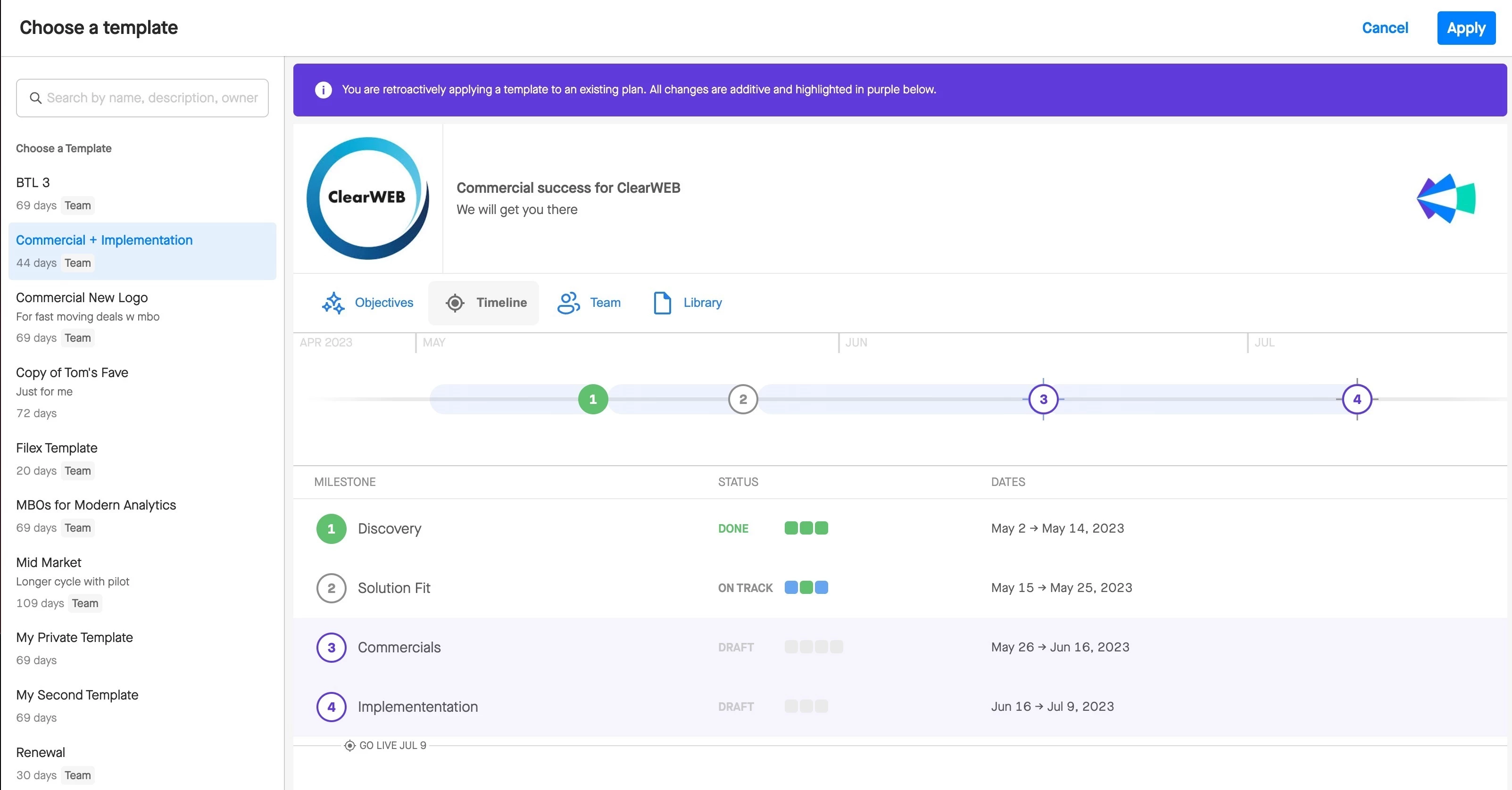
To help users create plans faster, Align’s new Template UI lets you search template metadata and provides better visual distinction between template preview mode and plan editing mode. See Template Modal updates here.
Template Add-On
Users can now add templates incrementally to existing milestones as they gain a better understanding of a buyer’s purchasing process. You can create a milestone on your own, and then add a template later without being burdened with upfront decision-making and workload. See examples of how to use Modular Templates here.
Field Mapping + Pushing Align Fields to CRM
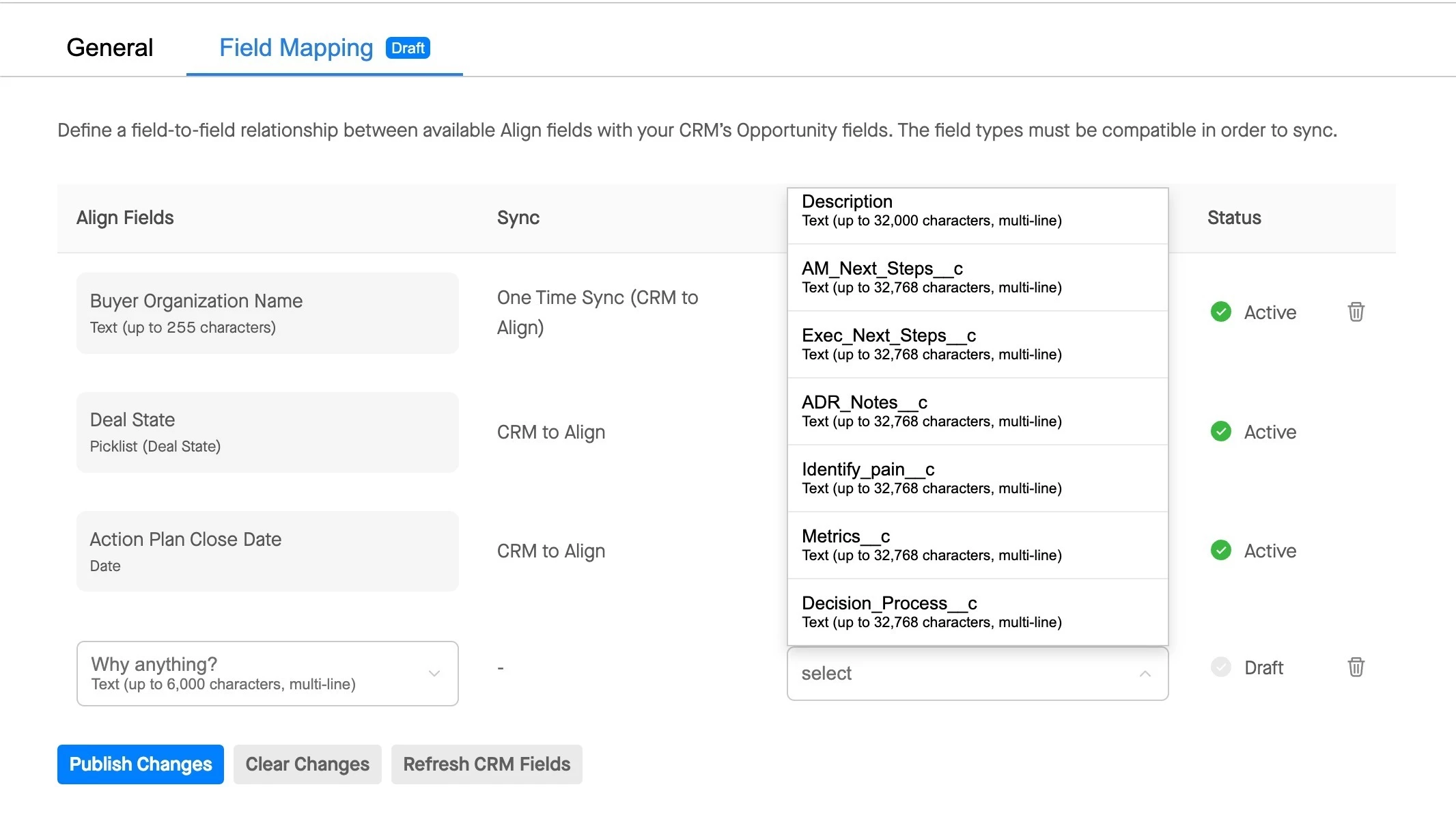
Discover the power of Field Mapping as we enhance Align’s integration with CRM to provide Sales and RevOps with two foundational components:
- A user-friendly admin interface for instant visibility into field mapping and sync status
- Push Objectives, MAP Status, and other fields from Align to your CRM for reporting and data hygiene.
Take control of your administration tasks with a self-serve experience, eliminating the need for support, and enjoy clearer and more robust administrative capabilities in Align.
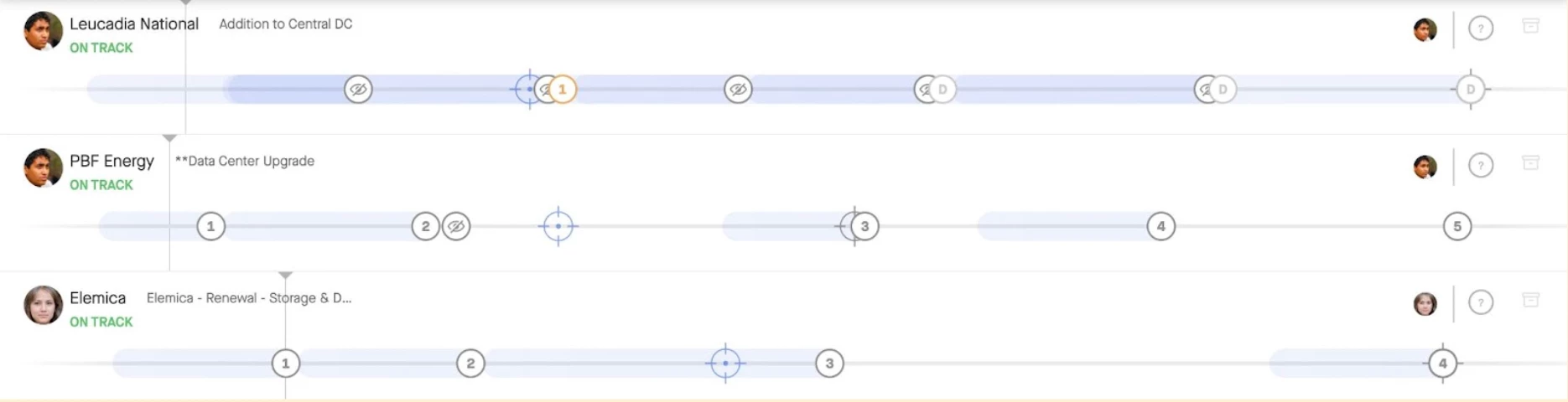
Opportunity Name in Align Dashboard
Have multiple plans for one account? Align has added the opportunity name to the plan list in Align Dashboard so you can easily differentiate one plan from another.