

I would love the ability to customize individual field history tracking by selecting different historical ranges. For example, being able to compare data over 1 day, 3 days, or 7 days would be beneficial when applying multiple quotes that adjust frequently.

Solved
Customizable Field History Tracking with Flexible Date Ranges
 +1
+1- New Contributor
Best answer by Kenna
Hi,
I think the closest thing we might have to what you’re looking for in Clari today may be the highlighted field changes. You can adjust the time range that Clari takes into consideration to highlight fields that were changed in your Saved View settings in the Opportunities Module:
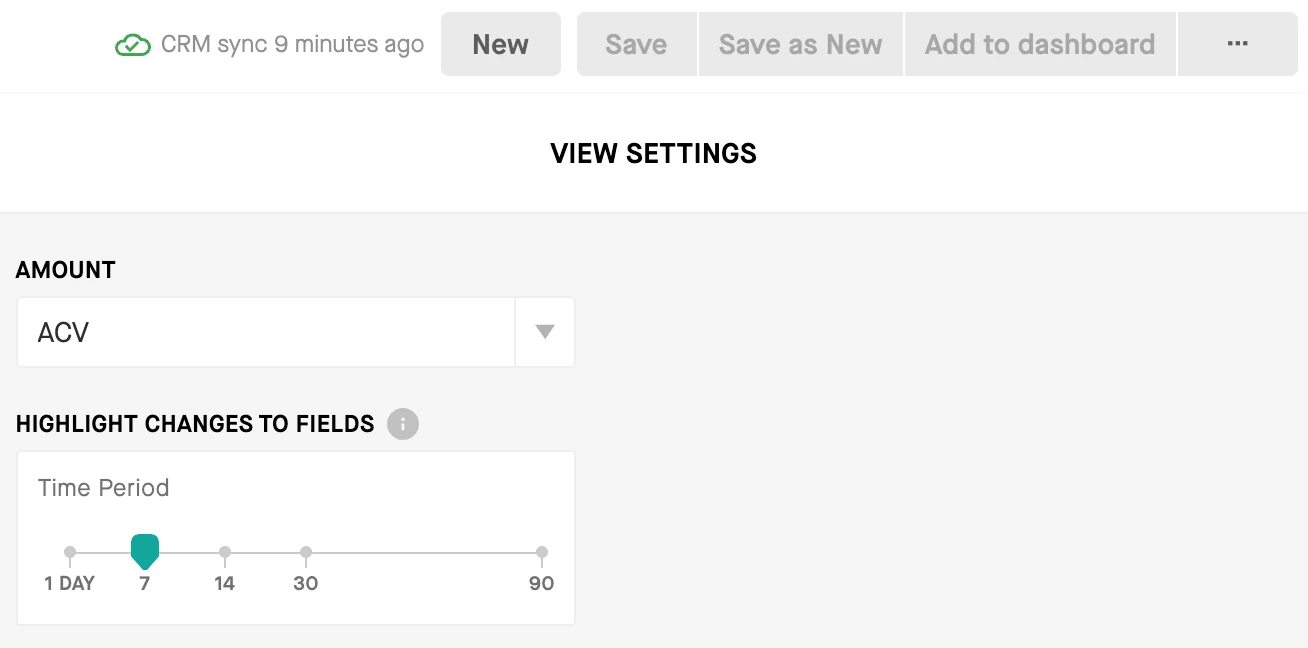
Once that is set, the fields that have been updated within the time frame you selected will be highlight in green, red, or blue depending on if the change represents progression through the sales cycle (green), regression through the sales cycle (red), or a neutral.non-linear update (blue). You can hover over any of these fields today to see what the last change was.
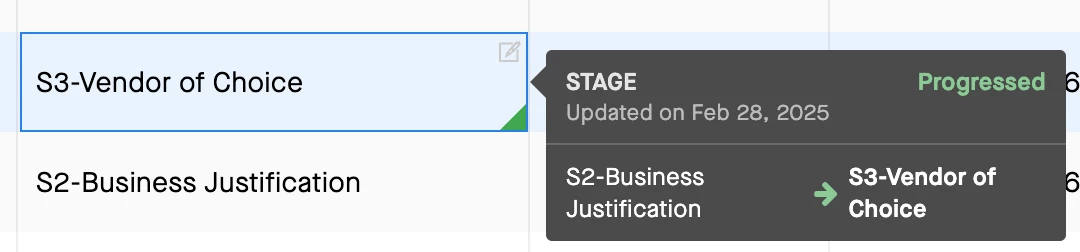
Just highlighting this functionality in case it gives you what you’re looking for (either all or in part). If I’m off base or you have any follow-up questions, please don’t hesitate to clarify!




Sign up
Please create your account below.
Clari customers and employees with an app.clari.com login can click the first blue Log in button below.
Align, Copilot, or Groove customers, Clari Partners, or other guests can enter a username and password below to log in.
Please reach out at community@clari.com if you need any help to log in.
Log in
Clari customers and employees with an app.clari.com login can click the first blue Log in button below.
Align, Copilot, or Groove customers, Clari Partners, or other guests can enter a username and password below to log in.
Please reach out at community@clari.com if you need any help to log in.
or
Welcome to the community
Create your account
Not a member yet? Join the Clari Circle Community to learn about our products, fine tune your craft, and accelerate your revenue career.
Create an accountClari customers and employees with an app.clari.com login can click the first blue Log in button below.
Align, Copilot, or Groove customers, Clari Partners, or other guests can enter a username and password below to log in.
Please reach out at community@clari.com if you need any help to log in.
Log in
Clari customers and employees with an app.clari.com login can click the first blue Log in button below.
Align, Copilot, or Groove customers, Clari Partners, or other guests can enter a username and password below to log in.
Please reach out at community@clari.com if you need any help to log in.
or
Enter your E-mail address. We'll send you an e-mail with instructions to reset your password.