



Release Date: December 4, 2024
Please note the release date above. Your partnership in the evolution of the leading revenue platform is important to us, so we want to bring you the latest product updates as soon as we possibly can! These features are currently scheduled to release so that you can find them in Clari, Align, Copilot, or Groove when you log in on the date above.
What’s New in Clari?
Delete Forecast Columns
Delete any column(s) within your Forecast Tab(s) in Forecast Config. Learn more.
Edit Fields in Accounts
In the Accounts module, edit CRM fields from the Account Object including, Boolean, Picklist, Multi-Picklist, Text, Amount, Currency, Data, and Reference field types. Learn more.
- Admin action: Your teams will now be able to edit existing CRM fields in the Accounts module. We recommend adding any new fields that are relevant for account-based workflows in Studio Field configuration and updating any views to include these new fields.
Manually Match Contacts to Accounts & Opportunities from Capture
Manually match a captured contact to the appropriate Account and Opportunity in instances when Capture is unable to do so using your configured matching requirements. Learn more.
Capture Details in User Management
To help you ensure you’re getting the most value out of Capture, Admins can now view which users are configured for Capture and whether they are in Preview or Write to CRM mode in User Management. Learn more.
- Admin action: Review if you have users in preview-mode that are not writing data to CRM.
What’s New in Copilot?
Smart Topics
Track Topics with better precision and recall using Smart Topics (powered by RevAI). Quickly and easily setup topics with real-time feedback on the critical revenue moments your topic could capture, without providing examples or waiting for extended training periods. Learn more.
- Admin action: Setup new topics, in workspace settings
Topic Recommendations
Copilot will recommend Topics of interest by analyzing last quarter's calls. You can pick the relevant recommended topics and save to be tagged on future calls. Learn more.
- Admin action: Review suggested topic recommendations and choose which topics you would like to continue to tag
Topic Dashboard Enhancements
Save dashboards customized to help you visualize topic trends over time, or topics segmented by your deal stages, geographies, market size, or any other CRM attribute. Then, quickly drill down to replay exact moments in calls. Learn more.
- Admin Action: Create dashboards to visualize topics, these can include topics you have already configured or new topics created from Topic Recommendations or Smart Topics.
Unified Adoption Report Export
The Copilot Adoption Report consolidates team calls, dashboard overviews, and activity into a single download so admins can analyze Copilot adoption across users. Learn more.
What’s New in Groove?
Flow Approval Process
A structured, trackable workflow for content approval and publishing empowers users to create content independently while ensuring quality and consistency across your Flows. Learn more.
- Admin Actions: Configure flow approvals in your organization if needed.
Flow Collections
Group Flows into Collections to easily apply common settings like automated actions and sharing rules across the Collection, reducing the time and effort required to manage these settings across individual Flows. Learn more.
- Admin Actions: Update Flow permissions in MMO to determine who can create Collections
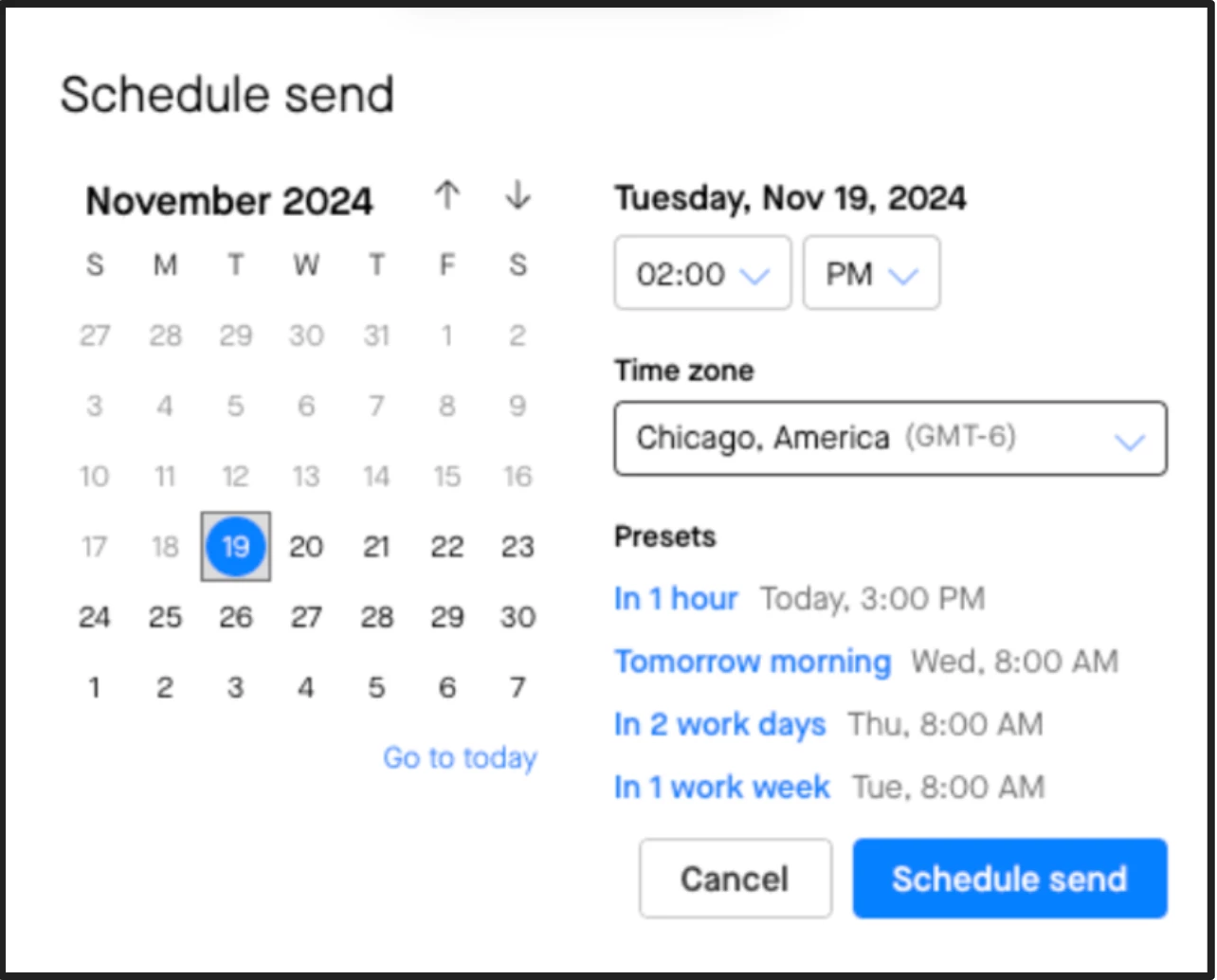
Timezone Returning to Scheduled Sends
Timezone is returning to the settings you can control for scheduled sends completed in Actions.
Auto-Save Actions
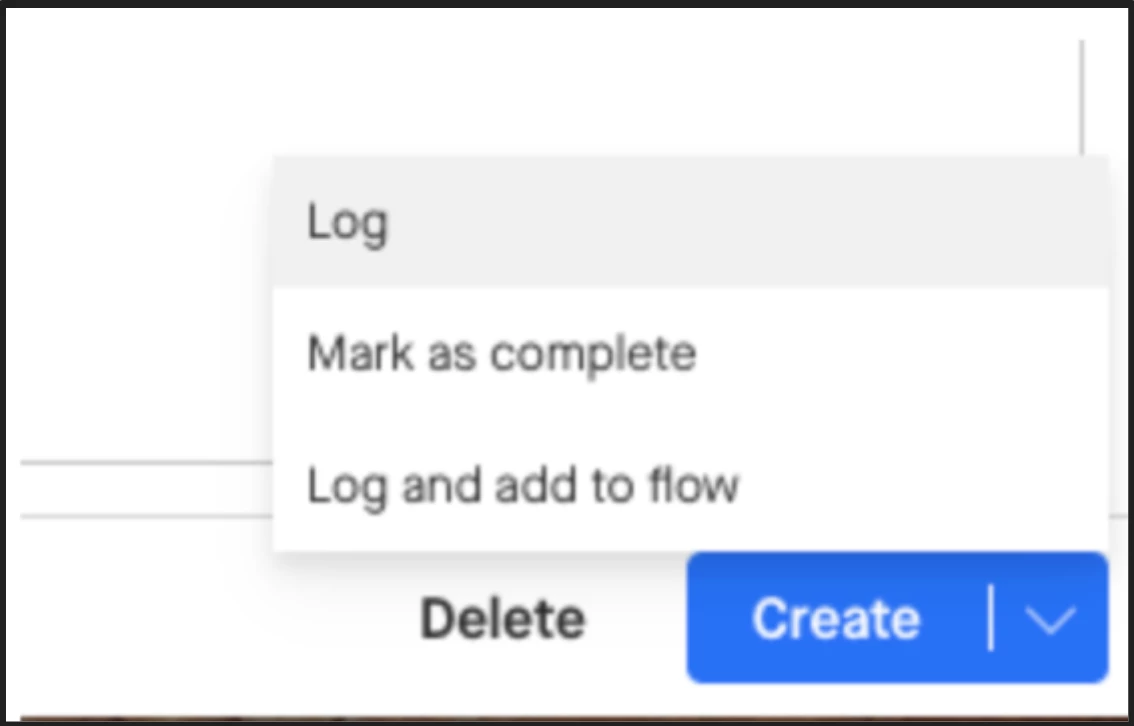
We removed the need to manually save your changes to actions with the “Save and Close” button based on your feedback. Now, the changes you make to Actions are automatically saved as soon as you finish typing them, when you close the action out, or move on to the next action in your list!
Thus, when you want to create/log a new Action, we replaced the “Save and Close” and “Log” button with a “Create” button, which will not only create the new action but also save it to your actions list! Learn more.
Enhanced Blocklist
Prevent certain emails and events that include blocklisted emails, from logging to Salesforce. Blocklists can be configured at the profile level to customize for different users. Learn more.
- Admin Actions: Admins will need to update settings in the managed package in salesforce to enable Enhanced Blocklist for each profile. Then update blocklist domains or email addresses for each profile.
What’s New in Align?
Edit Due Dates
Action Due Dates are now editable.