

Is there a way to show only certain categories on a widget: "Amount Decreased", "Slipped", "Lost", and "Lost Ownership", instead of every category? I would also like to have separate opportunity view widgets for each category - "Amount Decreased", "Slipped", "Lost", and "Lost Ownership", so I can see a list of each of those 4 categories.

Solved
Waterfall - selecting only a few categories to show
 +1
+1- New Contributor
Best answer by Kenna
Hi,
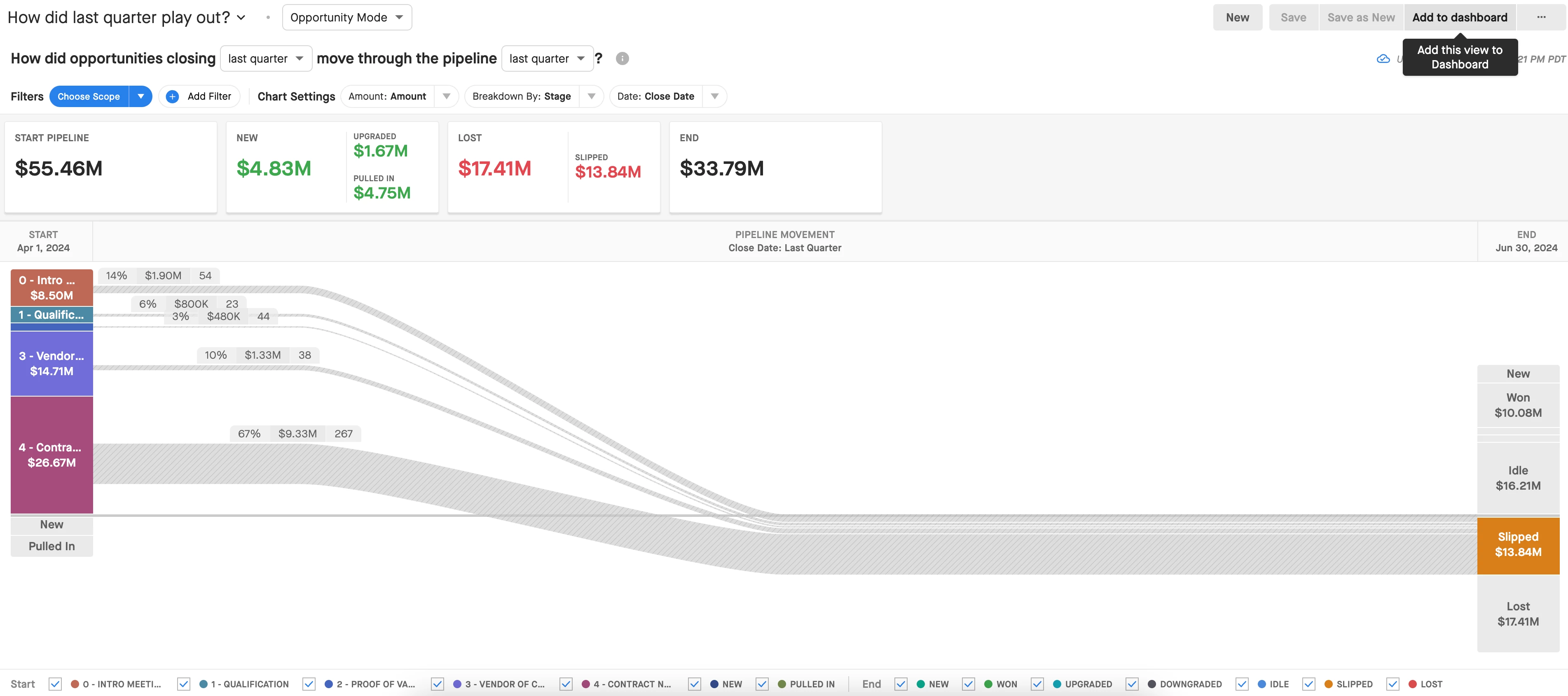
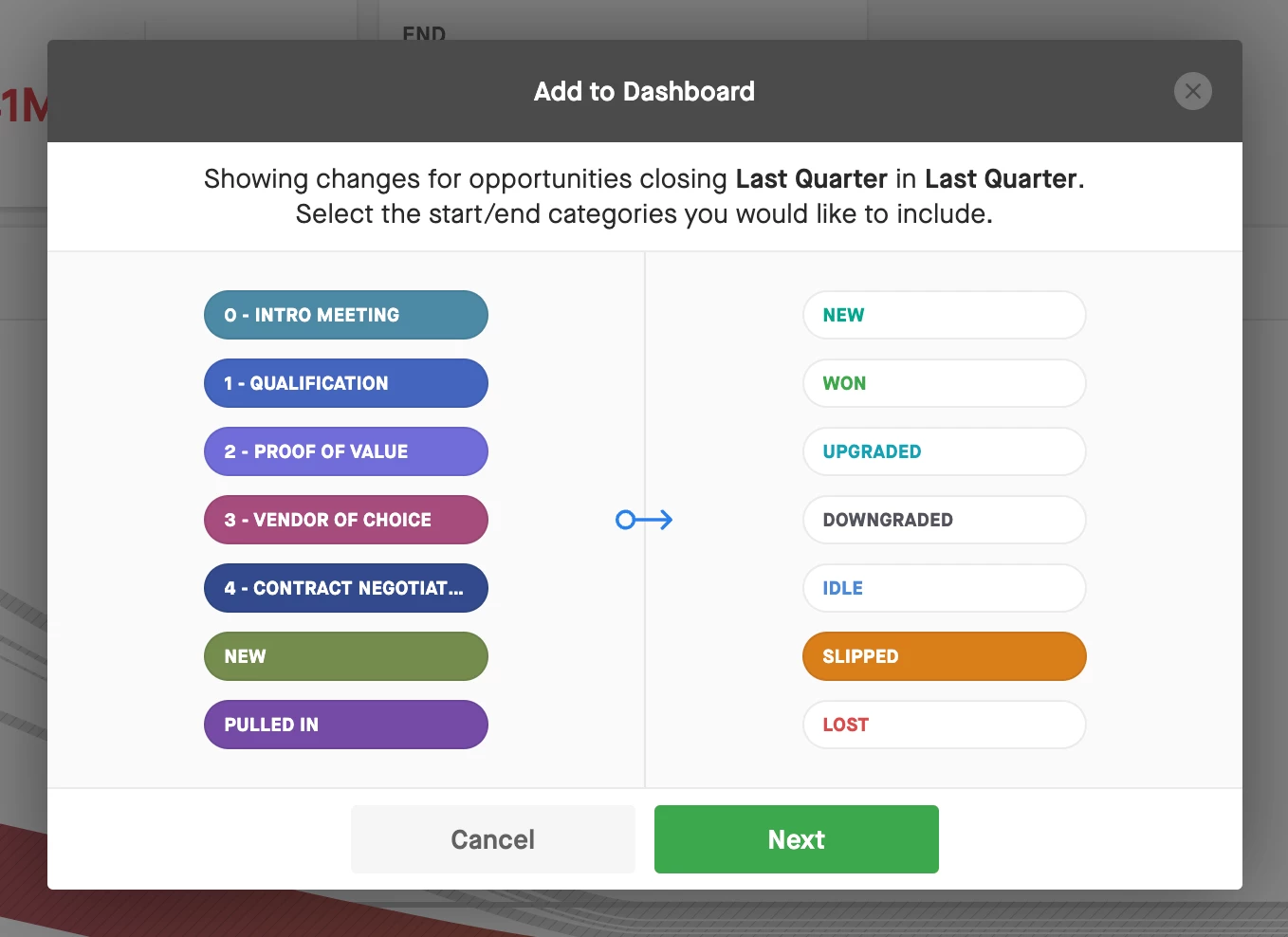
The Flow Widget does allow you to choose which categories at the start and end of the flow you want to see (i.e. Gained Ownership, Amount Decreased, Slipped, Lost, Lost Ownership). You can choose one option from one side of the flow, and as many as you want from the other:
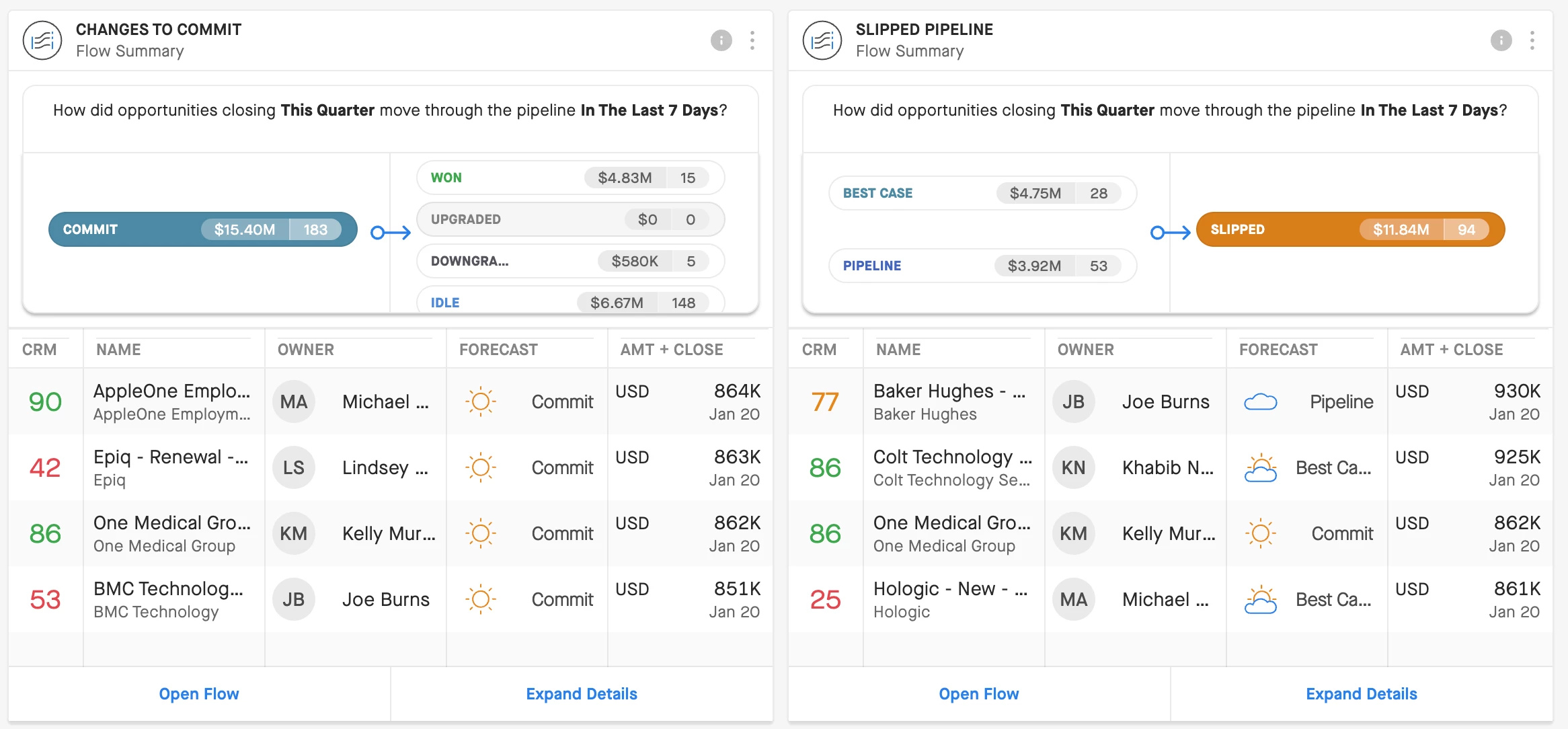
I think pinning a few Flow Widgets to your Dashboard alongside your Waterfall Widget should help you get the double-click into the opportunities that you’re looking for!




Sign up
Please create your account below.
Clari customers and employees with an app.clari.com login can click the first blue Log in button below.
Align, Copilot, or Groove customers, Clari Partners, or other guests can enter a username and password below to log in.
Please reach out at community@clari.com if you need any help to log in.
Log in
Clari customers and employees with an app.clari.com login can click the first blue Log in button below.
Align, Copilot, or Groove customers, Clari Partners, or other guests can enter a username and password below to log in.
Please reach out at community@clari.com if you need any help to log in.
or
Welcome to the community
Create your account
Not a member yet? Join the Clari Circle Community to learn about our products, fine tune your craft, and accelerate your revenue career.
Create an accountClari customers and employees with an app.clari.com login can click the first blue Log in button below.
Align, Copilot, or Groove customers, Clari Partners, or other guests can enter a username and password below to log in.
Please reach out at community@clari.com if you need any help to log in.
Log in
Clari customers and employees with an app.clari.com login can click the first blue Log in button below.
Align, Copilot, or Groove customers, Clari Partners, or other guests can enter a username and password below to log in.
Please reach out at community@clari.com if you need any help to log in.
or
Enter your E-mail address. We'll send you an e-mail with instructions to reset your password.