




Let’s cover what Views, Roles, and Lenses are—and how you might benefit from them in Clari. 😺
Views
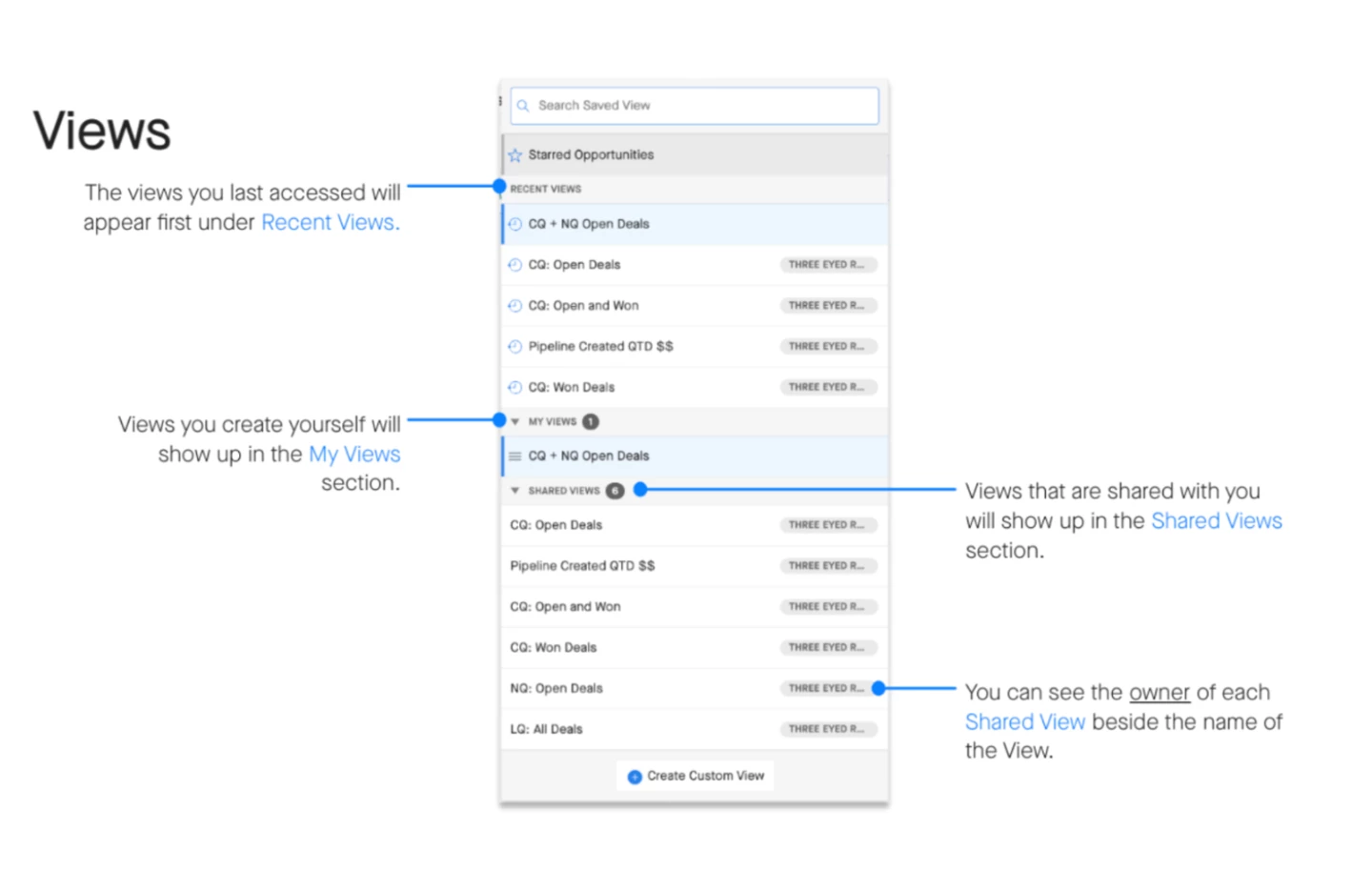
Views are sets of saved filters or reports that help you focus on the right opportunities. You can access Views from the left side of the Opportunities Module (pictured below). Or, check out this article to learn how to use Saved Views in the Analytics and Accounts Modules.
Roles
Roles map to User Types and determine your level of access to Clari. Your role determines which Views, Modules, and Dashboards you have access to.
For example, a Sales Manager might have access to certain Views about team performance that a Sales Rep doesn’t need.
There are 5, out-of-the-box roles in Clari:
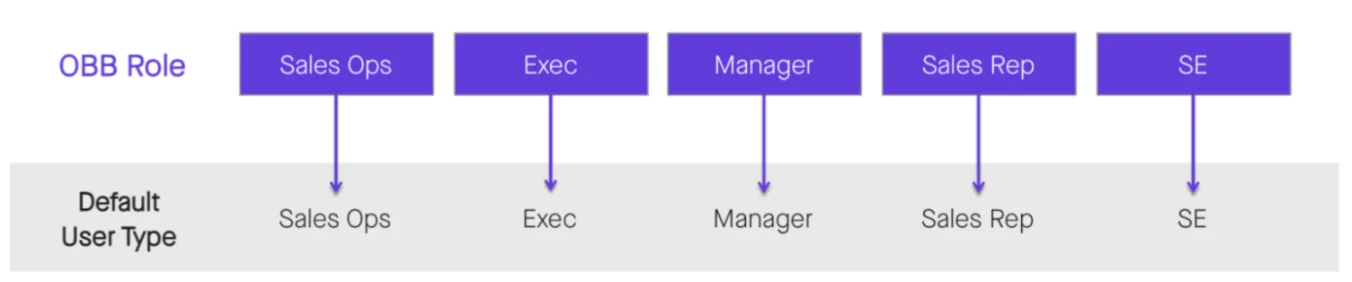
You can change the names of the out-of-the-box roles and add custom ones if that suits your team best! So long as the role maps back to a standard Clari User Type.
Lenses
While your role controls the broad strokes of what you can access, Lenses fine tune it. 🧐
Lenses make it so that when someone creates a View for more than one role type to access—each individual still sees what’s important to them based on their role.
So, users with different roles can look at the same View, but still see the data most relevant to them.
When the Lens is enabled, the Scope filter for Saved Views adjusts based on your user role. So, your role determines your lens since it determines which deals you need to see in Clari.
Check out this example of a Manager vs. Sales Rep Lens:
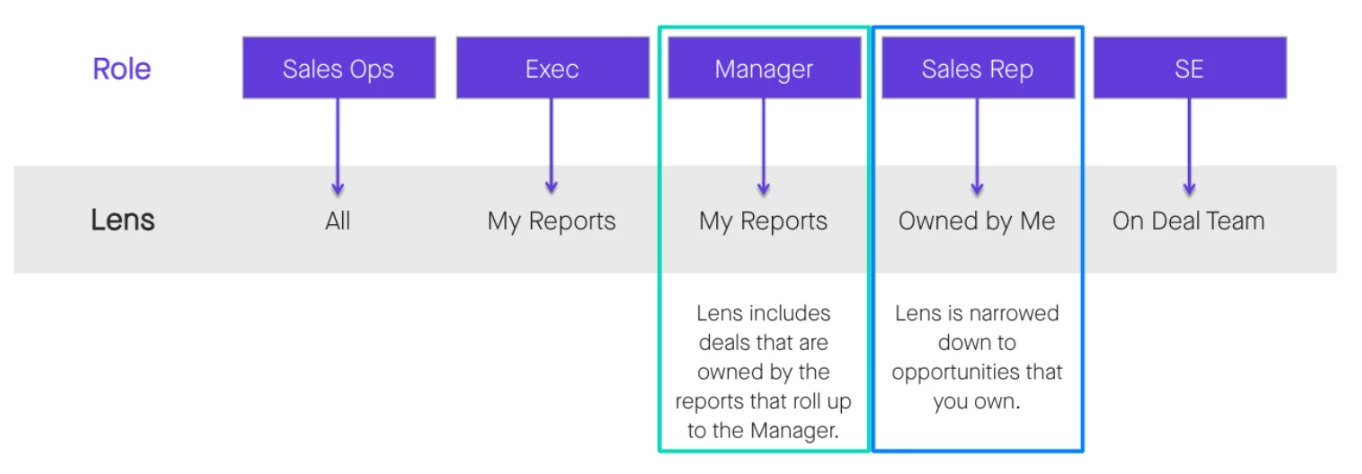
When an Admin creates a View with a scope set to All (meaning they can see all deals in the View)—and if the Lens is enabled—the Lens will adjust the Scope according to the role of the user who’s looking at the View.
So, when a Sales Rep views the Admin’s new View, they see their own deals. But, the Lens makes it so that a Sales Manager, looking at that same View, sees their own deals plus the deals of their reports.