



Quotas are a central component of Forecasting. With the Quota Management module in Clari admin, you can bulk upload quotas for your team.
Access Quota Management:
-
Navigate to Clari Studio
-
Click the Studio menu in the top right to navigate to Quota Management
Uploading Quotas
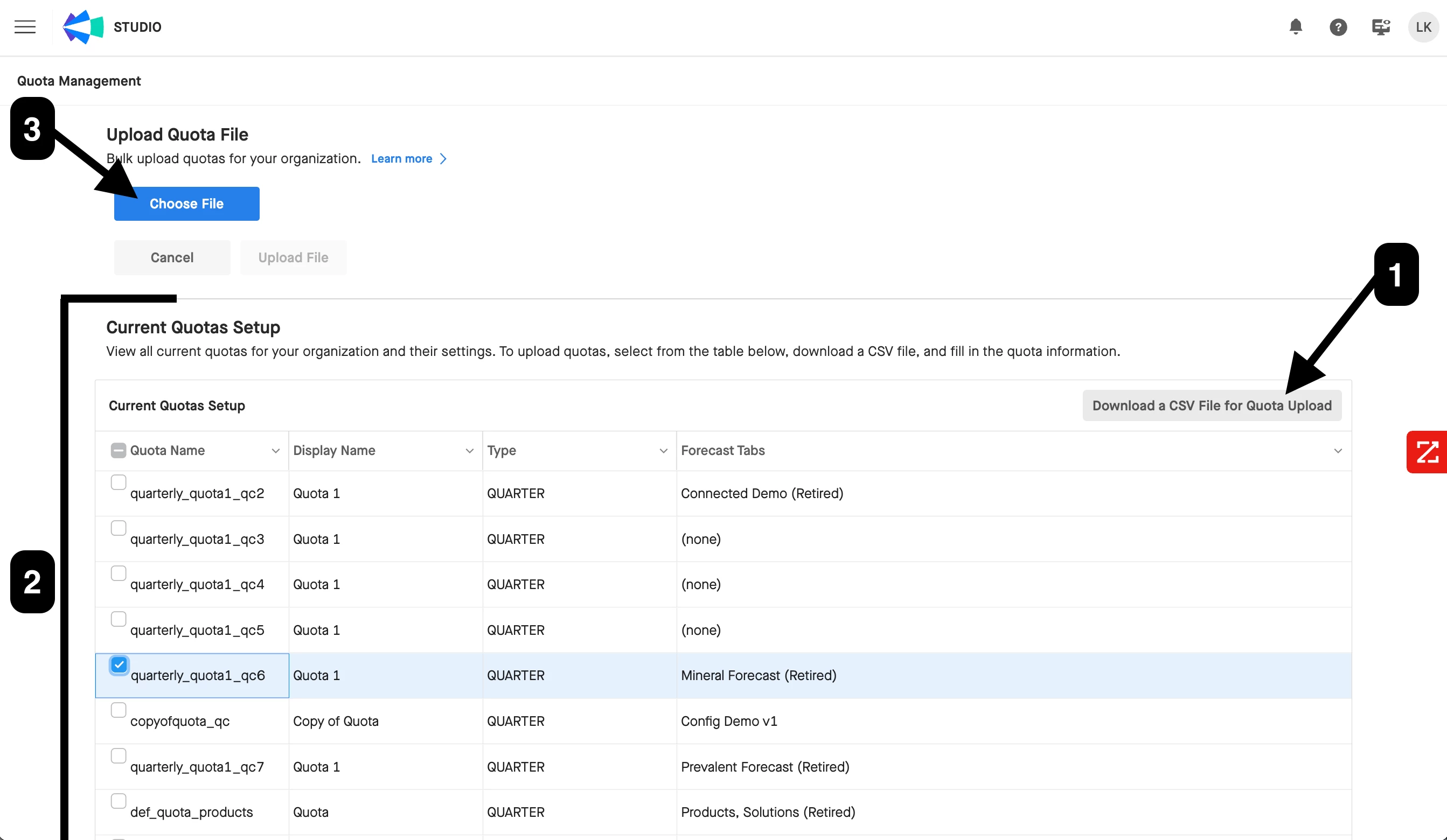
- Download the Sample Quota File to see a preview of your first 10 Quotas.
- Review your Current Quotas Setup to see all quotas currently set up for your organization and their settings.
- Update the Sample Quota File with your quotas and Upload Quota File as a .CSV file
Note: Remember to upload as a plain .CSV file and not a .CSV UTF-8 file.
Need more information on Quota Management? Check out our Knowledge Base Article!