




Have you ever wondered how many of your subscribed Clari or Copilot licenses you are using?🤔 Are you over or are you underutilizing and have seats to add more reps? While you can always check with your Account Manager, here’s a quick and easy way for you as admins to get those details yourself👇
Depending on the SKUs you are subscribed to per your signed order agreement, you can check the details below to learn how Clari defines a license being used for each SKU.
For Clari
Clari consists of modules, like “Inspect”, "Forecast" , "Analytics", “Dashboards” or “Accounts”. Your Order Agreement lists what modules you have access to and how many licenses you have available for each of those modules. You can use this to determine provisioning based on your organization’s needs, and reach out to your Account Manager should needs change.
Any user with their Clari Account Status as “Registered” will be counted as a license used. You can check for this in the User Management section in Clari Studio using the Clari Account Status filter (see below)
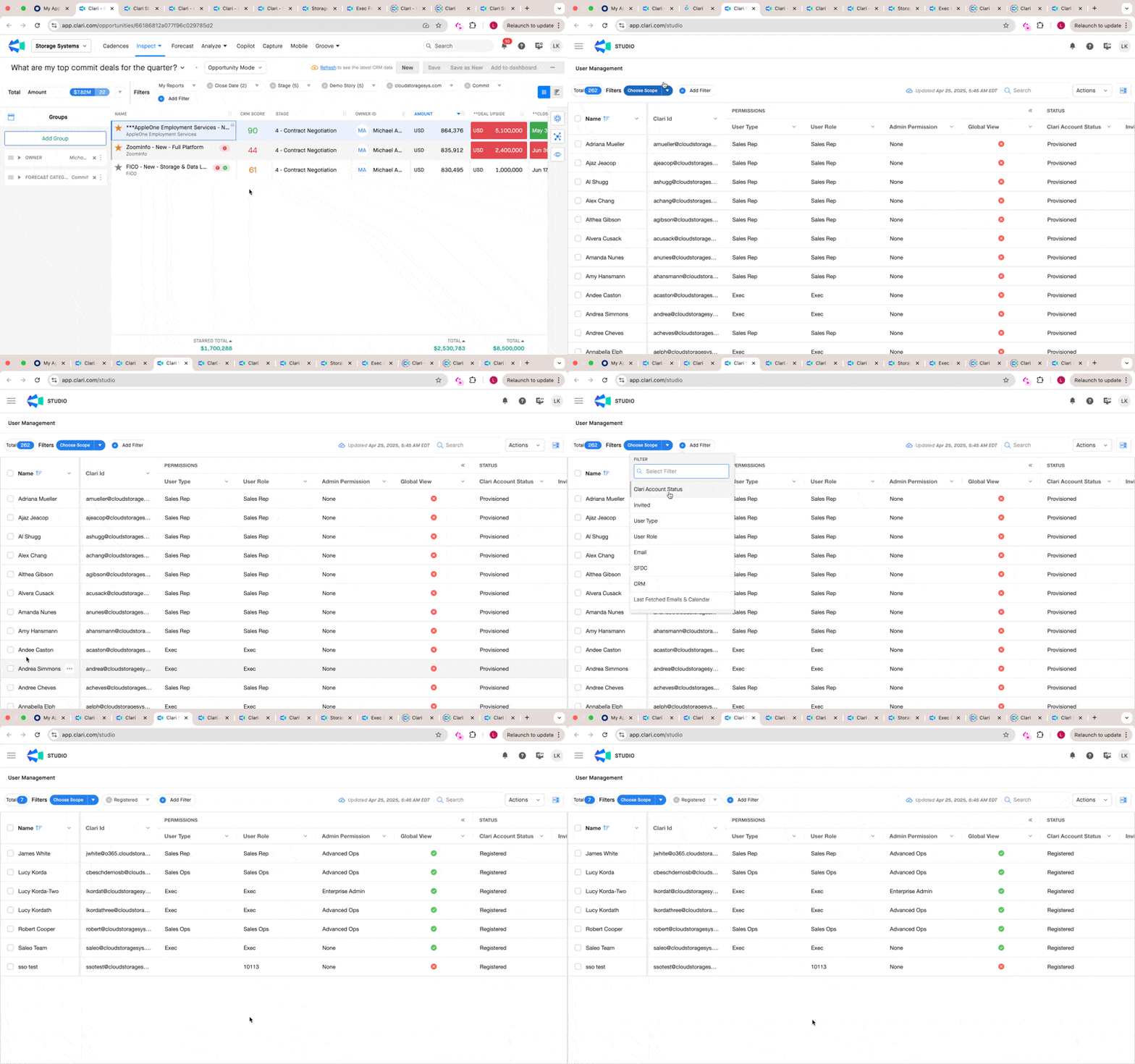
Note: No two Clari orgs are the same. If you have questions about your current subscription and licenses, or see a discrepancy, please contact your Account Manager for clarification.
For Capture
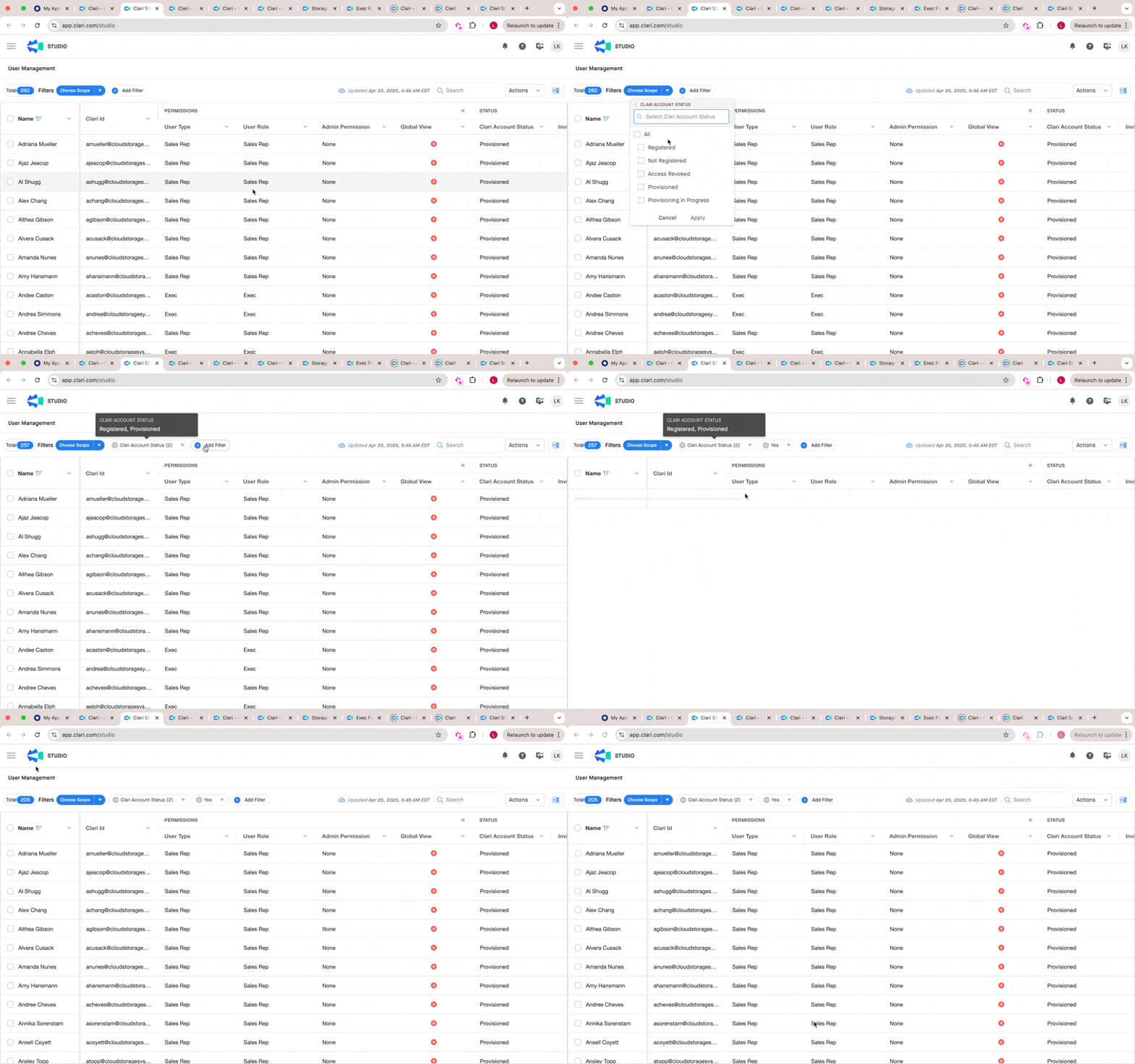
Capture counts any user with the Clari Account Status as “Provisioned” or “Registered” and Capture Active as “Yes” as a licensed user. You can check for this in the User Management section in Clari Studio (see below)
For Copilot
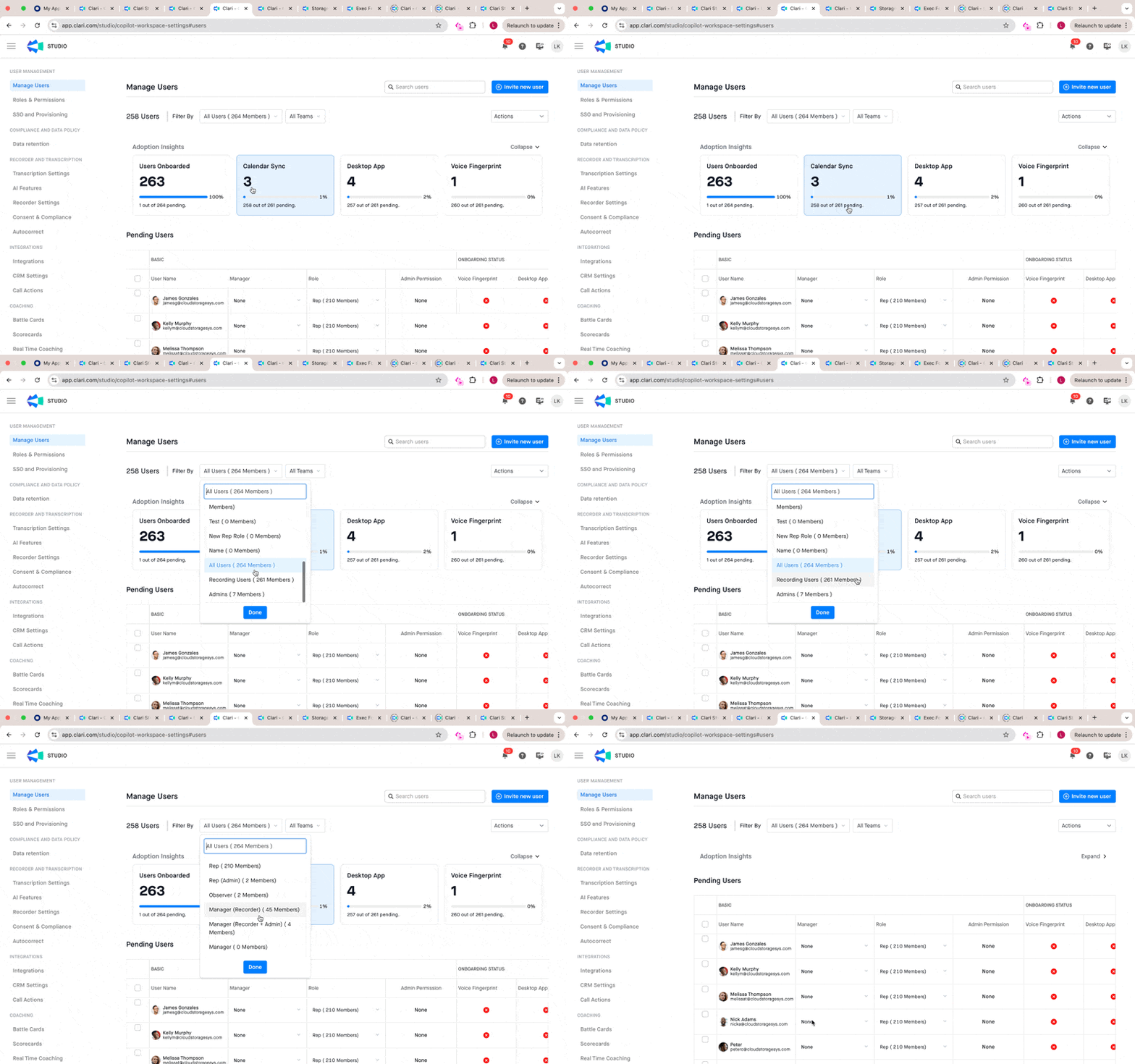
Any user with recording access (Recording Users) is what Copilot defines as a licensed user. You can get details on the same using the Manage Users page within Copilot
Note: Observers (non-recording users) in Copilot are absolutely free and you can have as many of these as you’d like across your org to have everyone onboard and make internal collaboration easier and bring everyone closer to the voice of the customer. Learn more about Copilot user roles here
For Groove
You can get the details on each of the Groove SKU under the License tab in Manage My Org/Groove Admin section (see below).
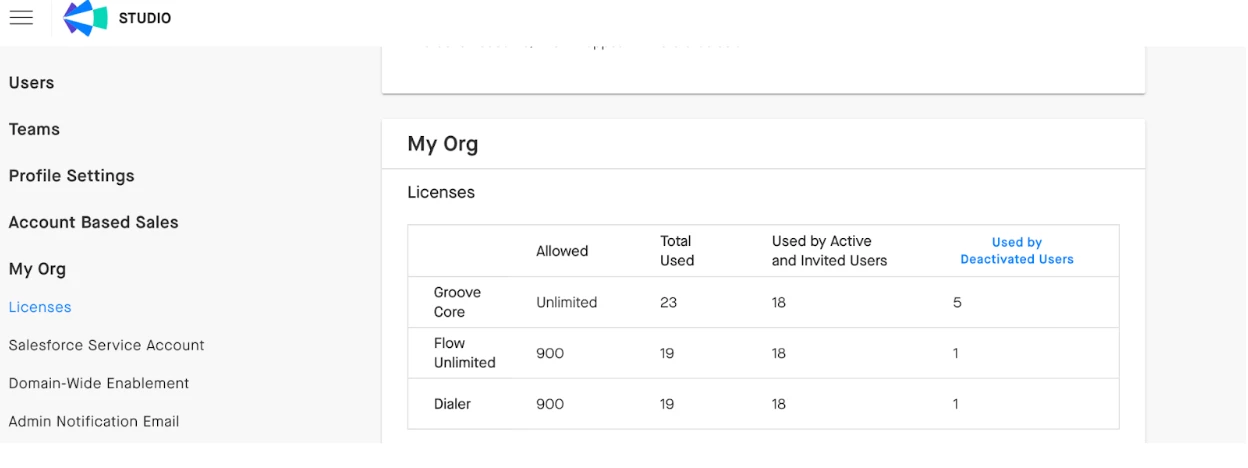
Note: While doing this check, if you realize that you are over your subscribed license count for any of the SKU please do not worry about being auto-charged. Reach out to your Account Manager with details and they will be able to help 🙂