I see in Field Config via Clari Studio that system admins can create modes. Conversely, how can we delete modes that are no longer needed?
Are there any key considerations to keep in mind when deciding to delete modes?

I see in Field Config via Clari Studio that system admins can create modes. Conversely, how can we delete modes that are no longer needed?
Are there any key considerations to keep in mind when deciding to delete modes?
Best answer by David Ogborn
Hey
You can delete a Mode in Field Configuration by clicking the icon with the arrows when you hover over the desired Mode.
From there scroll to the bottom of the Mode details and there should be a "Delete Mode" button.
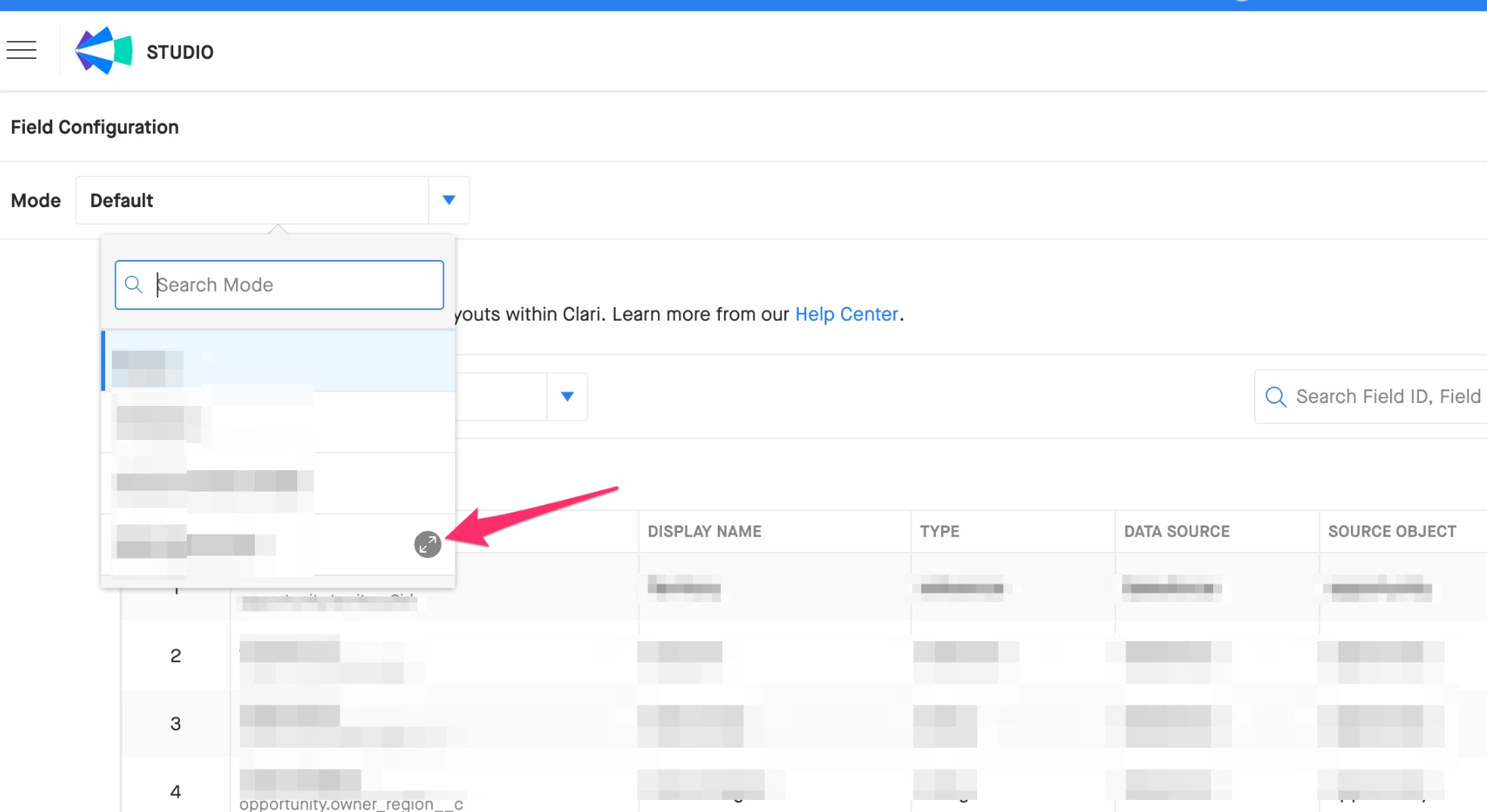
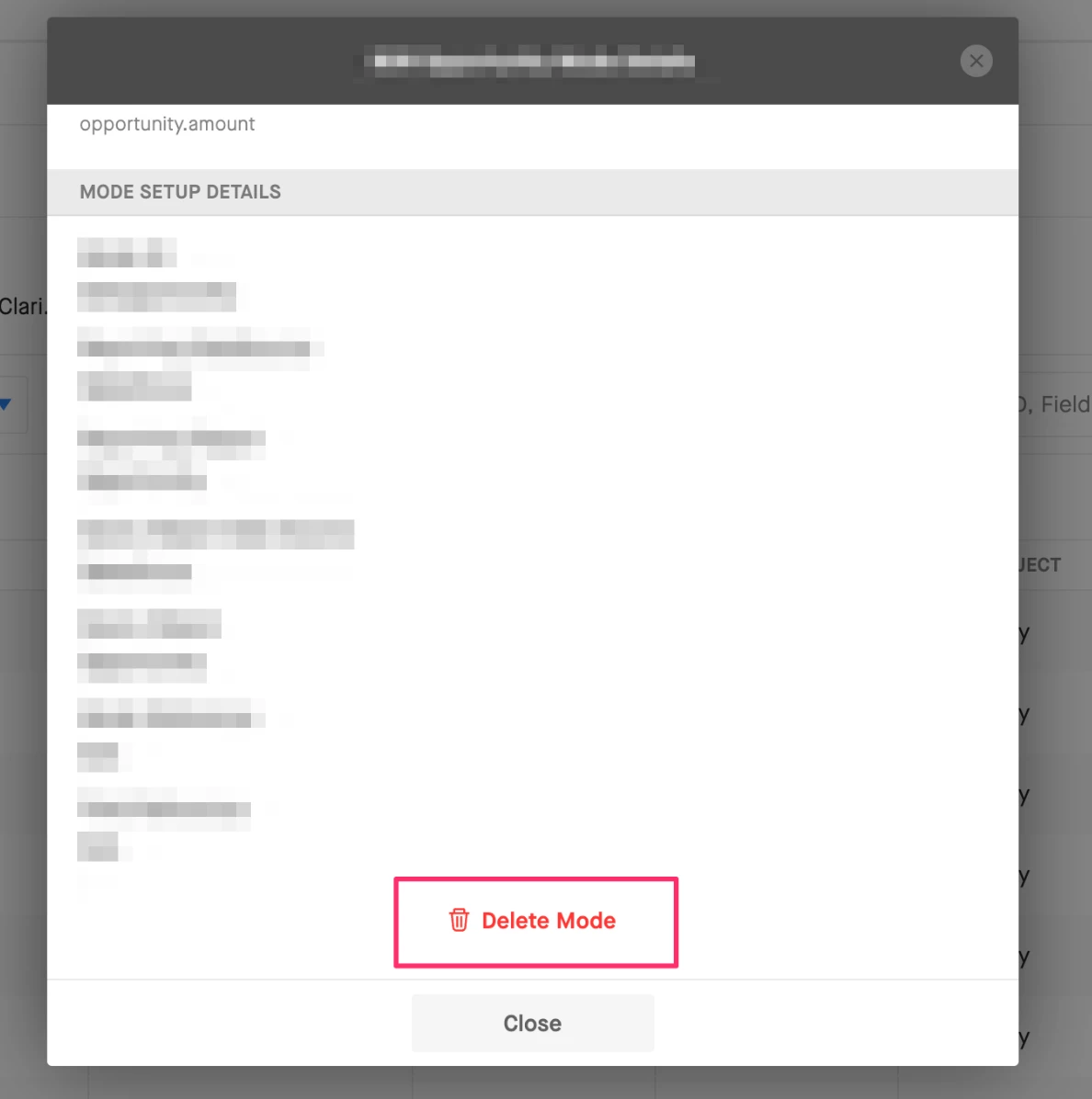
In terms of considerations, when deleting a mode any associated views would be lost and if a forecasting tab was working off of a mode that was deleted it will break.
David
Please create your account below.
Clari customers and employees with an app.clari.com login can click the first blue Log in button below.
Align, Copilot, or Groove customers, Clari Partners, or other guests can enter a username and password below to log in.
Please reach out at community@clari.com if you need any help to log in.
Not a member yet? Join the Clari Circle Community to learn about our products, fine tune your craft, and accelerate your revenue career.
Create an accountClari customers and employees with an app.clari.com login can click the first blue Log in button below.
Align, Copilot, or Groove customers, Clari Partners, or other guests can enter a username and password below to log in.
Please reach out at community@clari.com if you need any help to log in.
Enter your E-mail address. We'll send you an e-mail with instructions to reset your password.