As your company adds more products to your portfolio and specializes revenue teams, you may want to set targets and forecast by your different product offerings, and even allow other teams (i.e. Marketing, Product) to view the forecast to understand how your products are selling.
Having a Product Mode in Clari can provide Marketing with visibility into which products are in low/high demand to prioritize their efforts. Similarly, Product can identify where they may need to devote more resources for further development. If you’re a supply chain company, you can leverage a Product Mode to forecast your inventory levels to meet customer demand.
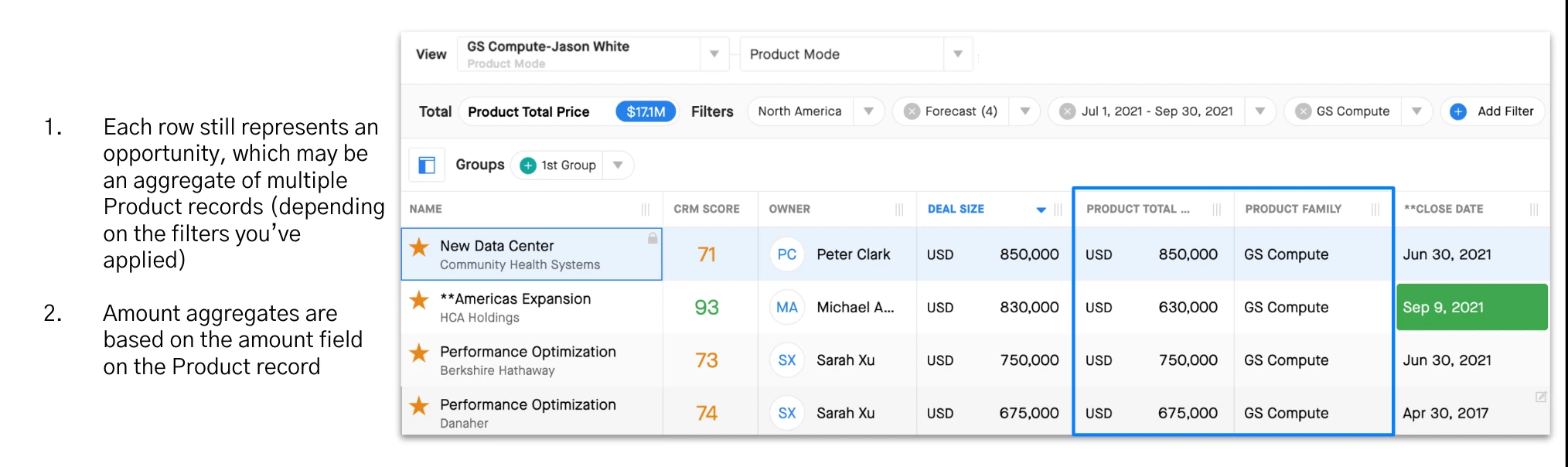
One important item to note about Product Mode is that each row in the Opportunity Grid will still represent one opportunity no matter how many product line items are present for that opportunity. It’s recommend to only add the aggregation field from the product line item to your Opportunity Grid and Details layouts. Other fields on the product line item (i.e. product family, product type, etc.) can be added to the Opportunity Filterable and Opportunity Groupable layouts. Once a filter such as Product Type is applied, Clari will aggregate all applicable product line items and display the sum value of the aggregation field across those product line items.
Product Mode is a Standard Mode that you may add to your Clari instance using Field Config. You can learn more about Product Mode and other modes by reviewing our Field Config curriculum in Clari University or our Knowledge Base.