



Answer

GROOVE: Skipping contacts automatically in an ACTION

  • September 25, 2024
  • 2 replies
  • 90 views

Forum|alt.badge.img+4

Is there currently a way to build a automation rule where a contact in the flow reaches an Action in that flow and has opted out for email OR has no email address to have the contact automatically skip that email action automatically.  

Right now, we are doing it manually and it’s a pain.  
Best answer by Hannah McDaniel

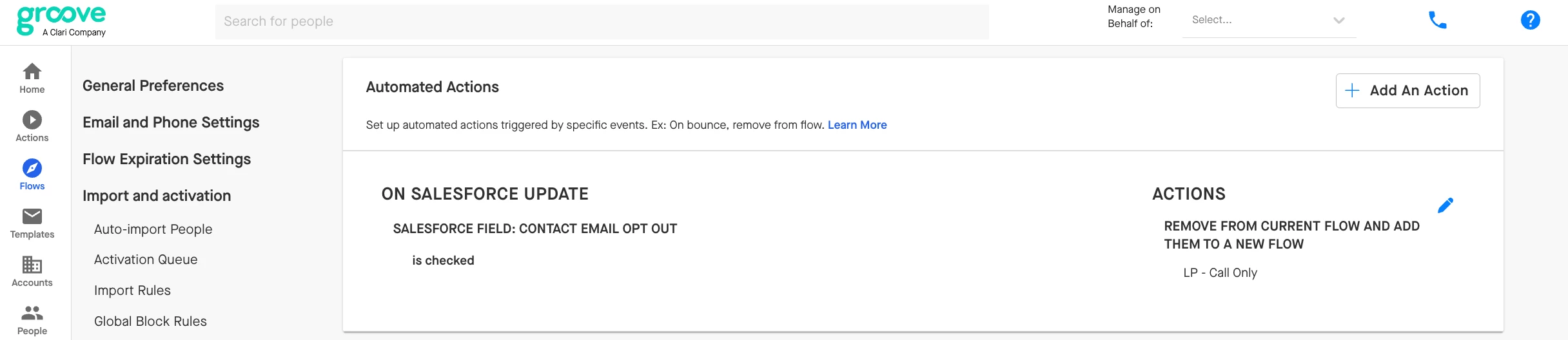
Hi @mself1211 Great question. Skipping specific steps is not possible with Automated Actions at the moment, however we do have another recommendation.  You can make a copy of the first Flow, and remove all email steps from it, so it is identical but without the email steps.  Then in the first Flow add an Automated Action to trigger the prospect on “email opt out is checked” to be moved to the second Flow.


2 replies

Forum|alt.badge.img+5

Hi @mself1211 Great question. Skipping specific steps is not possible with Automated Actions at the moment, however we do have another recommendation.  You can make a copy of the first Flow, and remove all email steps from it, so it is identical but without the email steps.  Then in the first Flow add an Automated Action to trigger the prospect on “email opt out is checked” to be moved to the second Flow.


Forum|alt.badge.img+4
  • Author
  • New Contributor
  • September 26, 2024

That could be an option - however, not one for us.  I will put in a request for a new feature.


