




Happy Friday! 🙂
It’s exciting to see our customers leverage Field Configuration and a common question that I’ve seen come up frequently is….
What do ‘Analytics Roll Up’ and ‘Analytics Breakdown’ mean in the Add Fields to Layouts page?
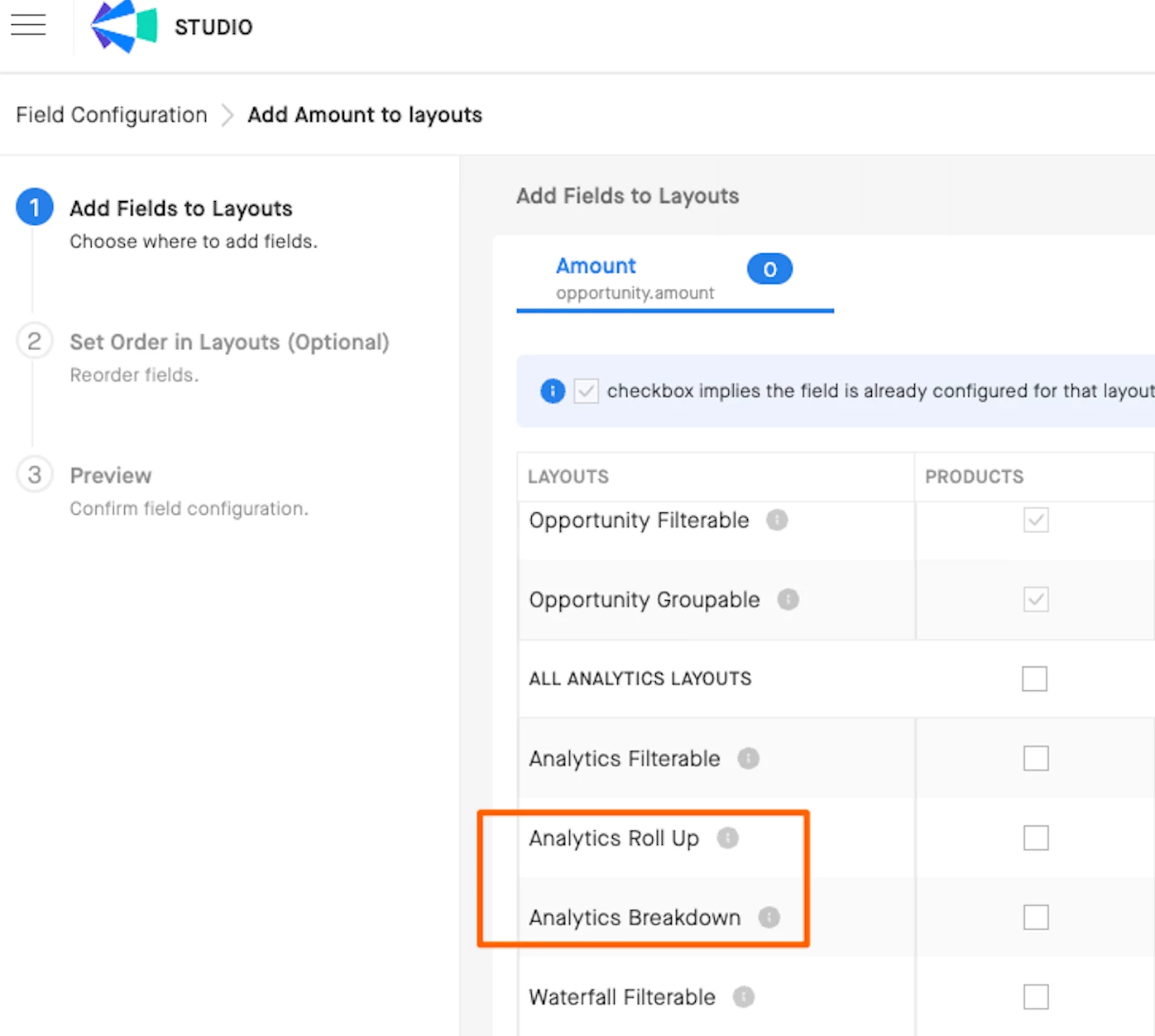
Analytics Roll Up
When you checkmark this option for the intended field(s) in the Field Config Layouts page, this means that the selected field will appear as a dropdown option for the Amount Chart Setting. As a refresher, the selections in these dropdown determine which amount fields are used to roll up the numbers you look at in Analytics.
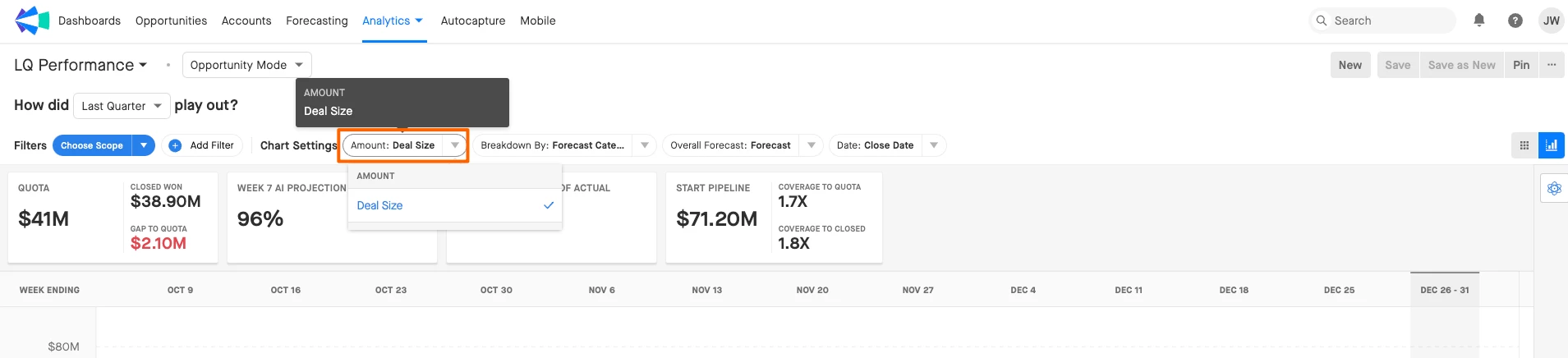
Tip: To add a field to Analytics Rollup, it must first be added to Opportunity Grid. Only Currency or Number fields can be added to this layout.
Analytics Breakdown
When you select this option, this means that the selected field will appear as a dropdown option in the Breakdown Chart Setting. As another refresher, whatever option you choose for the Breakdown dropdown will control how your deals are segmented in Analytics.
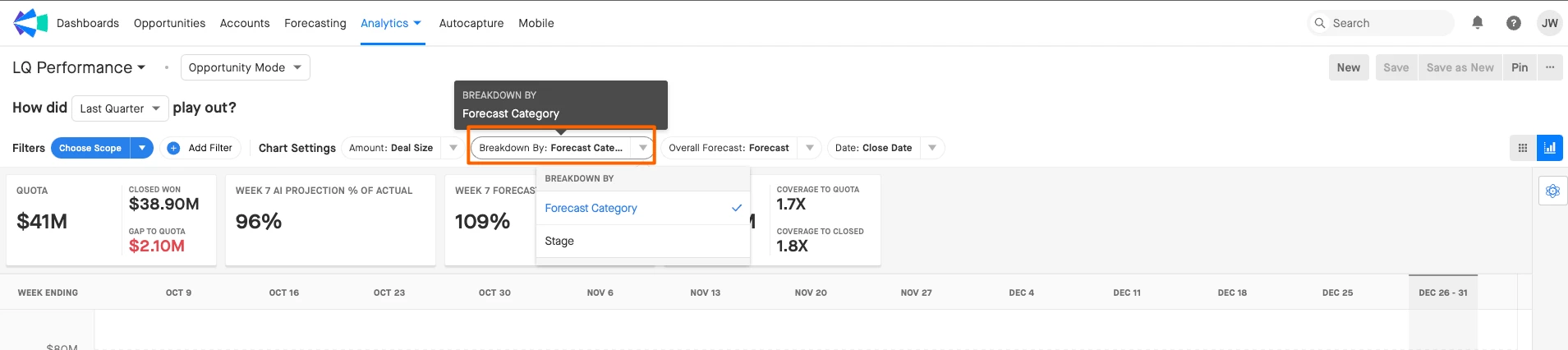
Tip: To add a field to Analytics Breakdown, it must first be added to Opportunity Filterable.
Want to get access to Field Configuration in Clari Studio? Here’s how below:
Navigate to Clari University, then select the Clari Field Config Fundamentals Admin Certification Path lesson to start the Field Configuration Certification. Once you earn your Field Config certification, you will be considered to join our Early Access Program, where admins can configure and customize your Opportunities Module.
Get certified today and join the Field Configuration Early Access Program!