


Opportunity field notifications are available to all Clari Core users. When you click on an Opportunity in Clari, you can then click on the ‘bell’ icon in the Inspect panel to select for which fields you’d like to be notified whenever a change in value occurs. These notifications will help you track specific updates to Opportunities in real time. For managers, this functionality can be especially helpful for ensuring you always know the state of your business.
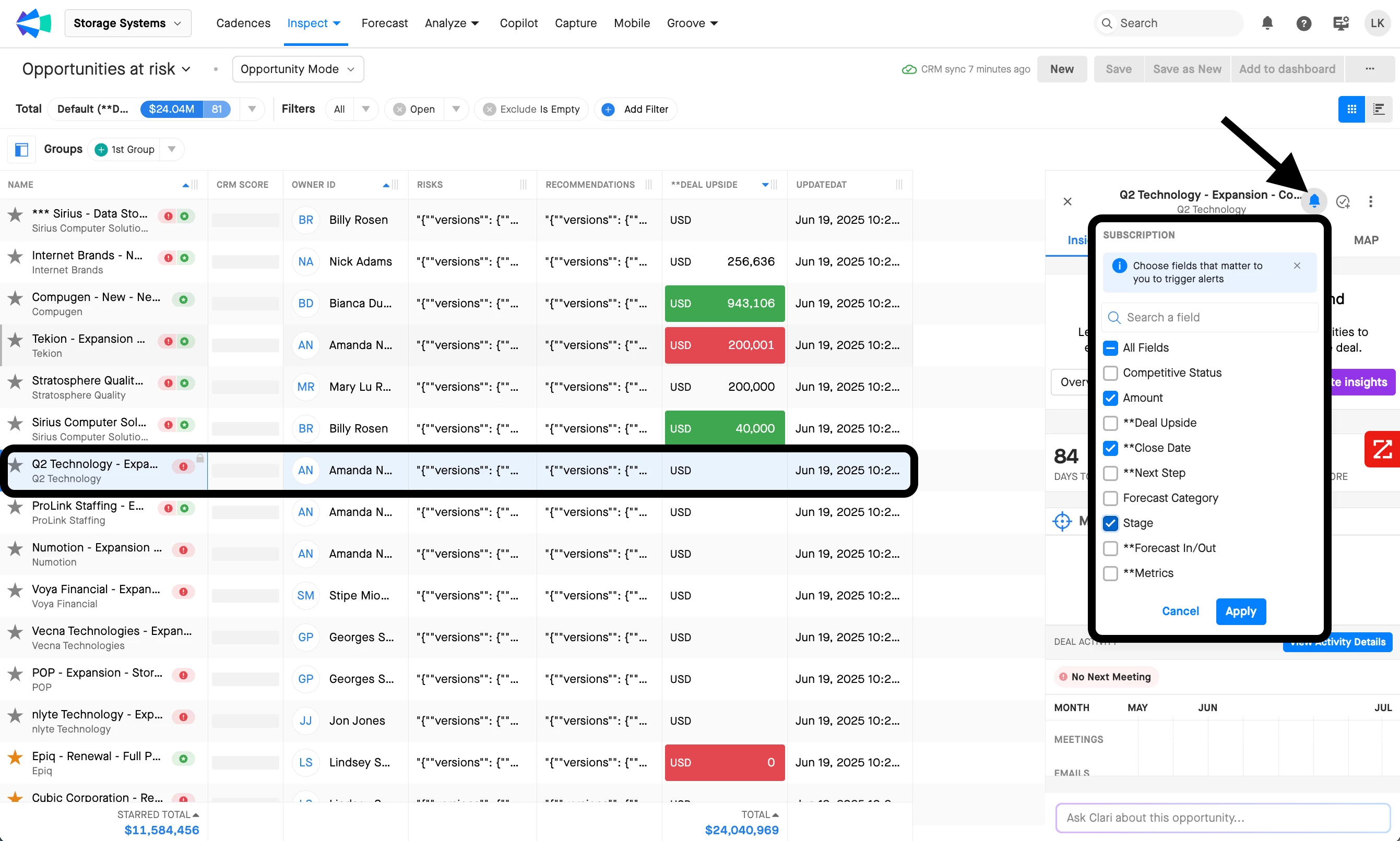
If you do not see the notification bell icon in your instance, please submit a ticket in the Clari Support Portal to have it enabled.
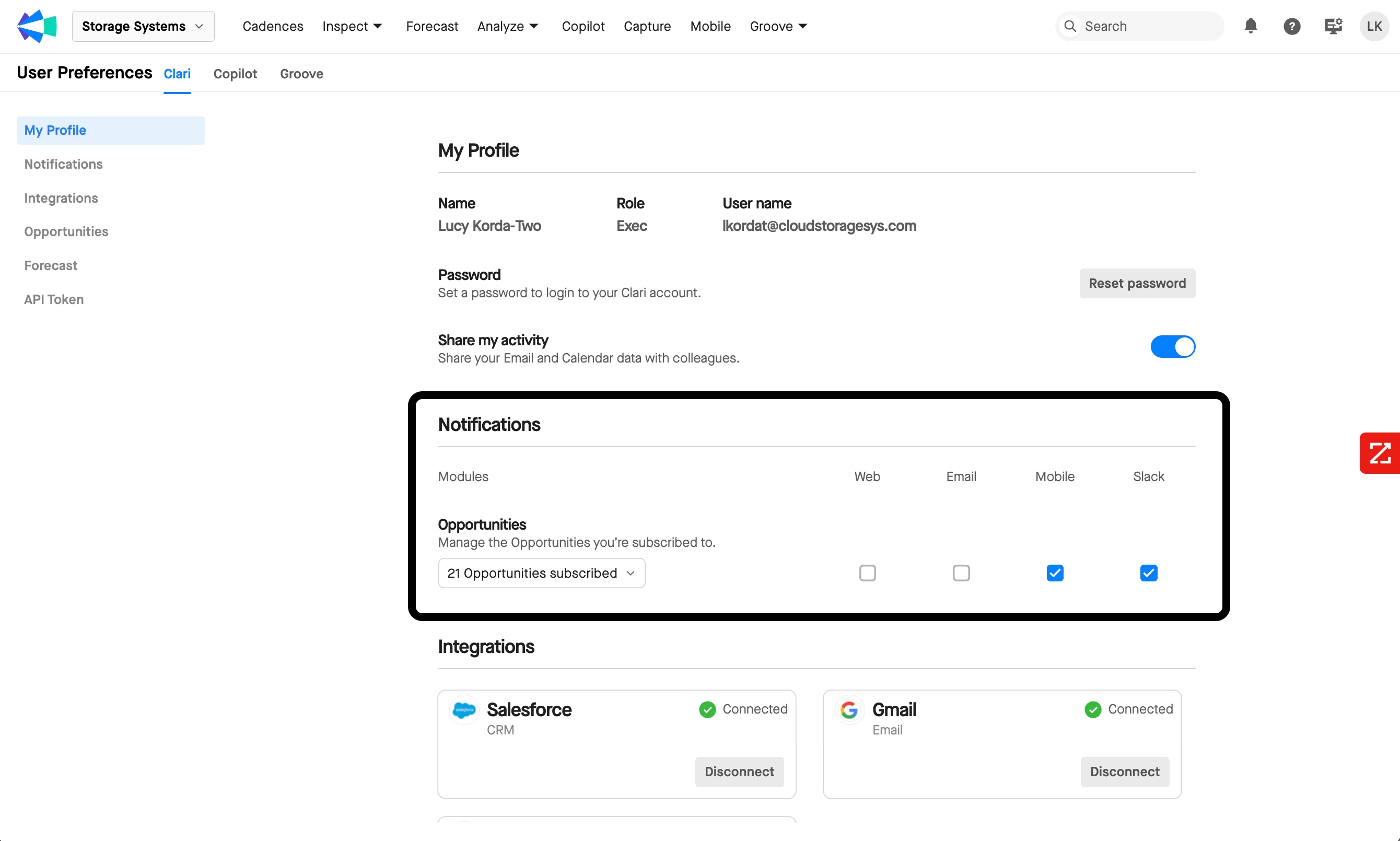
In Clari > Preferences > Noticiations, you can then select through which channels (e.g., web, email, mobile, Slack) you’d like to receive these notifications.