




The Outcomes tab is a great place to understand how many meetings are being booked from your Flows or Flow Step Types, and see exactly who booked these meetings by User, Account, or People.
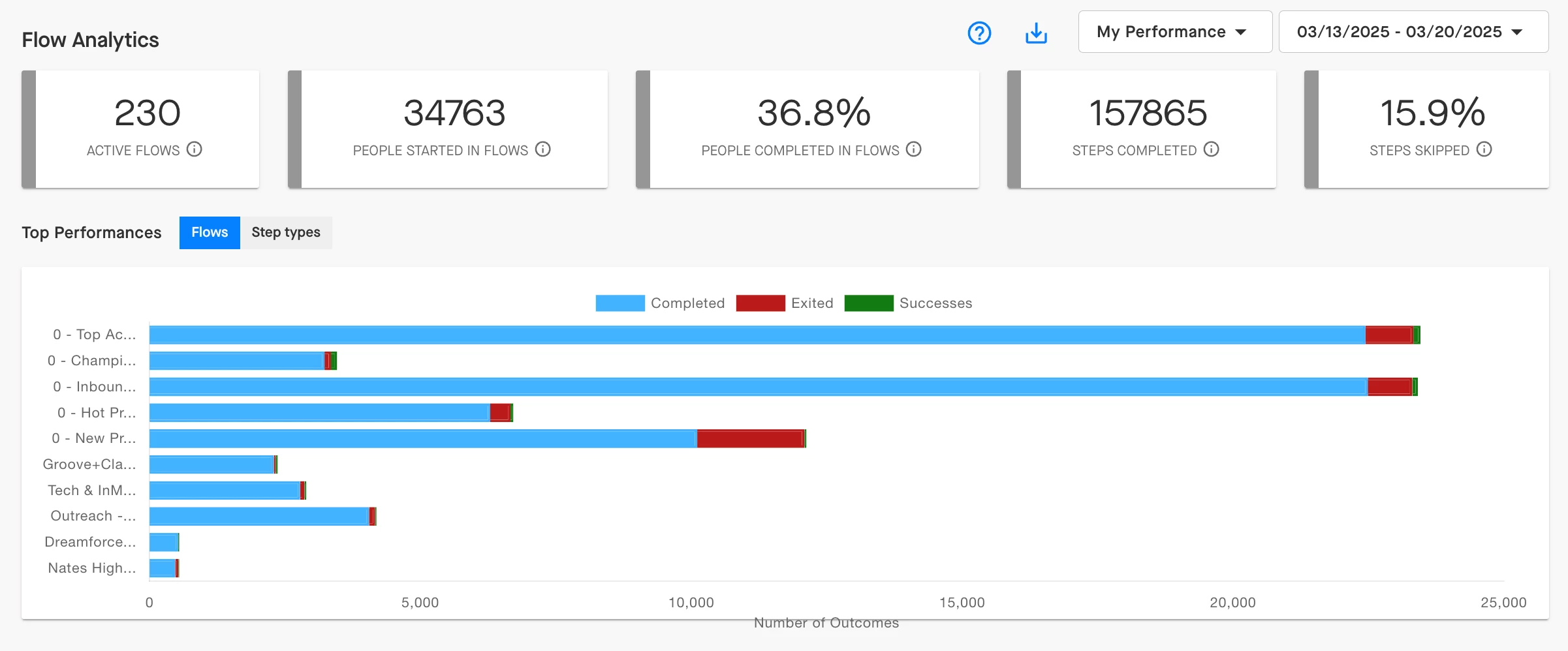
The graph at the top of the page will show you your top performing Flows or Step Types depending on which option you select. Meetings Booked, along with Positive Conversations and Opportunities Creates, would be included in the green “Successes” segment of each bar in the chart:
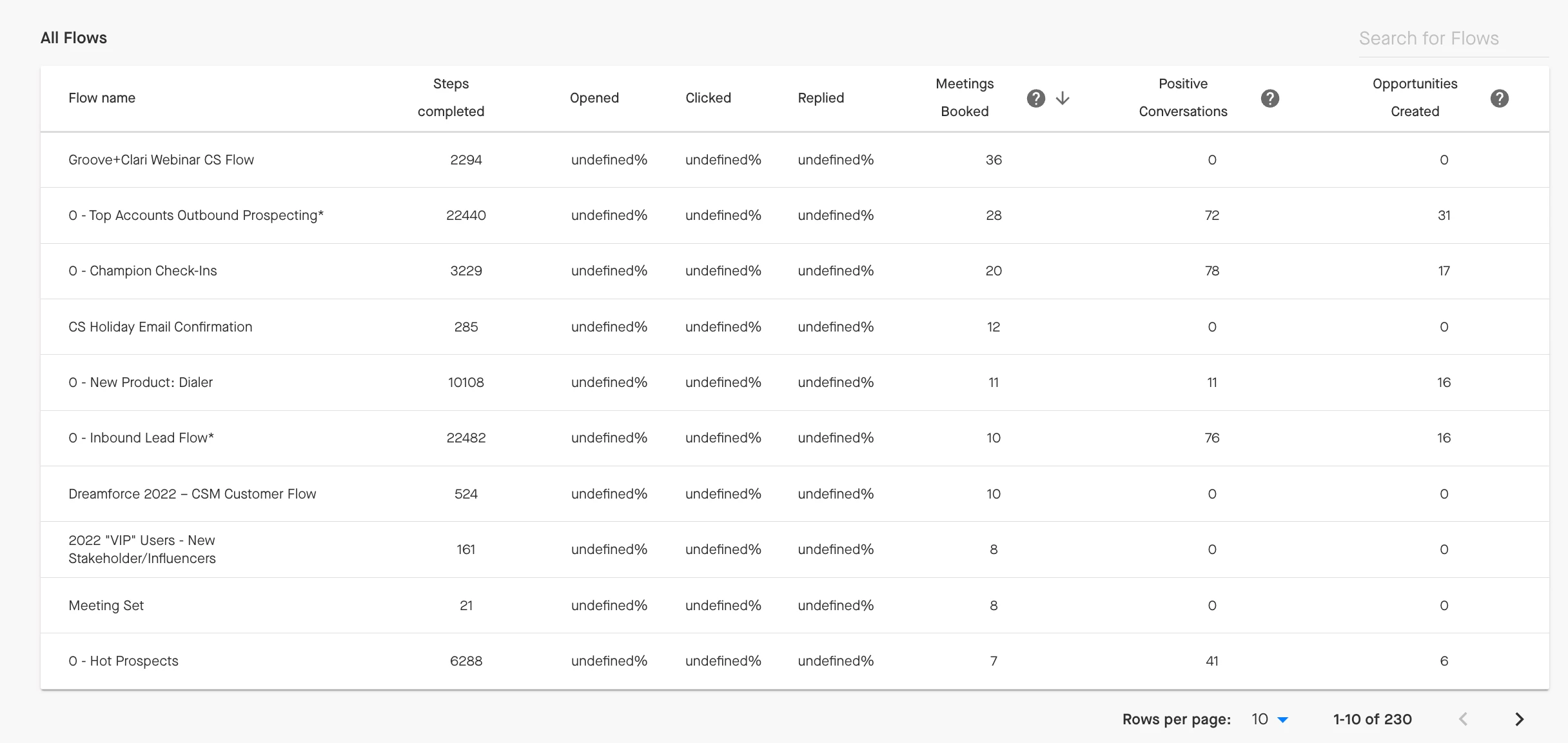
Below the graph, you can look at your successes in more detail, sorting by Meetings Booked if that’s what’s most important to you to see at the moment:
Click on a specific Flow in the chart to analyze how each step in that Flow is performing. Which steps are helping your team book meetings, generate positive sentiment, or create new opportunities? Take a look at your Successes by the steps, users, accounts, or individual people in a Flow.
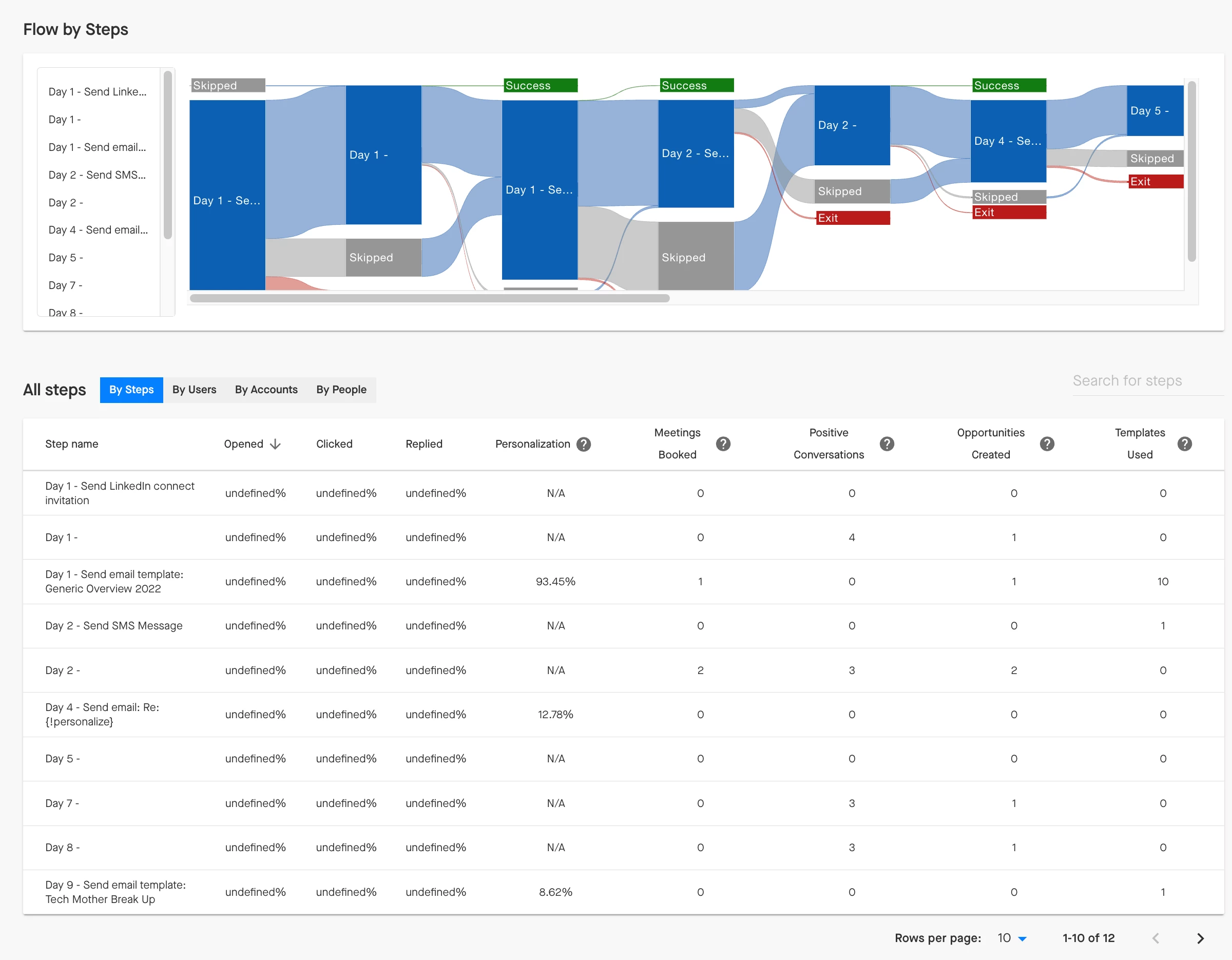
Tip: Look at All Steps: By Accounts to assess which accounts in this Flow are engaging the most and whether those accounts have anything in common. Are there certain industries that are responding especially well to this Flow?