




While email open tracking and link click tracking are two distinct features, you must have email open tracking enabled in order to enable link click tracking.
To configure your emails to track for email open and link clicks by default:
- Click on the Groove Chrome extension
- Click the Settings icon in the upper-right corner
- Enable the settings under the “Email Tracking” section
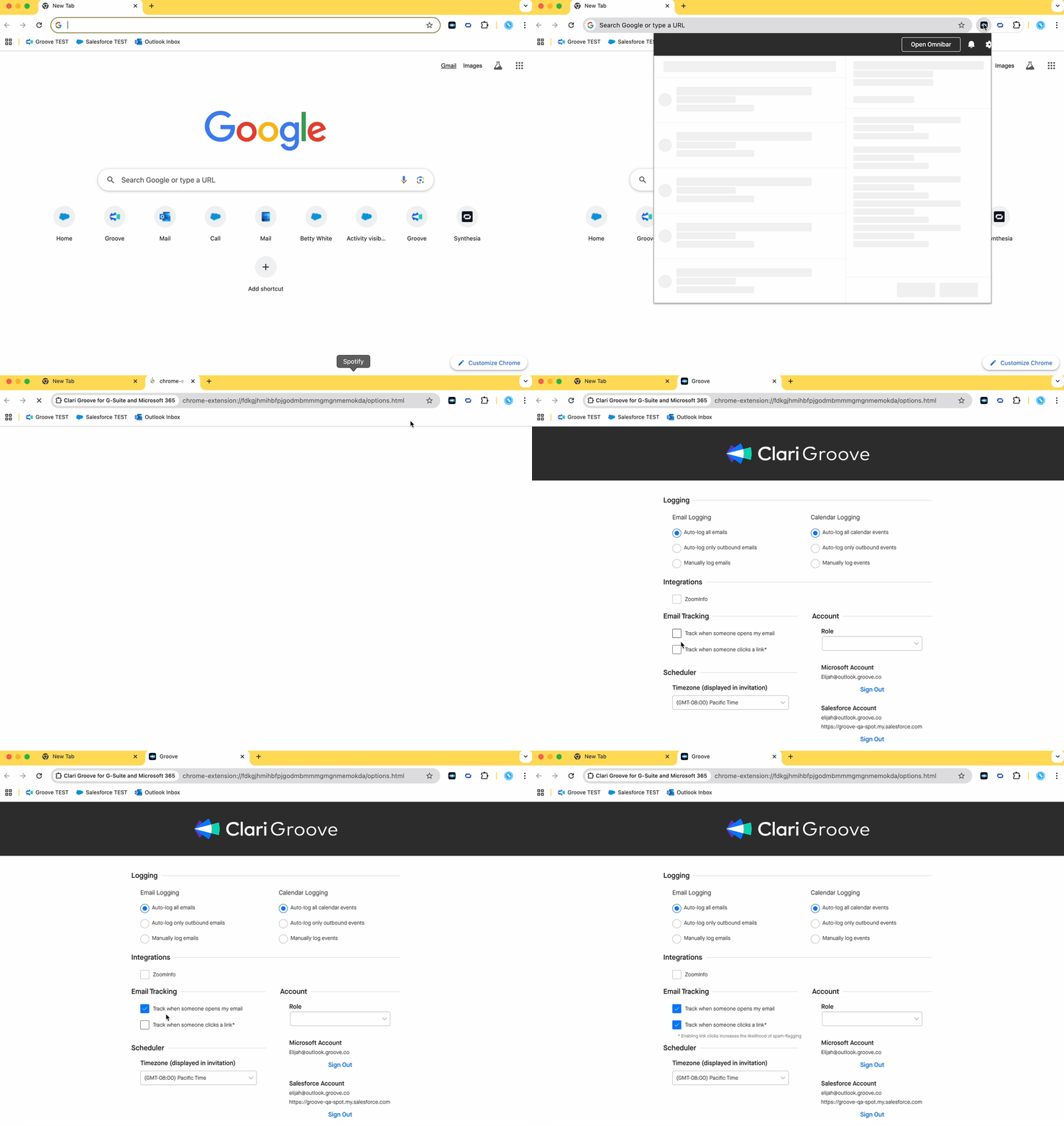
Once you’ve enabled those settings, any new emails you compose from your inbox will be set to track by default. You can still choose not to track certain emails if you’d like from within your Groove email tools.
Some organizations that are cautious about domain health may to choose to enable one or both settings depending on their current situation. For instance, if your domain is still recovering from previous issues caused by aggressive tracking, you might initially disable link click tracking and/or email open tracking until your domain health is stabilized.