




You have a few different options to manage participants in your Flows in bulk. Watch the clip above, where Ellie highlights a few different ways to streamline your day when you need to send emails, remove people from your Flows, skip them to the next step in your Flow, or move them to a different Flow.
To manage a step like an email send in bulk, simply go to that step in your Flow and select the option in the top right to (in this example) Send # Emails:

You can also remove individuals from a Flow by simply clicking the X to the left of their name in a step (seen in the image above).
To remove people from a Flow in bulk, open the Flow > People tab. You can select the checkbox beside the names of the people whom you want to remove from the Flow, and then select the Remove button at the top of the list:
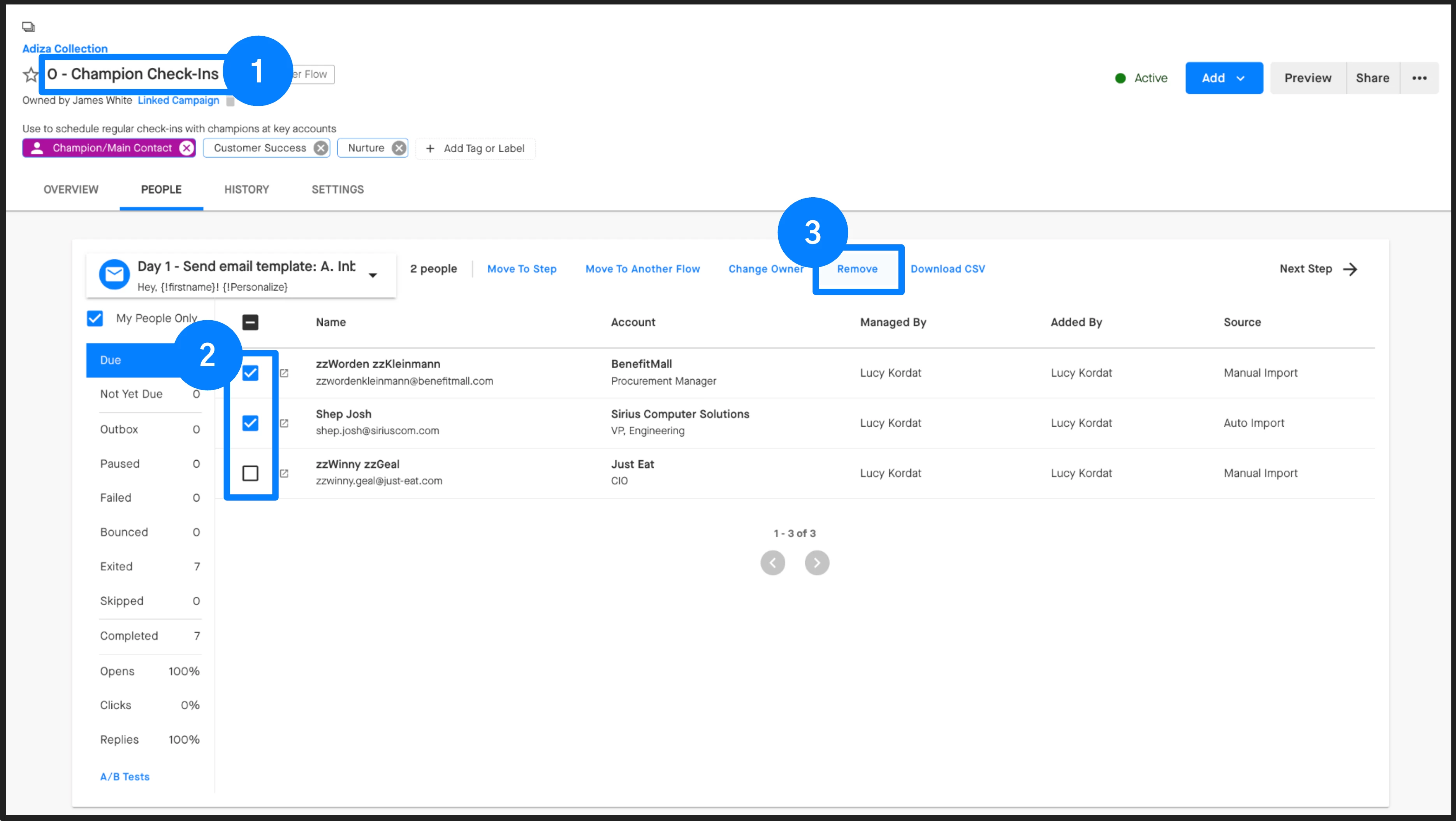
As you can see in the screenshot above, you can also move people to another step in the Flow, or move them to a different Flow in bulk this way.