




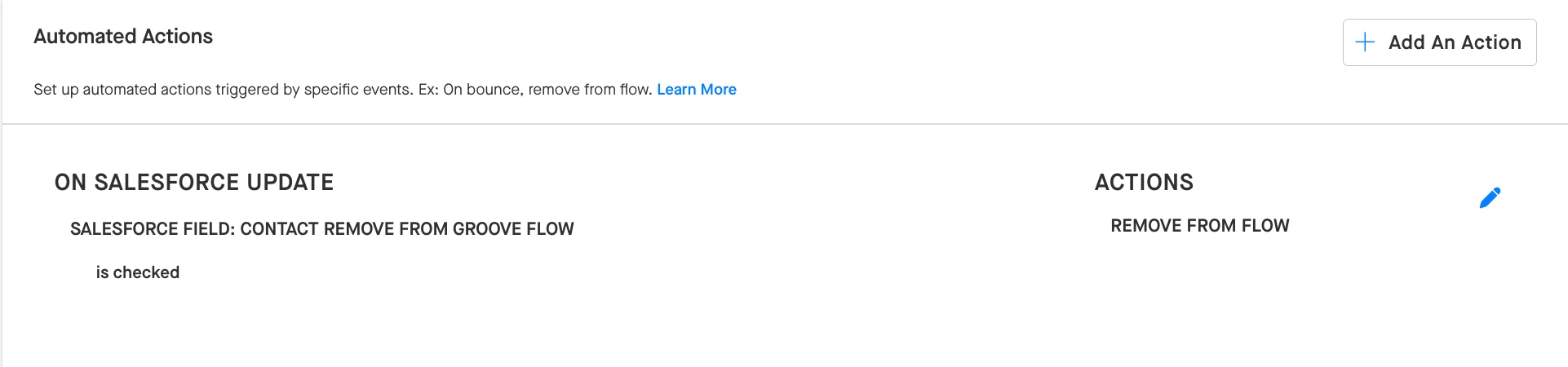
The recommended practice for removing a Contact from any and all Flows at your organization is to create a custom “Remove from Groove Flow” checkbox field on the Contact object in Salesforce and combine it with a Global Automated Action in Groove.
For the Global Automated Action, you would want to use the “On Salesforce Update” trigger, configuring it to look for when the “Remove from Groove Flow” field is updated to “is checked”. You can, then, pair this trigger with the “Remove from Flow” action. What this would do is remove the Contact from any Groove Flows they are active in when Groove detects that the “Remove from Groove Flow” field has been checked (i.e., marked “true”) on that Contact’s record in Salesforce.
If you also wanted to prevent these Contacts from being added to new Flows in Groove, you could also create a Global Block Import Rule to prevent the import of Contacts for which the “Remove from Groove Flow” field is checked on their records. Once this field is unchecked on their record, the Contact would be eligible to be imported into a new Groove Flow again.

If you wanted these rules to apply to Leads as well, you could follow the same process of setting up a similar custom field, Global Automated Action, and Global Block Import Rule.