


Templates are organized in Template Folders. For maximum clarity and discoverability, we recommend establishing consistent naming conventions (such as team, use case, or date) for both Folders and Templates. We especially recommend this for any Template Folders that are to be shared with multiple users.
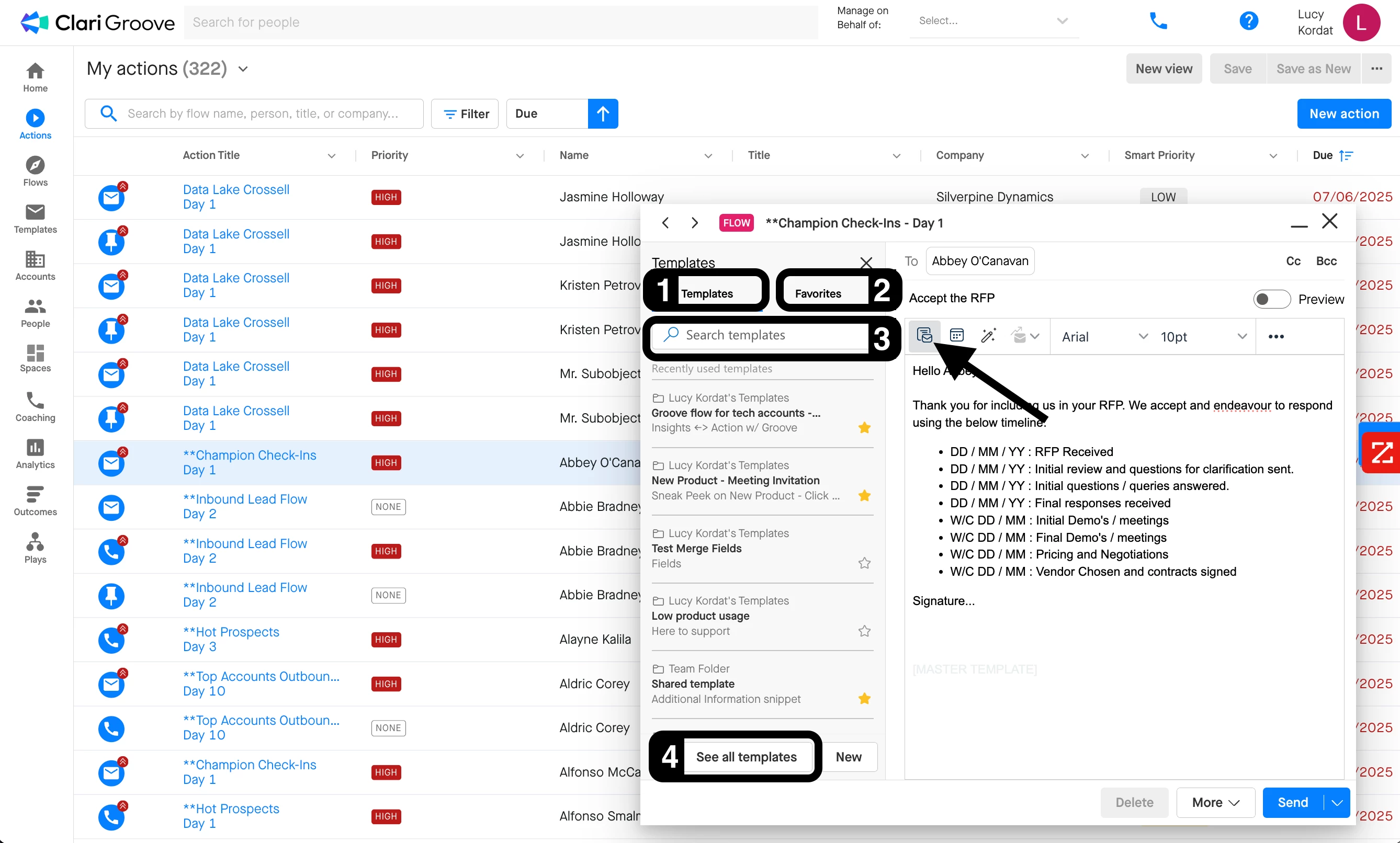
When writing emails in Gmail, you can look among your recently-used Templates and favorited Templates to find the Template you want to use for their email. You can also search for a Template by Template Folder name, Template name, or subject line.
- In the ‘Templates’ tab, you’ll find the Templates you’ve most recently used in Gmail.
- In the ‘Favorites’ tab, you’ll find any Templates or Template Folders that you’ve favorited (i.e., starred).
- The search bar at the top of the Template modal enables you to search your Template library for a specific Template by Template Folder name, Template name, or subject line.
- The ‘See All Templates’ button will open a large pop-up window where you can also search for Templates manually and more thoroughly review their content.
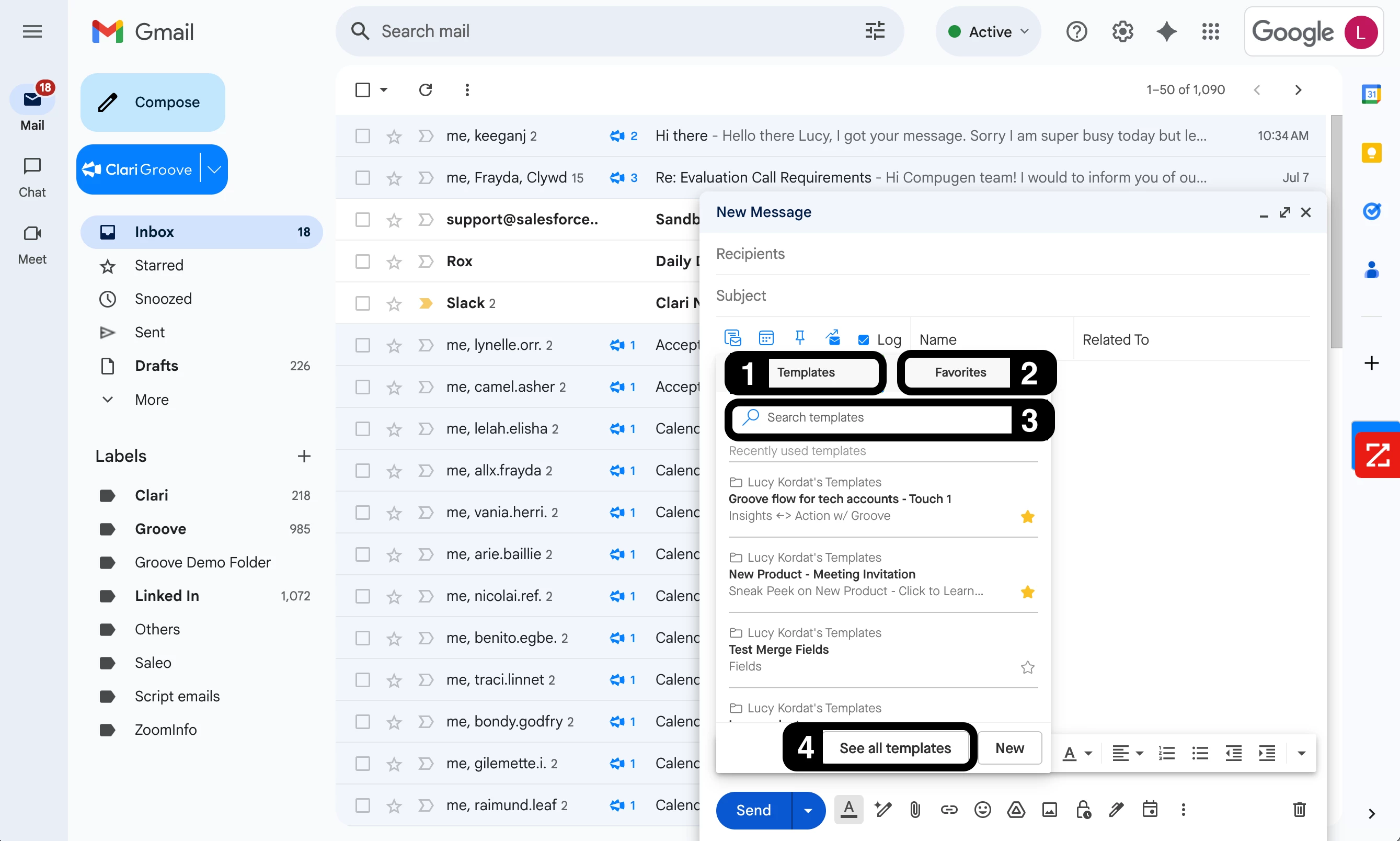
When writing emails in Microsoft Outlook, you can search for Templates by Template Folder name, Template name, or subject line.
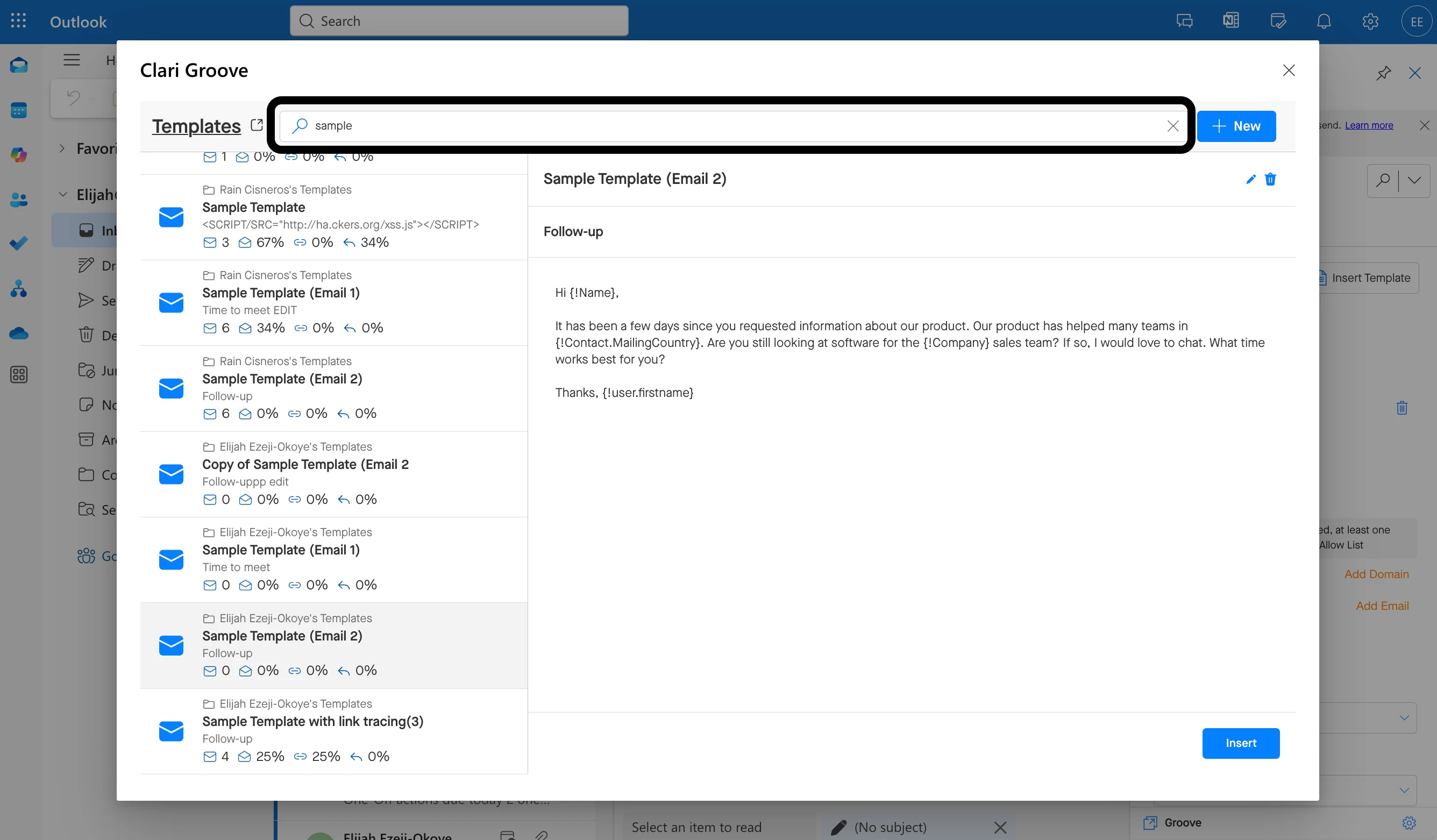
When writing Flow and one-off Actions emails in the Action Compose window (both G-Suite and Microsoft users), you can look among your recently-used Templates and favorited Templates to find the Template you want to use for their email. You can also search for a Template by Template Folder name, Template name, or subject line.
- In the ‘Templates’ tab, you’ll find the Templates you’ve most recently used in Gmail.
- In the ‘Favorites’ tab, you’ll find any Templates or Template Folders that you’ve favorited (i.e., starred).
- The search bar at the top of the Template modal enables you to search your Template library for a specific Template by Template Folder name, Template name, or subject line.
- The ‘See All Templates’ button will open a large pop-up window where you can also search for Templates manually and more thoroughly review their content.