




By default, your can import Contacts and Leads into however many Flows you would like. However, your team may have certain settings enabled that limit the number of Flows a Contact or Lead can be active in.
Flow Safety Setting
Generally, our best practice recommendation is to limit the number of Flows that a contact is in to 1 at a time to avoid overwhelming recipients with too many touch points. When enabled, the Flow Safety feature prevents Contacts from being added to multiple flows simultaneously.
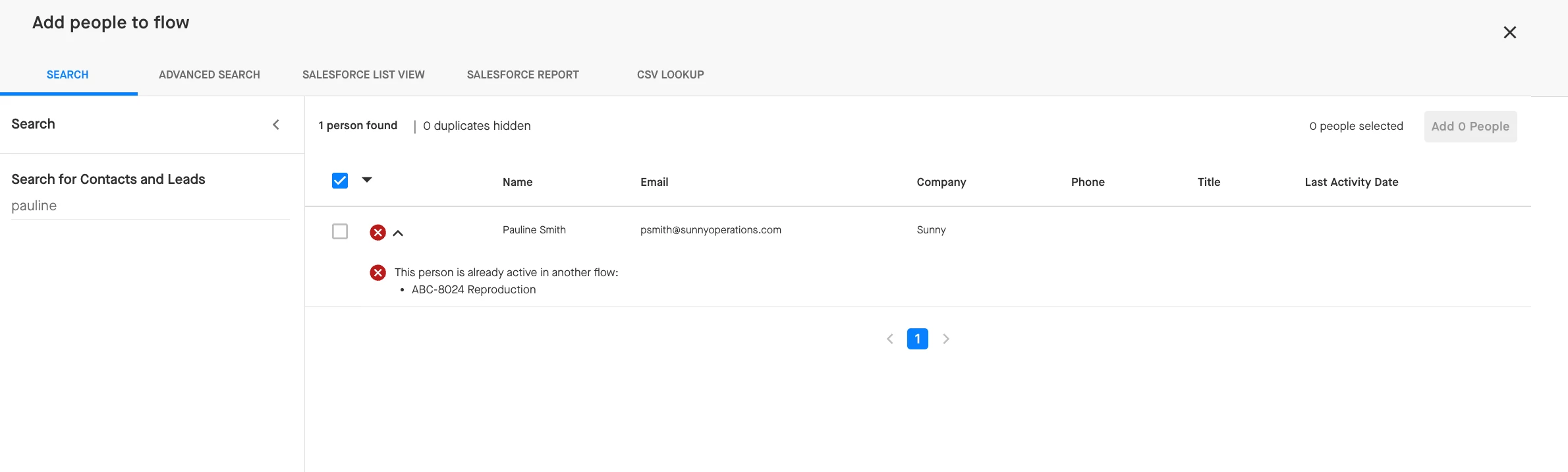
If your team has Flow Safety enabled, you will see an error message if you attempt to import a Contact or Lead that is already active in another Flow. Once the Contact or Lead completes or is removed from the other Flow they’re in, this error message will go away and you’ll be able to add them into your own Flow.
Import Block Rules
However, there are cases where it may make sense to have Contacts and Leads active in multiple Flows at once but you want to limit how many Flows that is—such as when different team members are reaching out for different purposes (e.g. a CSM is handling a business relationship while an Account Manager focuses on upselling).
Organizations can also set limits to restrict the maximum number of Flows a contact can be active in at any given time (e.g. 2) based on data Groove writes to the Active Flows Count field on the Contact and Lead objects in Salesforce. Your team can create an Import Block Rule that references this field to restrict contacts who are already participating in your maximum number of Flows from being imported into any more Flows.
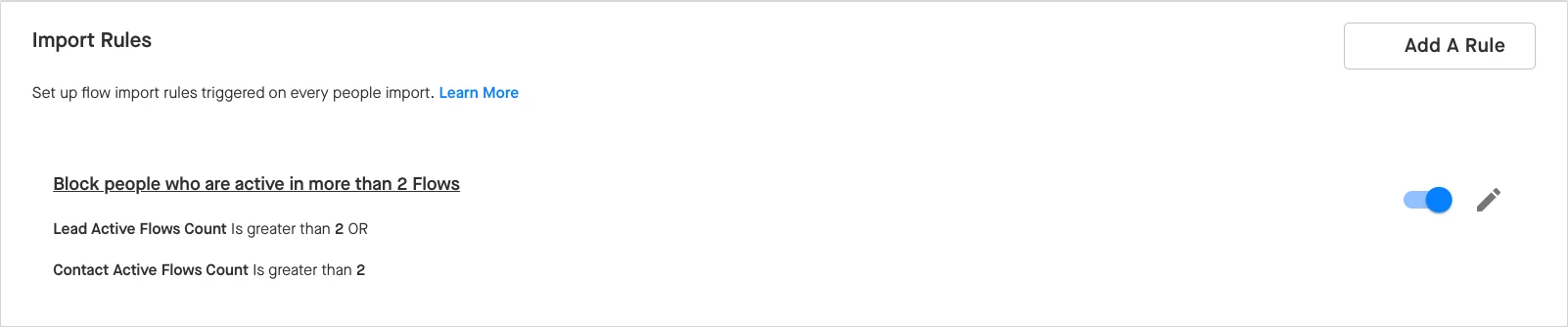
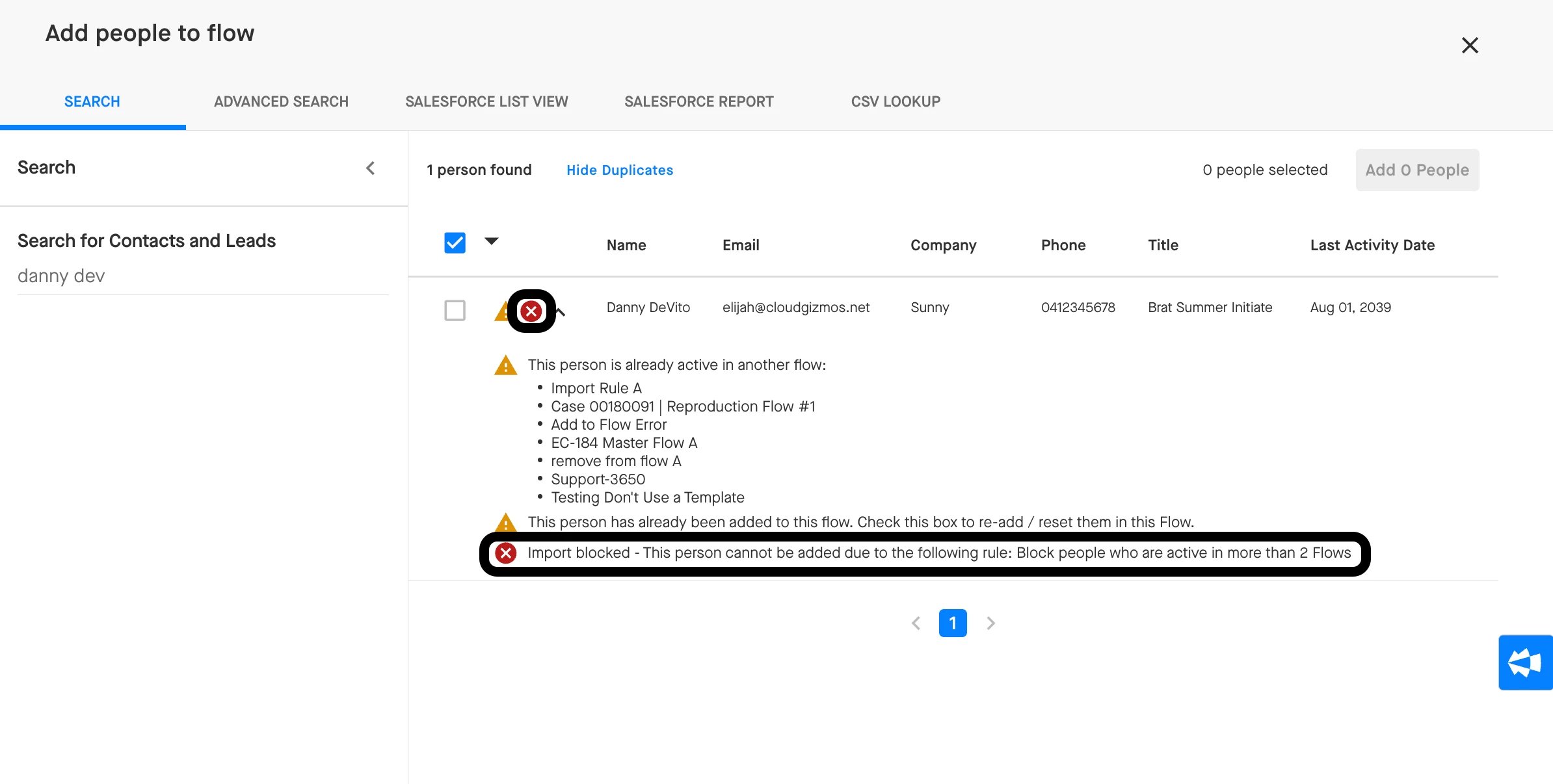
These Import Block Rules can be configured to apply at the Flow level in the Flow’s Settings tab or at the organization level in Manage My Org > Flows and Actions.