


Is there anyway to bring Contact Roles into our reporting in Clari?

Solved
Contact Roles?
- New Contributor
Best answer by Kenna
Thanks, Oscar!
I also wonder if we might be able to get you what you are looking for in Expanded View, Ryland.
If you expand the Expanded View panel (as seen below):
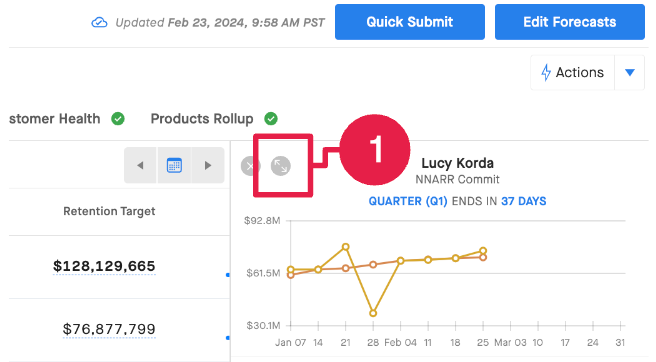
Once expanded, do you see the icon to expand the Relationships on the right side? Forgive me, I cannot presently remember if this is something all users should see or if you need to have Clari’s Capture solution to see it.
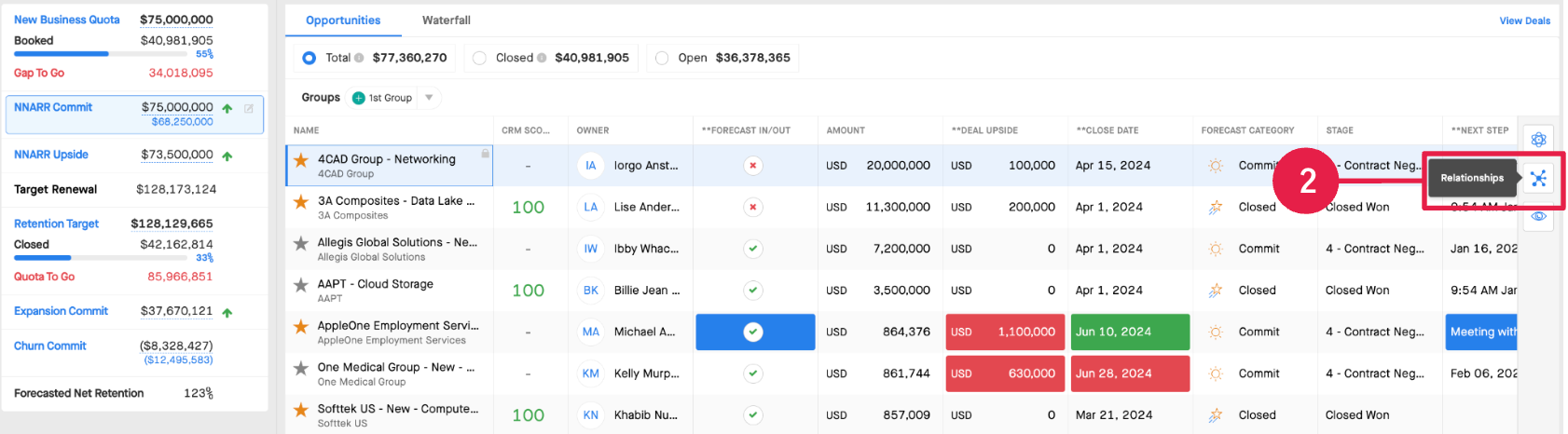
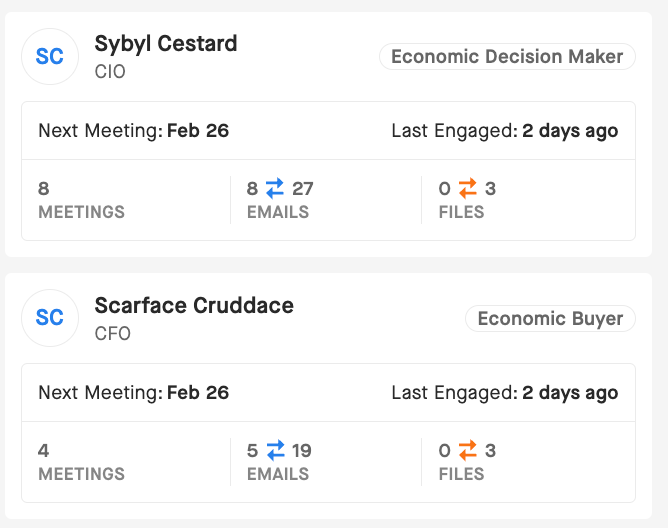
I think this may show you the details you’re looking for about the contacts that you have involved in the deal if you have it:






Sign up
Please create your account below.
Clari customers and employees with an app.clari.com login can click the first blue Log in button below.
Align, Copilot, or Groove customers, Clari Partners, or other guests can enter a username and password below to log in.
Please reach out at community@clari.com if you need any help to log in.
Log in
Clari customers and employees with an app.clari.com login can click the first blue Log in button below.
Align, Copilot, or Groove customers, Clari Partners, or other guests can enter a username and password below to log in.
Please reach out at community@clari.com if you need any help to log in.
or
Welcome to the community
Create your account
Not a member yet? Join the Clari Circle Community to learn about our products, fine tune your craft, and accelerate your revenue career.
Create an accountClari customers and employees with an app.clari.com login can click the first blue Log in button below.
Align, Copilot, or Groove customers, Clari Partners, or other guests can enter a username and password below to log in.
Please reach out at community@clari.com if you need any help to log in.
Log in
Clari customers and employees with an app.clari.com login can click the first blue Log in button below.
Align, Copilot, or Groove customers, Clari Partners, or other guests can enter a username and password below to log in.
Please reach out at community@clari.com if you need any help to log in.
or
Enter your E-mail address. We'll send you an e-mail with instructions to reset your password.