



Q: Why did the sales team refuse to create new pipeline? 🤔
A: Because they heard it was a "pipe dream" and didn't want to get their hopes up! 🤣
While I doubt sales teams are refusing to create pipeline in quarter despite external factors making this challenging, pipe creation is still an important component of your revenue process.
PULSE REPURPOSED:
There are numerous ways to use Clari to track pipeline creation. I recommend creating a Pipeline Health Dashboard. Although this is standard and an excellent way to aggregate created pipe, a commonly asked question is “How much pipe am I creating Week over Week”? You can build a saved view and apply filters to show pipe creation over a period of time:
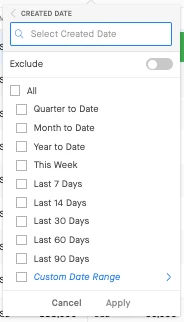
Although helpful, it’s not the most visual representation of WoW pipline generation.
I like to use Pulse not only because it’s a great way to track how you’re progressing against your linearity targets and how your pipeline is evolving week over week, but because a not so common ‘hack’ I’ve found useful is to track WoW pipeline creation in the current quarter.
If you add a “Created Date” field via Field Configuration in Clari Studio, you can use Pulse to select that field as an alternative option to the default “Close Date” field.
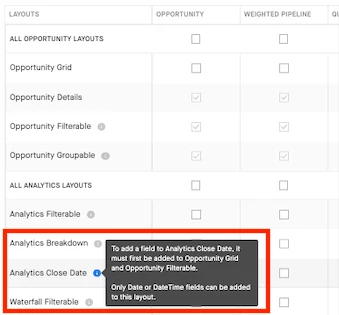
You must first add or edit the created date field you would like to add and then “check” the Analytics Close Date box under the desired mode in which you want it to appear as a selectable dropdown option in analytics:
Here’s what it looks like in Pulse or other analytics modules:
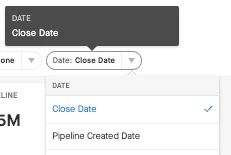
Selecting your newly added “Created Date” field will shift Pulse into displaying total WoW pipeline creation visually. You can also choose if you want to look at pipe creation at the monthly, quarterly, or yearly level:
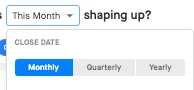
Keep in mind that although you have selected “Created Date”, “Close Date” will still be shown when selecting your desired time period. But don’t worry! You can ignore that since we’ve selected Created Date as the date field of interest.
Give this a try but please reach out to your CSM if you have any questions!