The opportunity grid uses red and green to highlight changes.
We have a rep with a color blindness- for him the green and red becomes Gred… and its hard for him to differentiate the two.
Any plans on enabling to chose different colors?
What do you recommend? Im surprised I didnt find anything about this topic in the community..
Thank you!
Adi
Best answer by Kenna
Hi, @Adi Yehuda Faians. Thank your for your feedback. At this time, Clari is not considered fully accessible. Our internal design system and its 40+ components are being built with WCAG 2.1 guidelines in mind. This is a critical foundation to make the products accessible. We also plan to conduct an accessibility audit in 2024 which will help identify the full gaps that could be executed upon when the work is prioritized. We are happy to work with you to understand your accessibility requirements and how we can support them
In the meantime, one thing that may help with this is to disable full cell highlighting in Opportunities. Normally, a user can select their initial/profile picture in the top right of Clari > Preferences > Opportunities > Full Cell Highlighting (disable the toggle). I say “normally” because at present there is an issue where this toggle does not actually disable full cell highlighting in the opportunity grid, but our team is currently working to resolve it.
Hi, @Adi Yehuda Faians. Thank your for your feedback. At this time, Clari is not considered fully accessible. Our internal design system and its 40+ components are being built with WCAG 2.1 guidelines in mind. This is a critical foundation to make the products accessible. We also plan to conduct an accessibility audit in 2024 which will help identify the full gaps that could be executed upon when the work is prioritized. We are happy to work with you to understand your accessibility requirements and how we can support them
In the meantime, one thing that may help with this is to disable full cell highlighting in Opportunities. Normally, a user can select their initial/profile picture in the top right of Clari > Preferences > Opportunities > Full Cell Highlighting (disable the toggle). I say “normally” because at present there is an issue where this toggle does not actually disable full cell highlighting in the opportunity grid, but our team is currently working to resolve it.
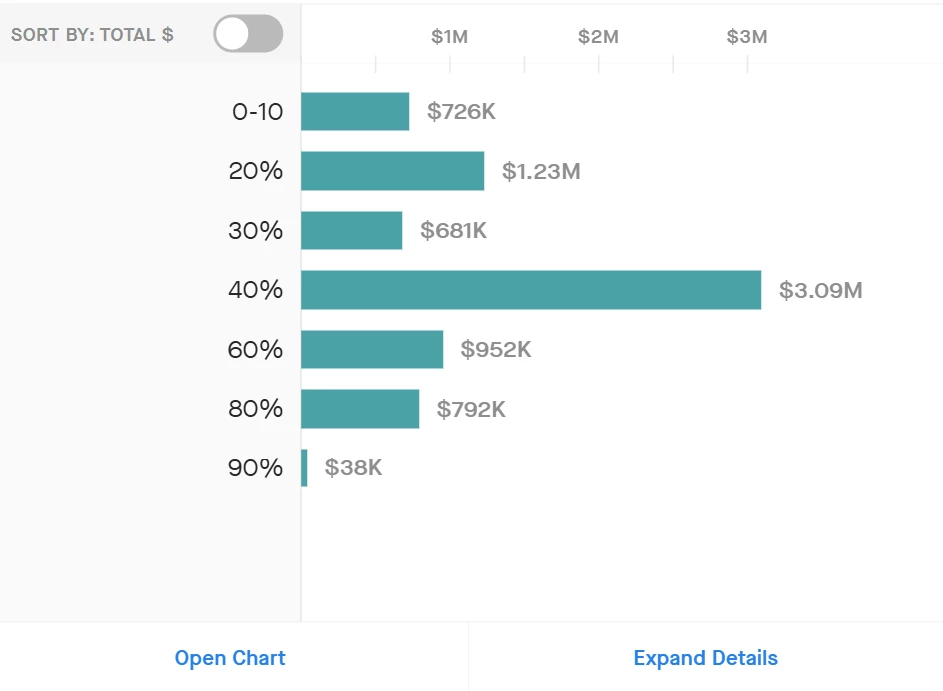
Is there an update on this topic? I’ve also noticed where if you add a report to a dashboard that is only grouped on one criteria, the chart bars will show green. It would be great to have an option for another color.
Sign up
Please create your account below.
Clari customers and employees with an app.clari.com login can click the first blue Log in button below.
Align, Copilot, or Groove customers, Clari Partners, or other guests can enter a username and password below to log in.
Please reach out at community@clari.com if you need any help to log in.