Now that you can control the fields and layouts in your Opportunity Module with Field Config in Clari Studios, it’s a good idea to review some of our best practice recommendations for your Opportunity Grid and your Details Panel.
The Opportunity Grid
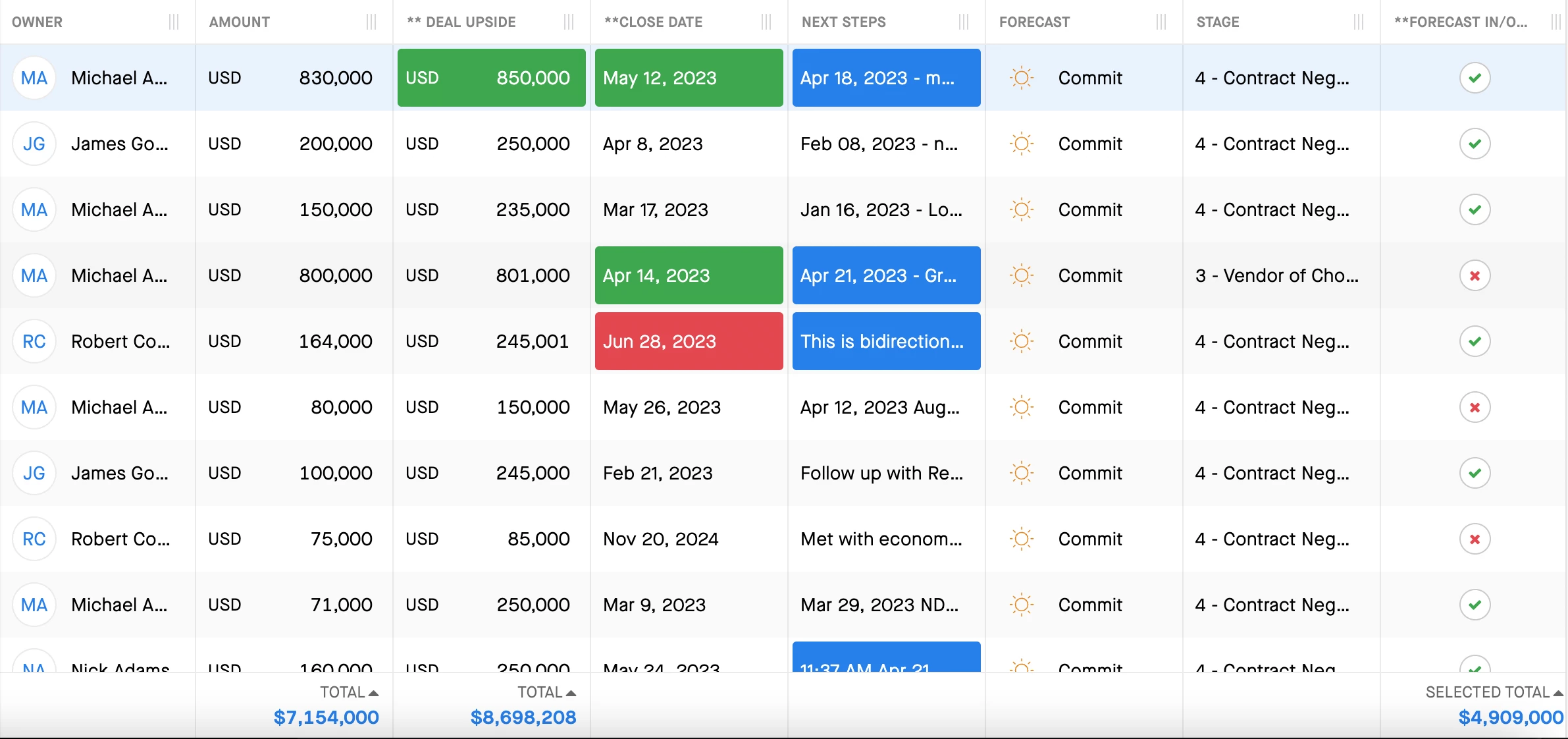
The fields that you pull into the Opportunity Grid should include:
-
The fields that users need to update the most often; we recommend putting the most frequently updated fields first and limiting the number of fields you include in the grid so that you don’t have too many columns
-
History-tracked fields that users want to monitor closely (in terms of changes)
-
Amount fields that you want to aggregate (i.e. Deal Size, ARR, Upside Potential)
This helps team to be efficient because they can simply double click on these fields to update them whenever necessary. What’s more, Clari will highlight history-tracked fields that have been updated recently in red, green, or blue depending on if the update represents a positive, negative, or neutral update to the deal. Clari’s integration with Salesforce is bi-directional, so recently updated fields will be highlighted in the Opportunity Grid whether they were updated in Clari or in Salesforce.
Some examples of the fields that likely meet one or more of the criteria above would be Forecast Category, Stage, Close Date, and Deal Size.
The Details Panel
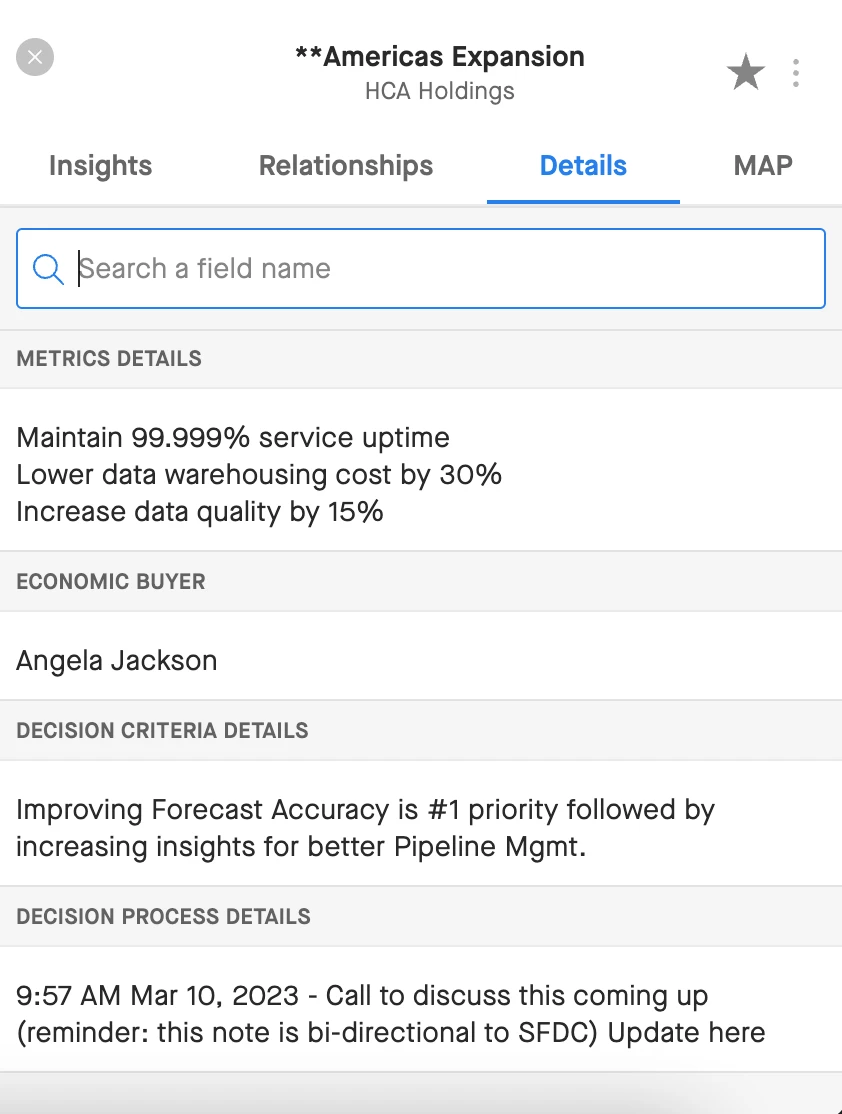
The information that you pull into the Details Panel should include:
-
Fields related to your sales methodology or strategy
-
Notes
-
Next Steps
This helps keep your sales team connected because when folks inspect deals, you can review the sales methodology as it relates to the deal and your next steps side by side while still being able to see critical information like Close Date and Stage.
Don’t forget about the resources available to help you practice adding and re-ordering fields!