


Field Configuration has been one of the most powerful features released in Clari that elevates admins to have detailed control over their instance. It’s exciting to know that Clari plans to release an equivalent feature for Forecasting.
While we all wait with bated breath, find some tips for submitting forecasting requests today to ensure a timely and accurate completion of your forecasting configuration request.
-
Plan Ahead 🔮
-
The sooner our team can be made aware of any needed adjustments, the better
-
If there is a certain time new fields will be live that we are using in the new configuration, note that within the request
-
Our team will dedicate resources for a seamless process!
-
-
On average, build/change requests can take about 4 or 5 days to complete
-
Following the steps below can help keep that ETA shorter!
-
-
If a project or request feels large, get in touch with your CSM for their guidance and assistance working with the configuration team
-
-
Use the Correct Format
-
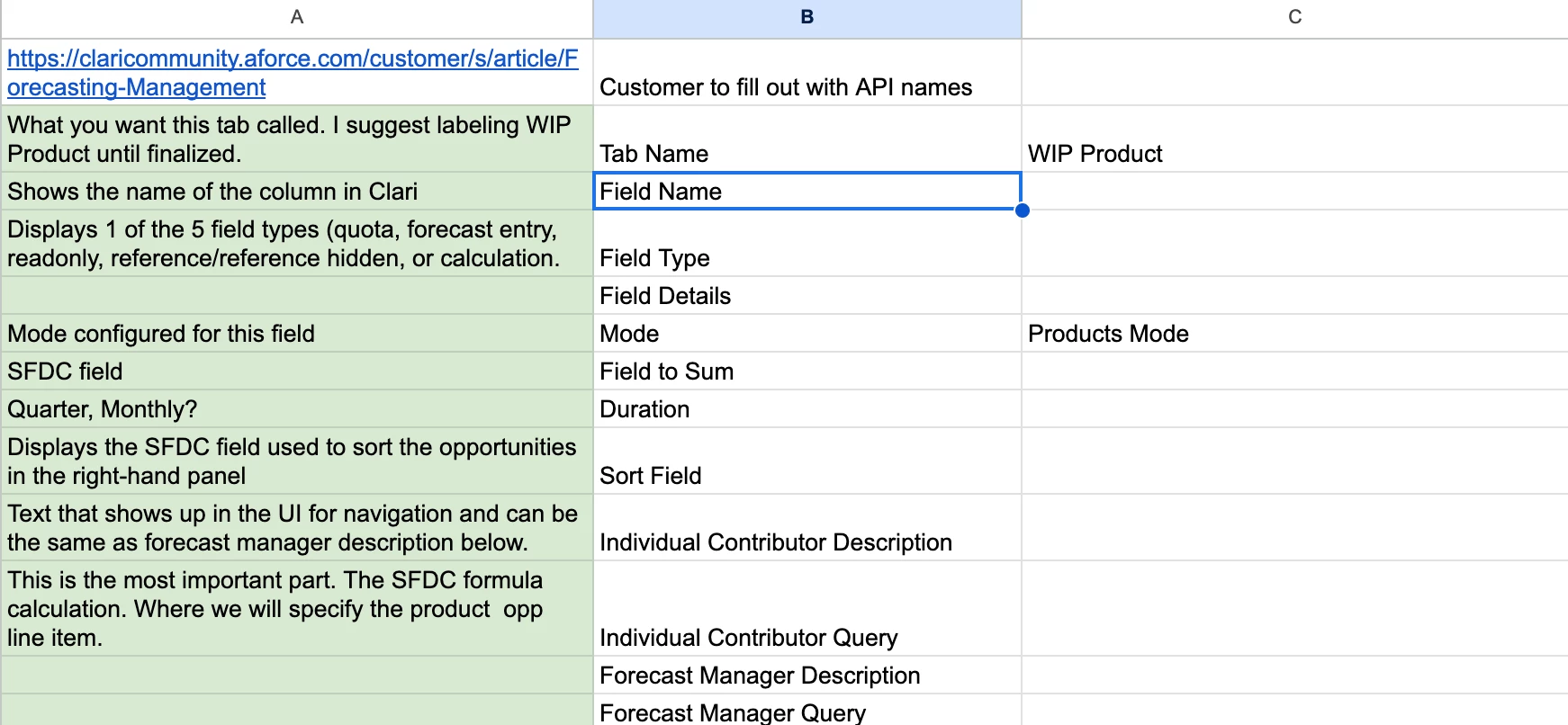
Follow the steps here to download your existing forecasting configuration to use as a template for the changes
-
-
Use API Names
-
In line with the previous point, be sure to use the API names for the fields in your request
-
This helps keep the request timely and prevents us from ever making assumptions, and you know what assuming makes of everyone involved 🍑
-
-
Highlight Changes where Applicable 🚨
-
When adding new fields or other adjustments to the filter/query section, highlight the additions in a bold color
-
If multiple colors are needed to highlight the changes to be made, please make a key
-
-
When making adjustments, removing a section of the filter/query strikeout the text to denote the removal
-
-
Compare Clari to the configuration export (Optional)
-
A great way to get comfortable with your configuration export is to compare it to your existing Forecasting Tabs in Clari
-
Things like “Quota” columns appear in the export as a single column, but may appear in Clari as multiple columns
-
-
Summarize the Changes 🎁
-
Short and sweet bullet points summarizing the requested changes always help keep us honest
-
This can also help us troubleshoot any instances where we may see something missing in one section, say the filters/query, but see it present in the summary
-
-
If further adjustments are needed mid-configuration
-
Be sure to check the case status within the Support Portal Case Dashboard
-
If the case is closed, please open a new case
-
Reference the previous case number
-
-
Use the same format
-
Highlight the additional changes in a different color
-
Summarize the additional adjustments
-
Let us know what you’ve seen work in the past in the comments below!