




We're thrilled that you're ready to start using Clari. To get up to speed, you can review the recorded training below, which includes the following:
- Introducing the Clari Revenue Platform
- Setting Expectations
- Live Demo
- Challenges to help ensure you’re following along
- Important Reminders & Best Practices
Opportunities
Deal Inspection for Managers
Manager <> Rep 1-on-1 for Managers
Forecasting for Managers: Submit Your Forecast Call
Analytics
Each of these video (5-12 minutes) will give you an overview of one of Clari’s analytics modules: Flow, Funnel, Pulse, Trend, and Waterfall.
Flow
Funnel
Pulse
Trend
Waterfall
Best Practices
These best practice recommendations from the recorded training will help you get the most out of Clari.
1. When you want to find your Saved Views in Clari, use the Views drop-down in the Opportunities Module.
Note: This example is about Saved Views in Opportunities. To learn to use Saved Views in the Analytics or Accounts Modules, check out this article in our Knowledge Base.
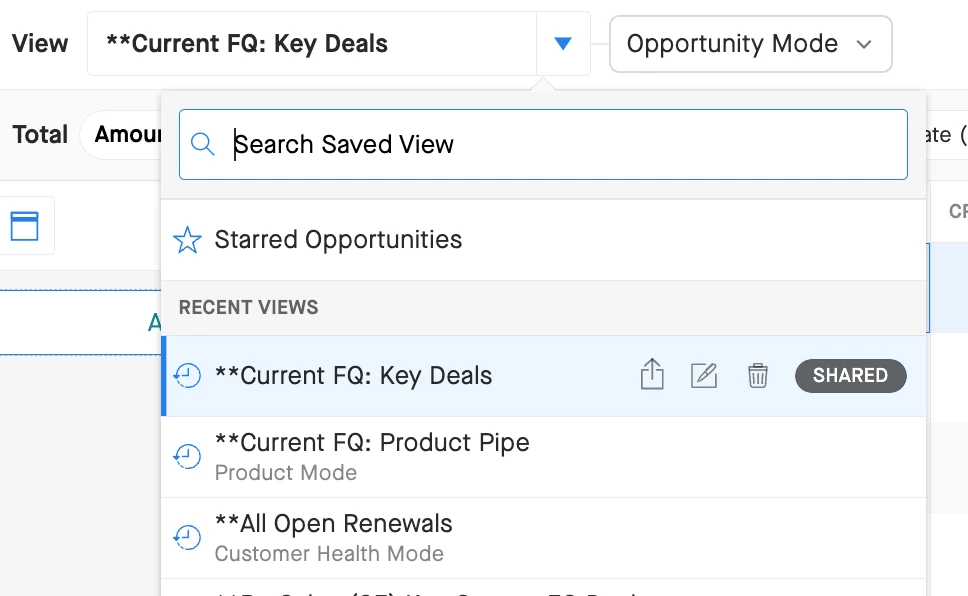
Want to share a Saved View?
To share a Saved View in Opportunities: Click Actions > Share Saved View
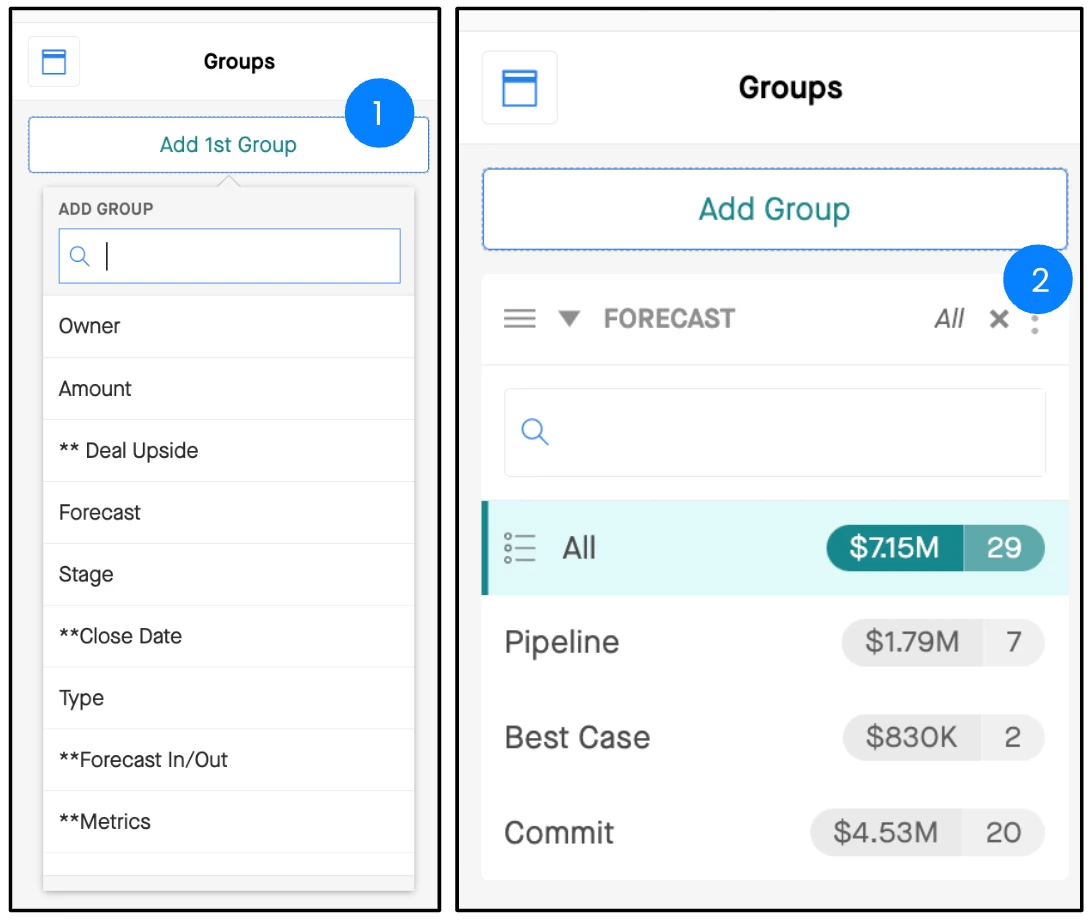
2. Leverage Groups using the Add Group button. To remove a Group, click X.
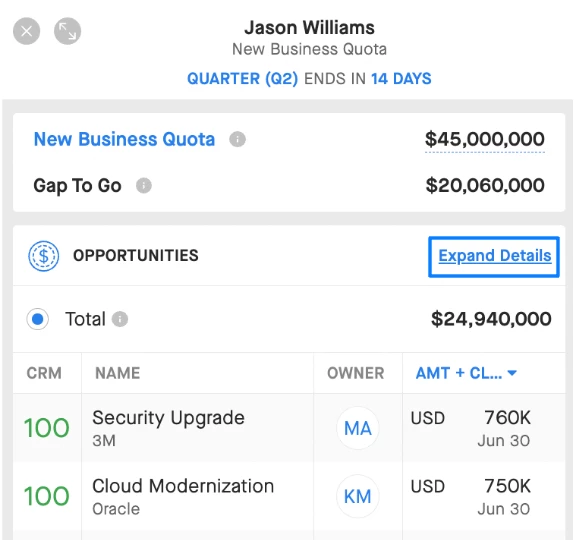
3. Use Expanded View in the Forecast Module to inspect your path to your number.
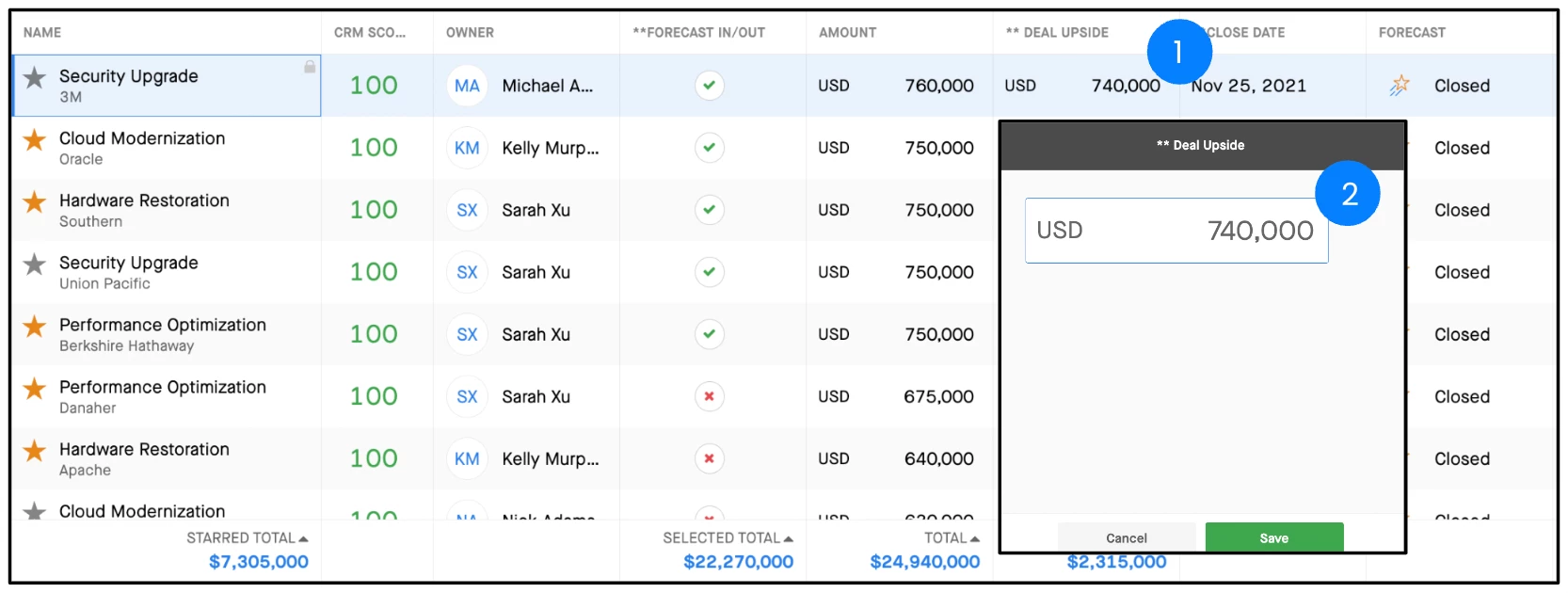
4. Double-click any field to update your deals in Opportunities. The changes you make will reflect in your CRM in real time.
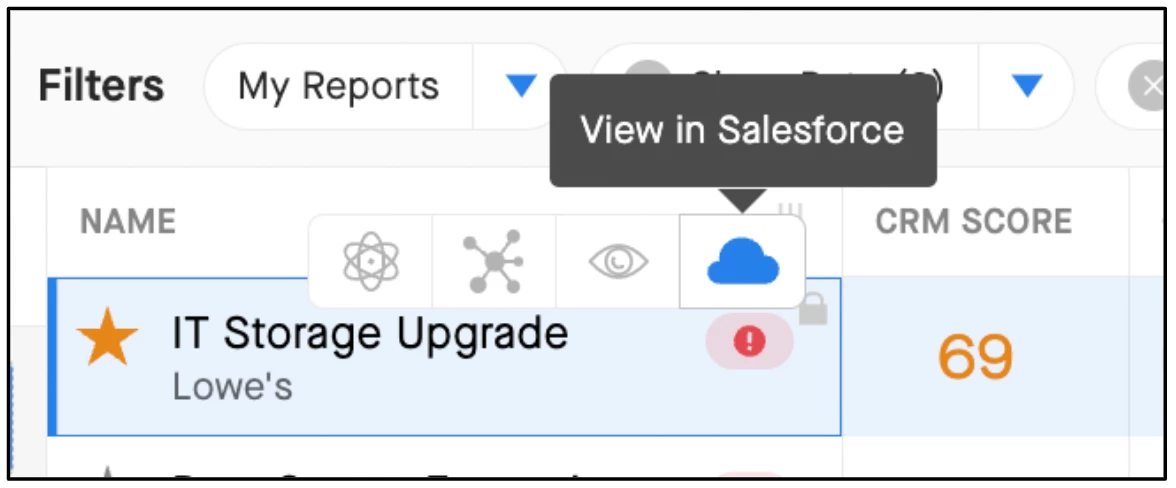
5. Use the shortcut to Salesforce if you need to. Hover over the opportunity name in Opportunities and click the Salesforce icon to navigate to your CRM.
6. Click Actions > Configure Columns to adjust which columns you see in Opportunities, and to change their order.
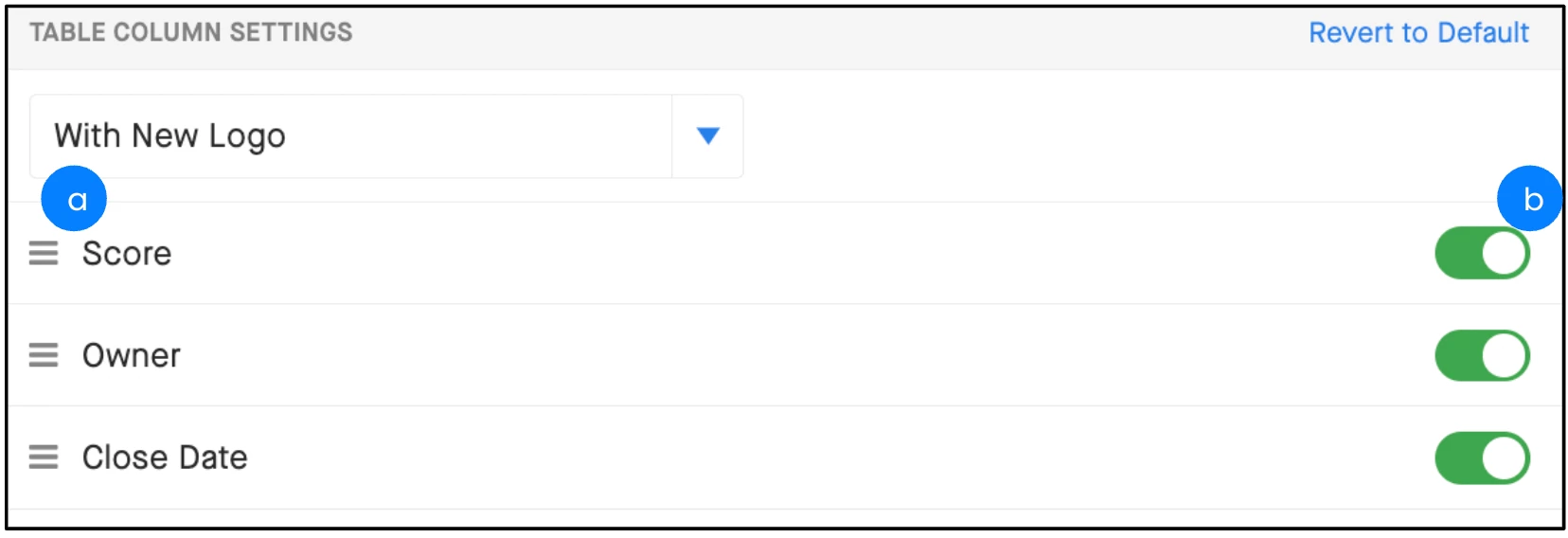
b. Click and hold to drag and drop columns in the order you want.
7. Use search in Clari Mobile to find deals or contacts while you're on the go.
Clari aggregates data from CRM and your own contacts, so you might find a phone number if you don’t have it stored locally!
How Top Sales Leaders Use Clari
1. They set clear expectations on CRM hygiene with their teams.
Updating the Close Date, Stage, Forecast Category, and Next Steps fields should not be a suggestion. If you set the expectation that if your reps update those fields you won’t bother them with nonstop requests for status updates, they will do it (assuming you follow through with your part of the deal!). Inspect what you expect!
Configure your columns to show the fields you most often review first. The colored highlights show you what’s changed recently.
2. They use CRM data, rep activity, and the CRM Score to pressure test deals.
It’s easy to pick up the phone and call a rep to see what’s going on with a deal, but it’s time-consuming for both of you. With Clari, you can quickly validate if a deal is on track by reviewing the CRM data, the email/meeting/file activity between the rep and the prospect, and the CRM Score. Without bothering the rep, you can see how the deal is progressing.
3. They inspect their reps’ and managers’ forecasts and evaluate if they have enough coverage.
Forecasting accurately is not easy. The best sales leaders will use the Clari forecast module to evaluate if their reps/managers have the pipeline to support their forecast calls. If a rep is calling $1M, but only has $500K across Closed + Commit, the rep may need some coaching to either accelerate some Best Case deals or adjust the forecast.
Tip: To assess coverage, select a forecast call and look at the related opportunities that should, in theory, support the forecast call.
4. They run their 1:1s in Clari and focus on strategy, not status updates.
If you’ve set expectations on CRM hygiene and you do your homework to review deals in advance, you leave time in your 1:1s to discuss deal strategy. This is your opportunity to coach your reps and help them close more deals.
Tip: Use the Opportunities, Dashboard, and Forecast modules to drive the conversation with your reps.
5. They run their forecast calls in Clari.
Your forecast call is your opportunity to ensure you’re calling your number with confidence. To do that, you need accurate, up-to-the-minute deal data. If you use Clari, you have the latest and greatest information with the flexibility to drill down into the details when needed.
Tip: Use the Forecasting Module and/or Dashboards to facilitate your call with live data instead of spreadsheets.
6. They use Clari mobile.
Even when you’re on the road, you can get visibility into the pipeline and track critical deals.
Tip: Use Views in Clari Mobile to track how the pipeline looks, and drill down into top deals to see Insights and CRM Fields.
