


List of Flow Exit Reasons
When a participant is removed from a Groove Flow before they complete it for any reason, Groove logs the exit reason to empower your team with data on exactly how they are being removed. Participants can have the following exit reasons:
AUTOMATED_ACTIONAUTO_REMOVE_AFTER_BOUNCEAUTO_REMOVE_AFTER_REPLYFLOW_IS_ARCHIVEDINACTIVE_USERLOGGED_CALL_ADDED_TO_NEW_FLOWLOGGED_CALL_AND_REMOVEDMANUAL_USER_REMOVAL
Where the Flow Exit Reasons Surface
This data is surfaced in a couple of different places. The first is the People Tab of the Flow, specifically in the “Exited” section of the last Flow step that the participant completed before they were removed.
The second is the Groove “Removed from Flow Reason” field (API Name: Groove_Removed_From_Flow_Reason__c) on the Salesforce Contact or Lead record for the Flow participant. These fields show the reason why that Contact or Lead was removed from the most recent Flow they were imported into. This field will return to null when if Contact or Lead is imported into another Flow after having been removed from their previous Flow.
- These fields can be added to the Salesforce Contact or Lead page layout to enable users to easily identify why a Contact or Lead was removed from its most recent Flow on the record itself.
- These fields can also be surfaced in Salesforce reports to enable higher-level reporting on why Contacts and Leads are being removed from Flows at your organization.
Definitions for the Flow Exit Reasons
The definitions for the various Flow exit reasons and what would lead them to be attributed to a Flow participant are included below.
AUTOMATED_ACTION
The AUTOMATED_ACTION exit reason surfaces when a Contact or Lead is removed from a Flow via an automated action that is set up at the Flow, Collection, or Global level. Any automated action with a “Remove from Flow” trigger will appear with this automated action.
For example, an automated action configured [On Reply > Remove from Flow] would remove a participant from the Flow if the participant replies to a Flow email. The Flow participant would be attributed the AUTOMATED_ACTION exit reason.

AUTO_REMOVE_AFTER_BOUNCE
The AUTO_REMOVE_AFTER_BOUNCE exit reason surfaces when the “Automatically remove people if their email address bounced” setting is enabled in a Flow’s Settings page, and an email to a Contact or Lead in the Flow bounces, thus triggering their removal from the Flow.
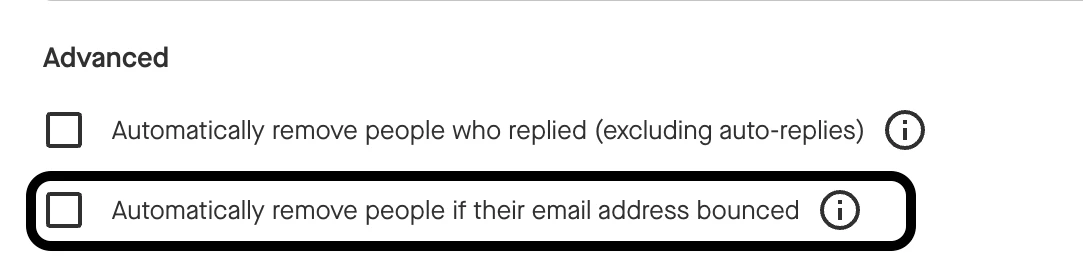
Note: The “Automatically remove people if their email address bounces” setting was deprecated in October 2024 in favor of automated actions. This setting can be replicated with automated actions by creating an [On Bounce > Remove from Flow] automated action. Participants removed from Flows where this setting had been enabled prior to its deprecation will still be marked with this exit reason. Participants that were removed from Flows after October 2024 should not be marked with this exit reason.
AUTO_REMOVE_AFTER_REPLY
The AUTO_REMOVE_AFTER_REPLY exit reason surfaces when the “Automatically remove people who replied (excluding auto-replies)” setting is enabled in a Flow’s Settings page, and a Contact or Lead responds to an email from that Flow, thus triggering their removal from the Flow.
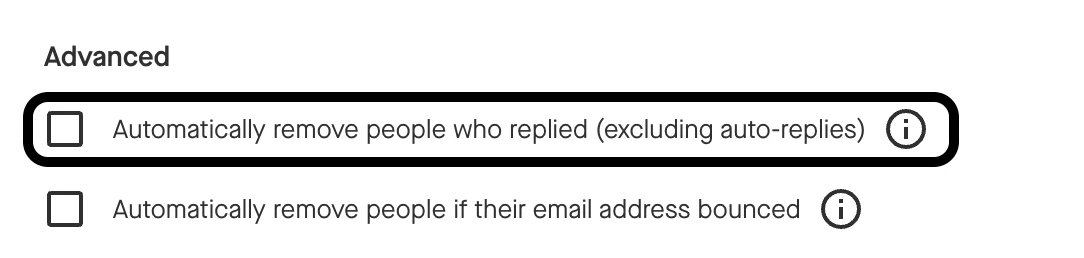
Note: The “Automatically remove people who replied (excluding auto-replies)” setting was deprecated in October 2024 in favor of automated actions. This setting can be replicated with automated actions by creating an [On Reply > Remove from Flow] automated action. Participants removed from Flows where this setting had been enabled prior to its deprecation will still be marked with this exit reason. Participants that were removed from Flows after October 2024 should not be marked with this exit reason.
FLOW_IS_ARCHIVED
The FLOW_IS ARCHIVED exit reason surfaces for any Contacts or Leads that were still active in a Flow (i.e., had not completed the Flow or been removed from the Flow) at the time the Flow was archived.
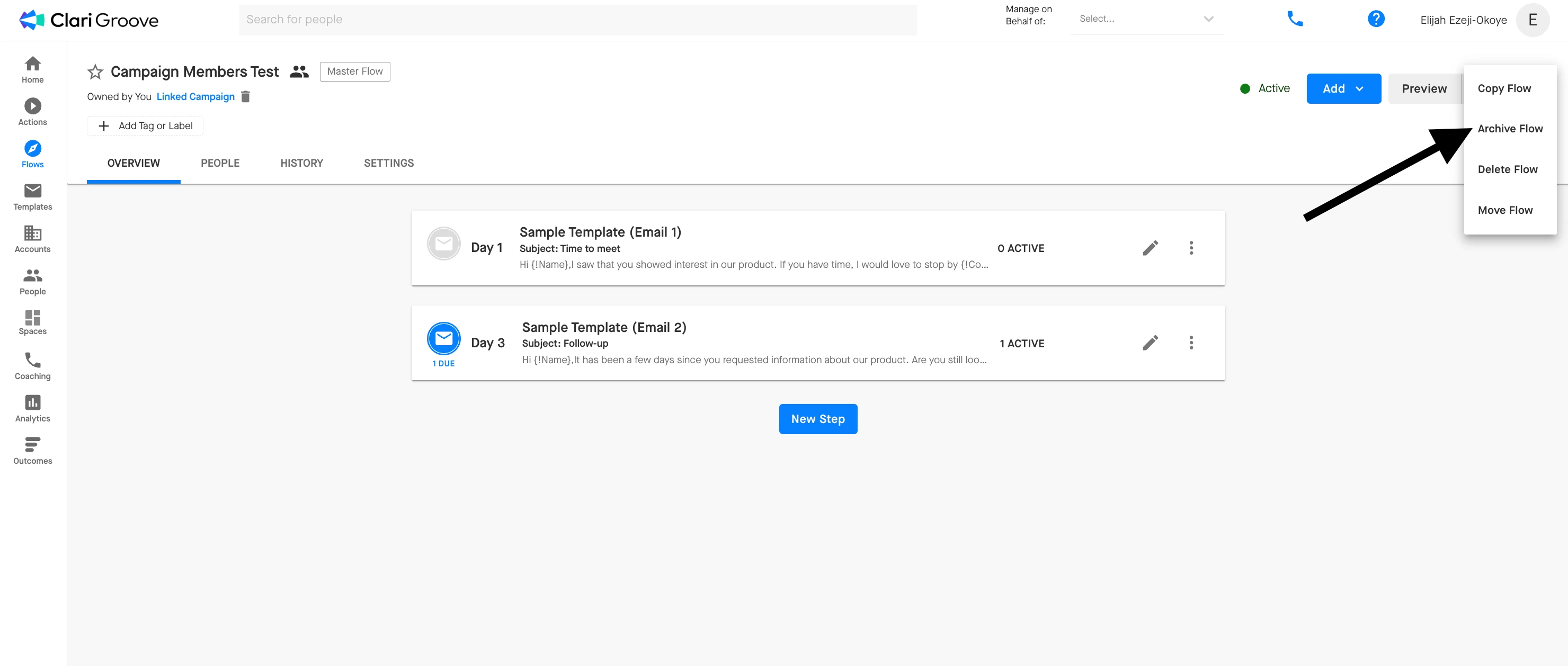
Flows can be archived manually by clicking the ellipses (i.e., three dots) in the upper right corner of the Flow, then selecting the “Archive Flow” option from the dropdown menu.
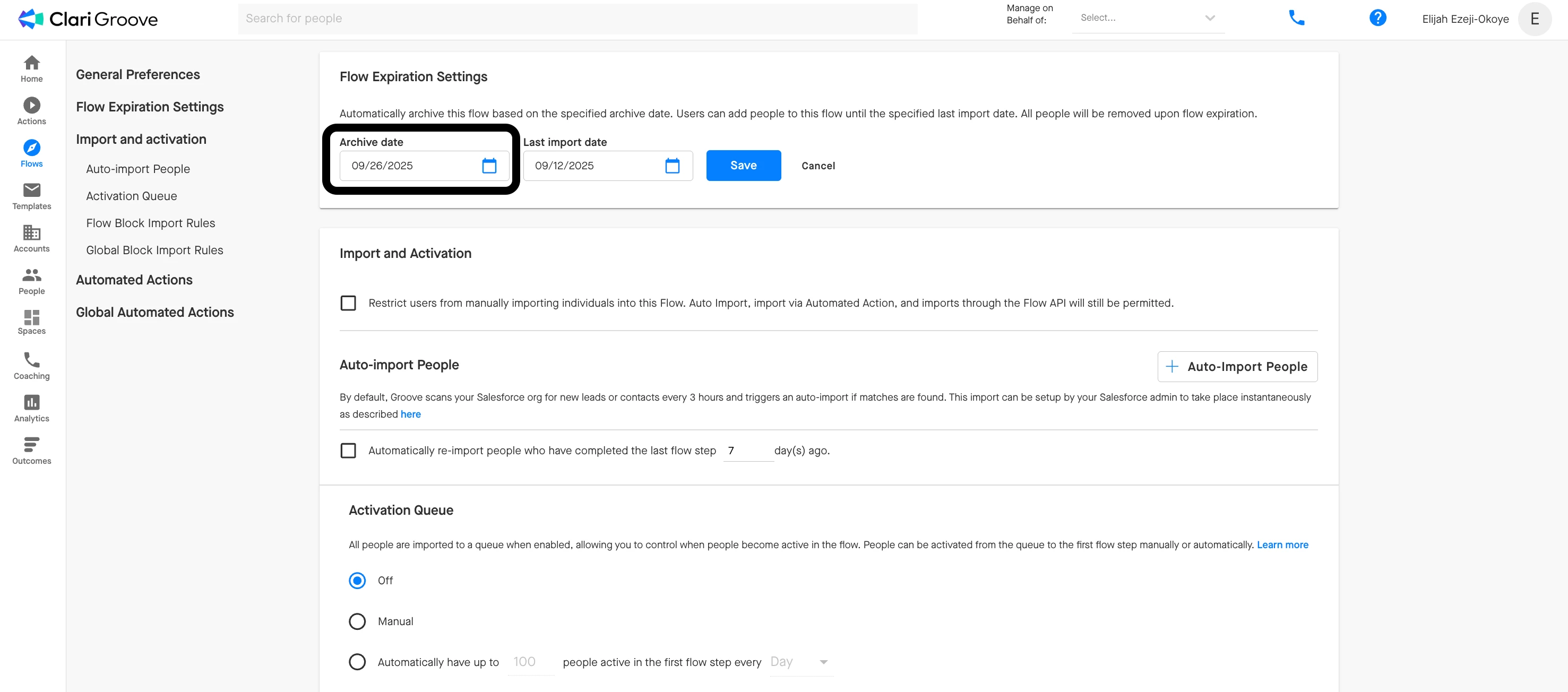
Flows can also be archived automatically by configuring an expiration date using under Flow Expiration Settings on the Flow’s Settings tab. The Flow will automatically be archived at 12:00 am in the Flow owner’s time zone on the date that is set.
INACTIVE_USER
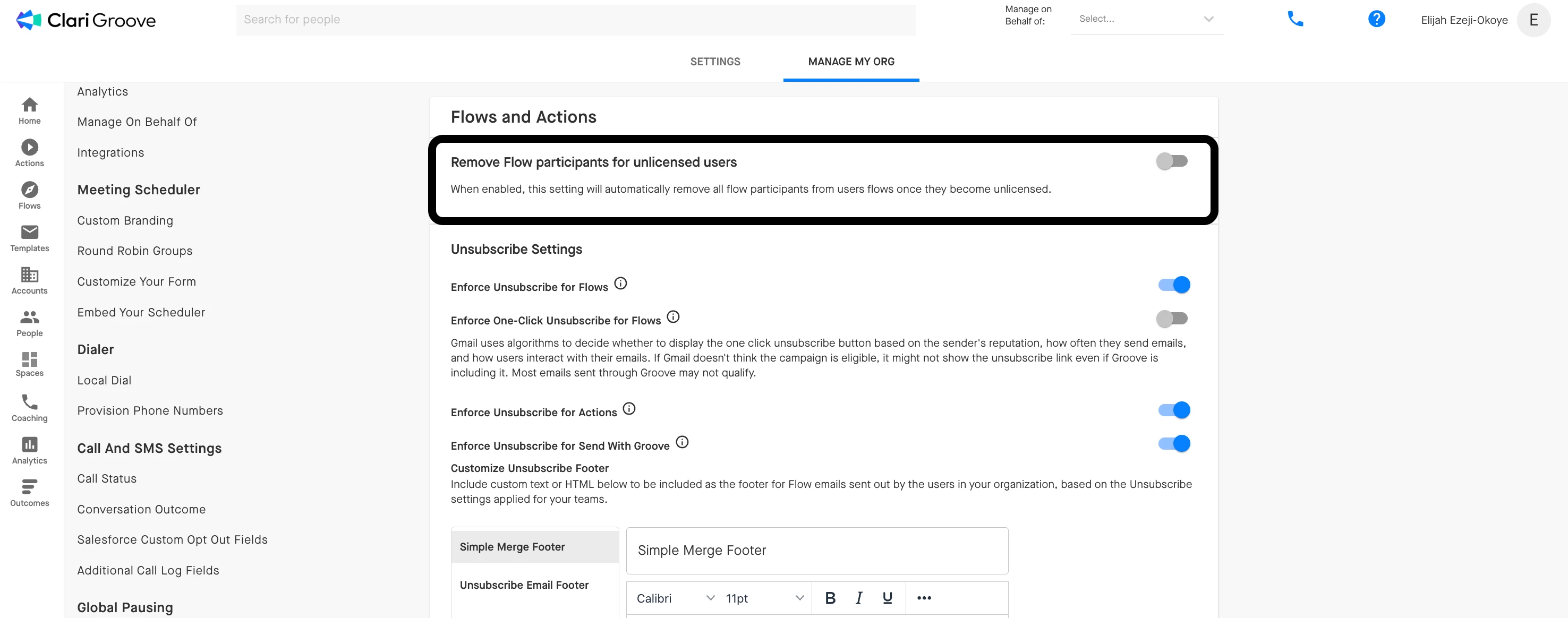
The INACTIVE_USER exit reason surfaces when a participant is removed as a result of the “Remove Flow participants for unlicensed users” setting being enable in Manage My Org. When this setting is enabled, Groove performs a nightly check to identify users whose Core licenses have been removed. Any users with a newly-removed Core license will automatically have all currently-active participants removed from their Flows.
LOGGED_CALL_ADDED_TO_NEW_FLOW
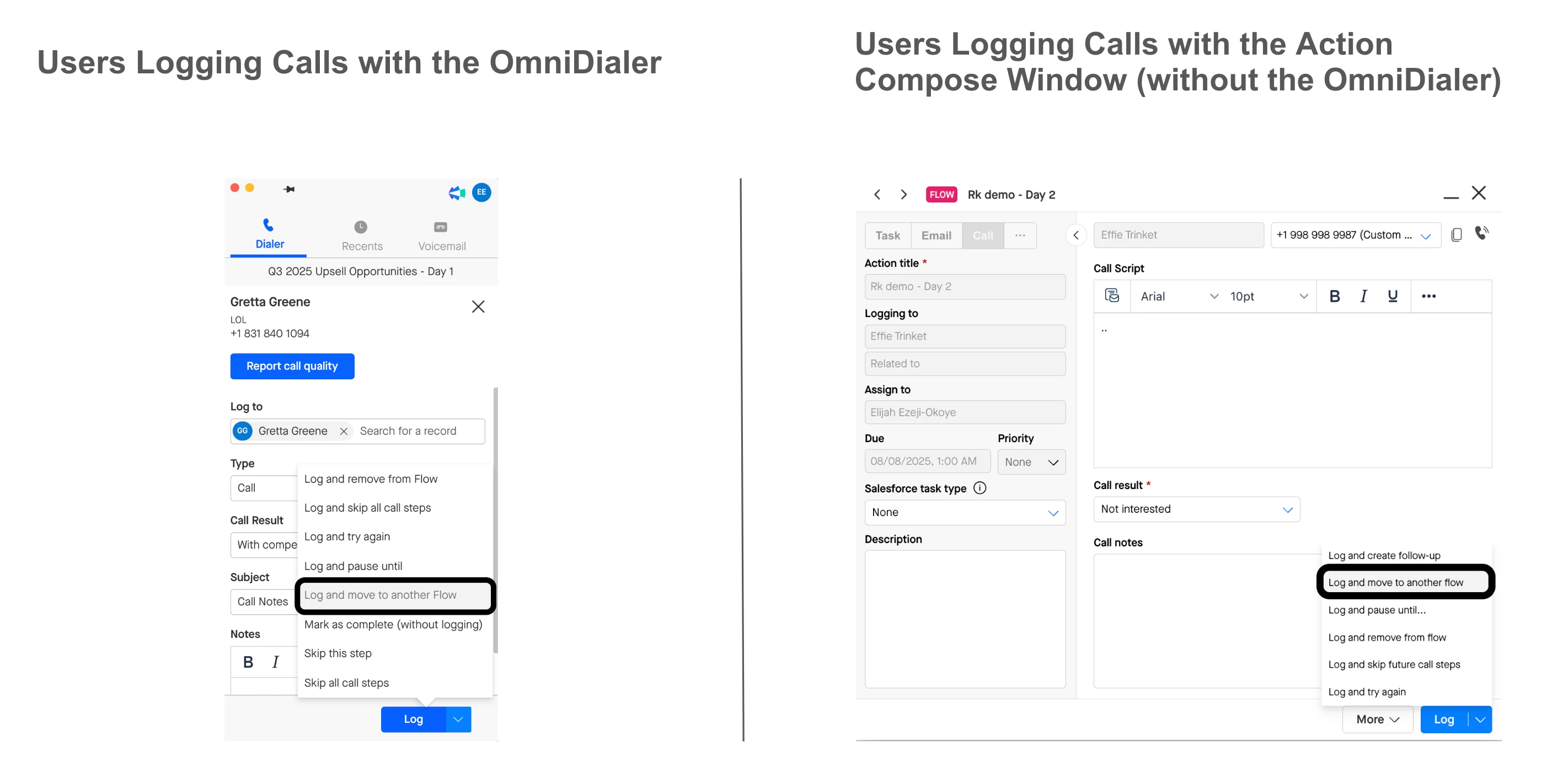
The LOGGED_CALL_ADDED_TO_NEW_FLOW exit reason surfaces when a user logs a call with the “Log and Move to Another Flow” option, either through the OmniDialer if they have a Groove Dialer license or through the Action Compose Window if they do not have a Groove Dialer license.
LOGGED_CALL_AND_REMOVED
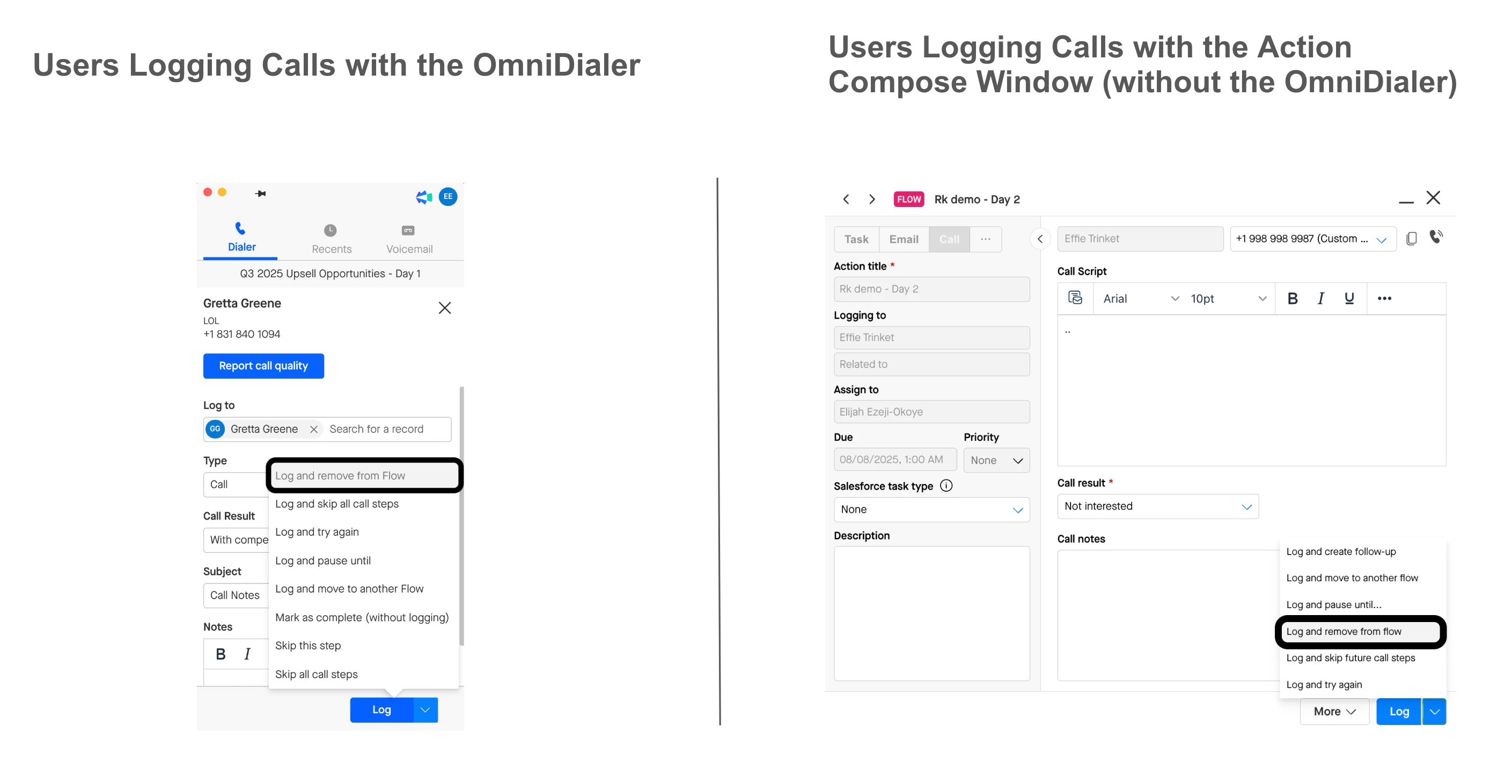
The LOGGED_CALL_AND_REMOVED exit reason surfaces when a user logs a call with the “Log and Remove from Flow” option, either through the OmniDialer if they have a Groove Dialer license or through the Action Compose Window if they do not have a Groove Dialer license.
MANUAL_USER_REMOVAL
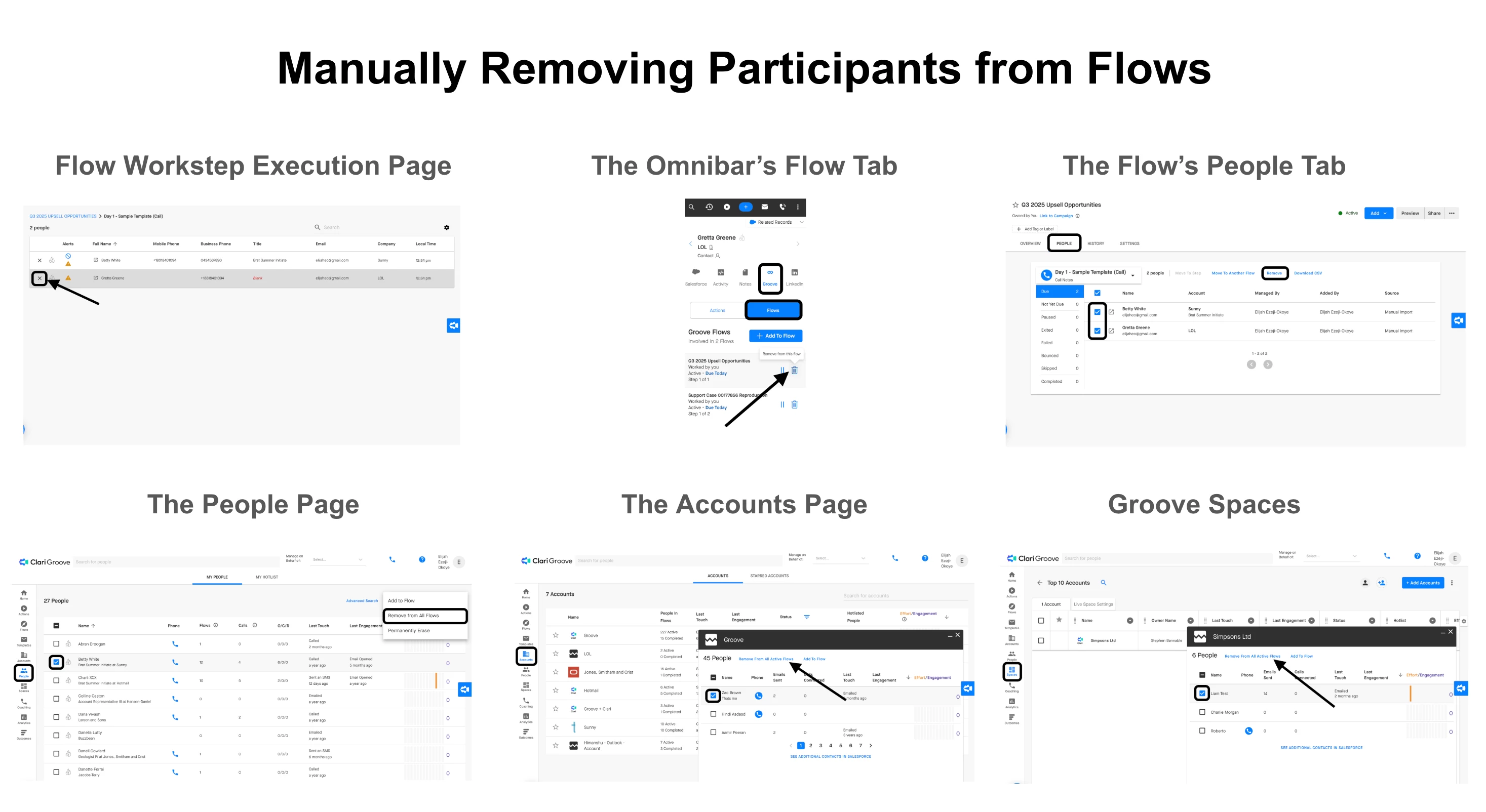
The MANUAL_USER_REMOVAL exit reason surfaces when a user manually removes a participant from a Flow. Participants can be manually removed from a Flow from:
- the Flow Workstep Execution page
- the Omnibar’s “Flow” tab
- the Flow’s People tab
- the People Page
- the Accounts Page
- Groove Spaces