




You can definitely use the scheduler to book meetings directly using another person’s availability (e.g. an AE, an SE) instead of your own, or combine your availability with another teammate’s availability to send our a joint Scheduler link.
From your inbox, you can access the scheduler, which will default to your availability, but you can remove yourself and search for another user’s calendar instead in the Schedule For field. For example, you can insert a link to an AE’s 30-minute availability or demo meeting.
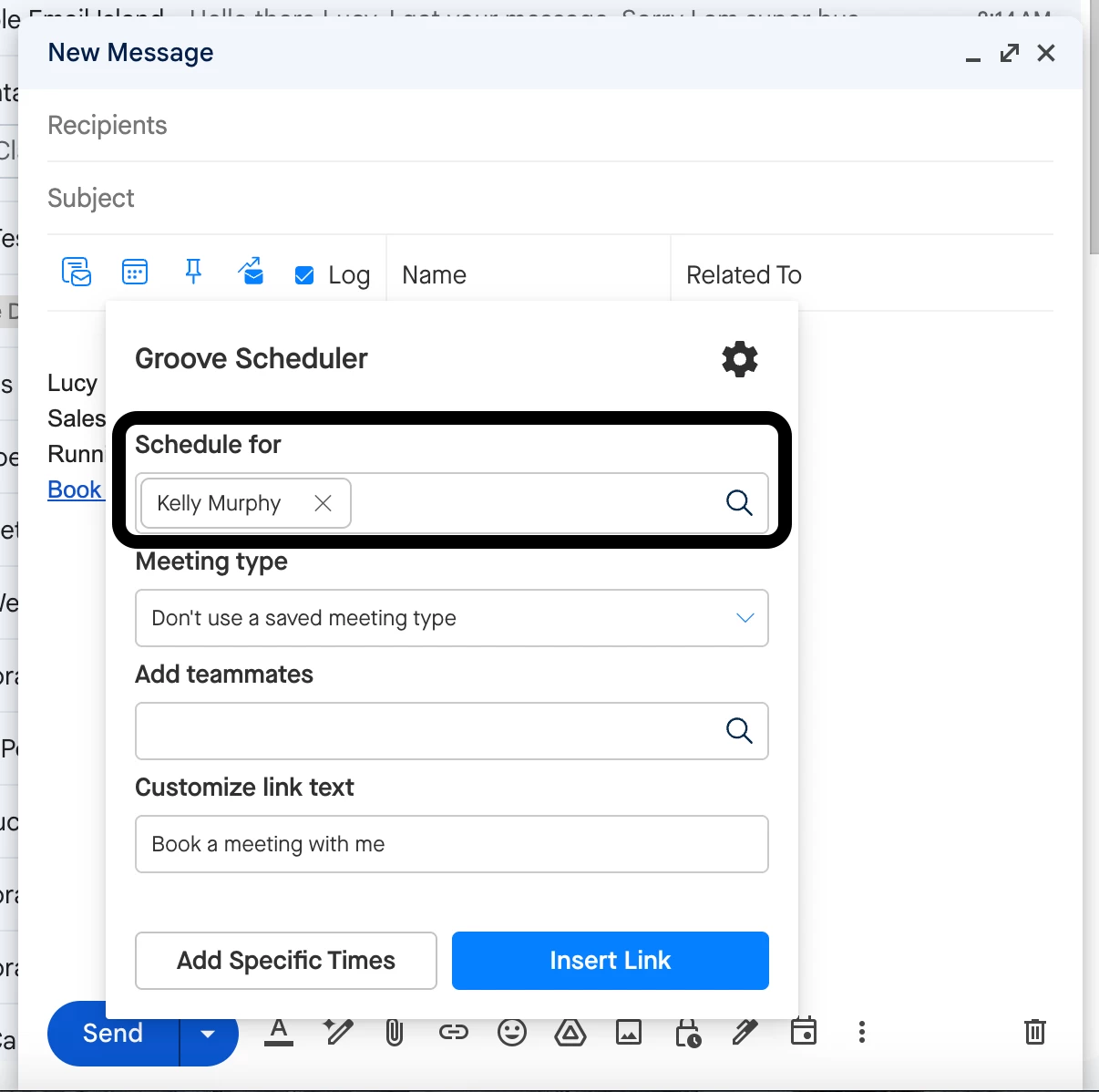
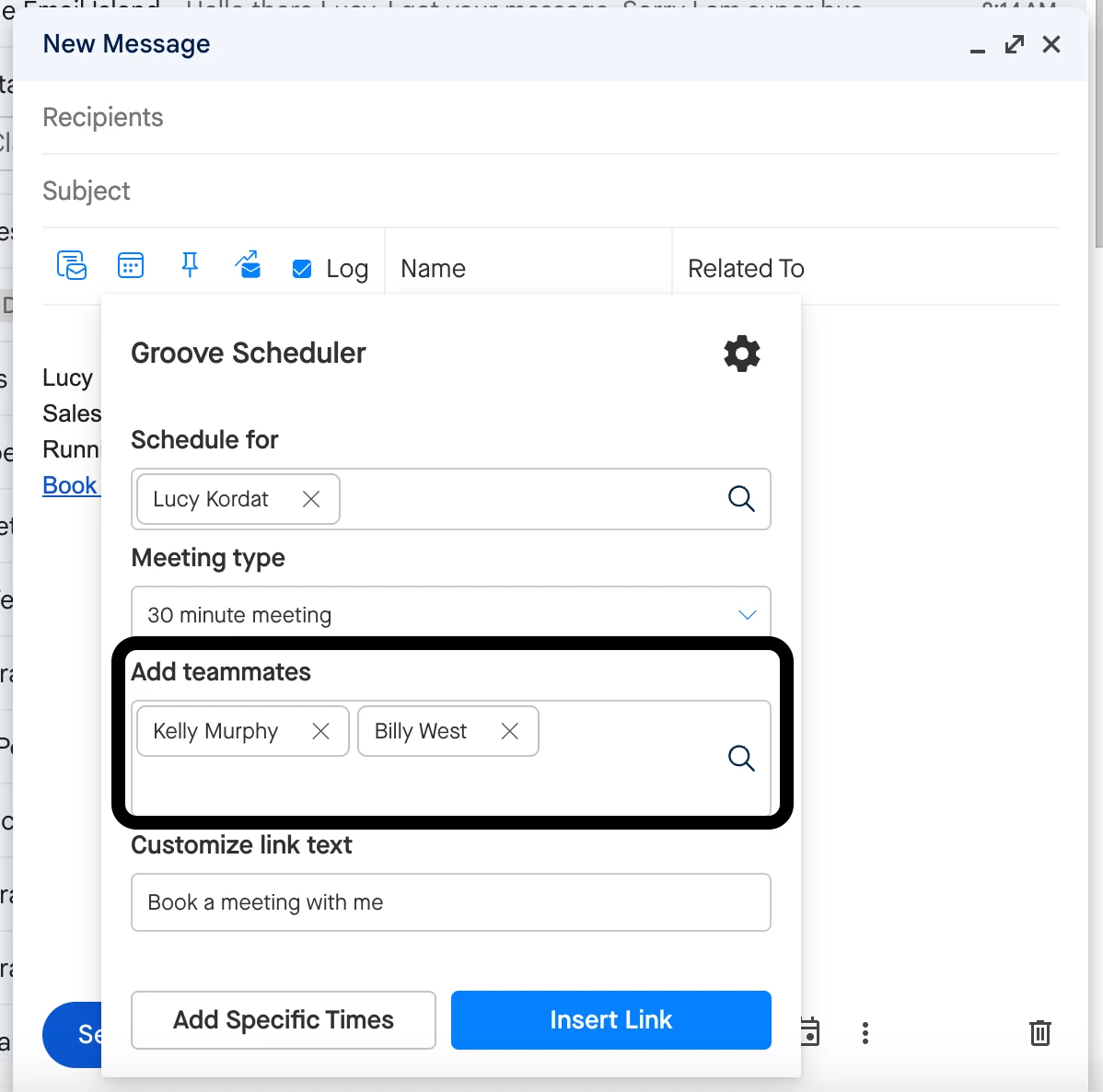
You can also add yourself or other teammates to the meeting if needed by including them in the Add Teammates field. This will send out your combined calendar availability, so that people can only book a meeting when all of you are free.
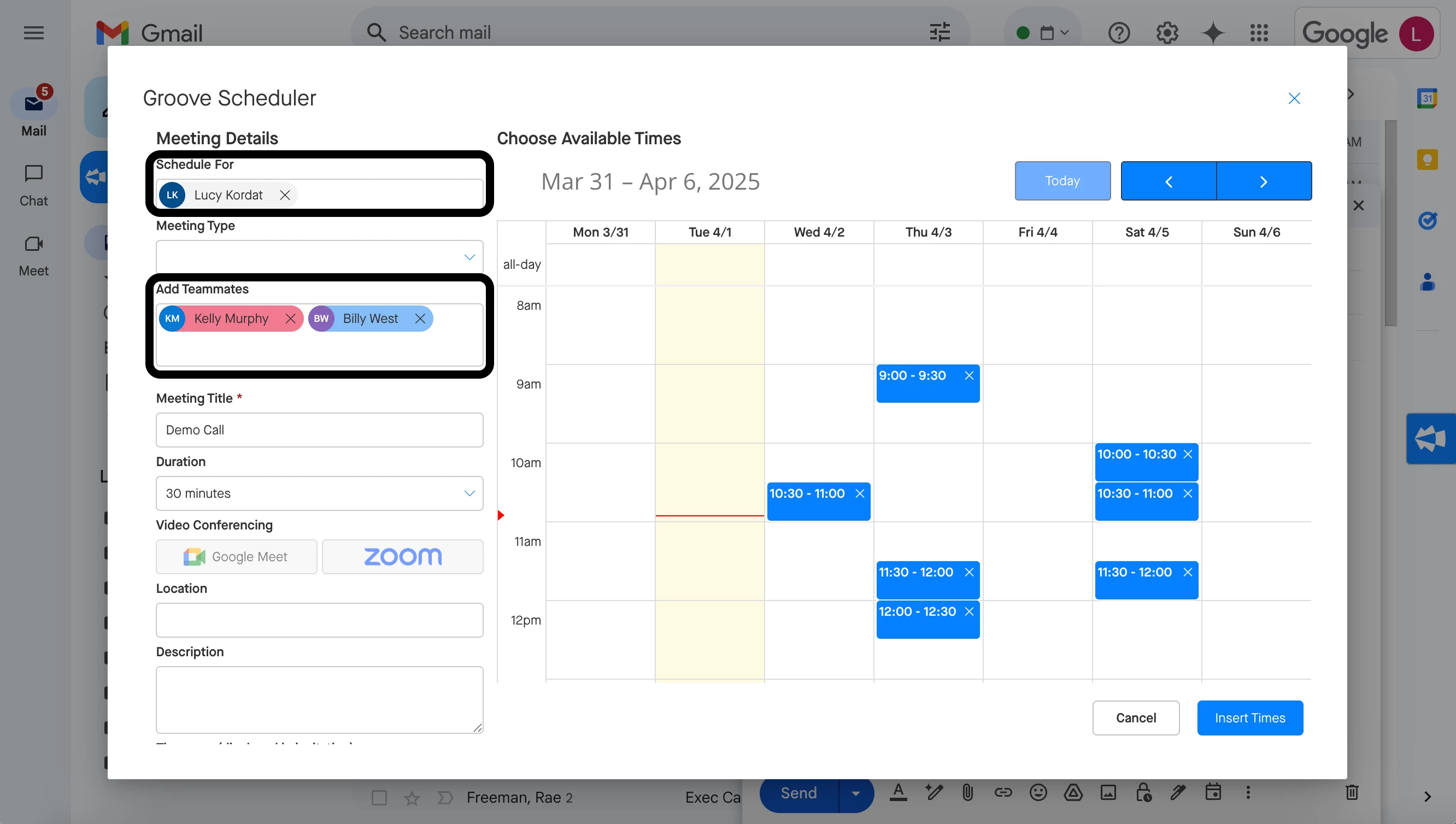
Another option is to manually select and insert specific times from another user’s calendar or from multiple users’ calendars instead of using a general scheduling link. This can be done by using the Add Specific Times button.
To further customize your scheduling experience, you can configure different meeting types in your settings—such as 15-minute check-ins or demo calls—and adjust preferences like buffers between meetings. Groove can also automate details like event names, making the scheduling process more seamless. Exploring these settings can help you make the most of the scheduler’s capabilities. More information on customizing your Groove Scheduler settings can be found here.