Admins have manual and automated options across Flows for managing people in Groove if they change ownership.
If you are the owner of a Flow (or a Master Flow), then you may also have the ability to manually manage people or set up automations to manage people for those specific Flow(s) that you own. Finally, the owner of a Flow can share that Flow with other users (e.g., teammates) to grant them edit rights too. However, be cautious—if someone can edit the Flow, they can modify templates and automations in that Flow.
Changing Ownership Manually
Change Owner of Individual or Groups of Participants
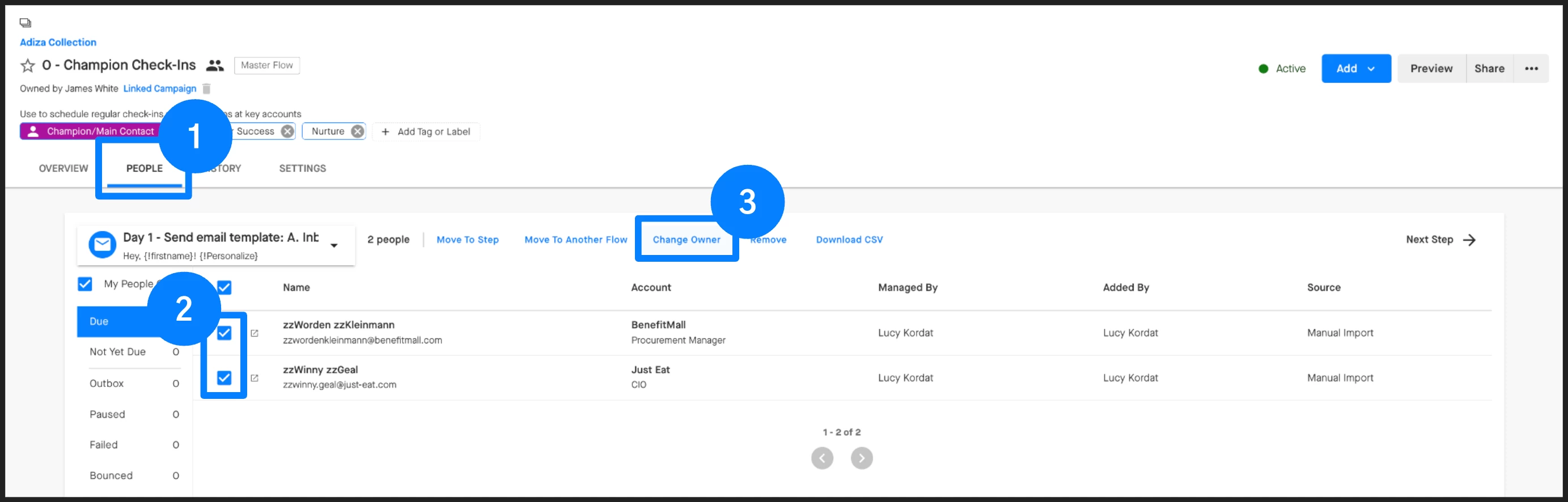
Users can open the People tab in a Flow, select the step that contains the people who need to be moved, and then select those people and choose Change Owner to manually change the owner directly from the Flow Step. To use the Change Owner feature on a Flow participant, your name must be in the ‘Added By’ or ‘Managed By’ column for that participant. There is also an option here to simply Remove the selected people from the Flow entirely if your name in in the ‘Managed By’ column.
Change Ownership of All Participants in a Flow
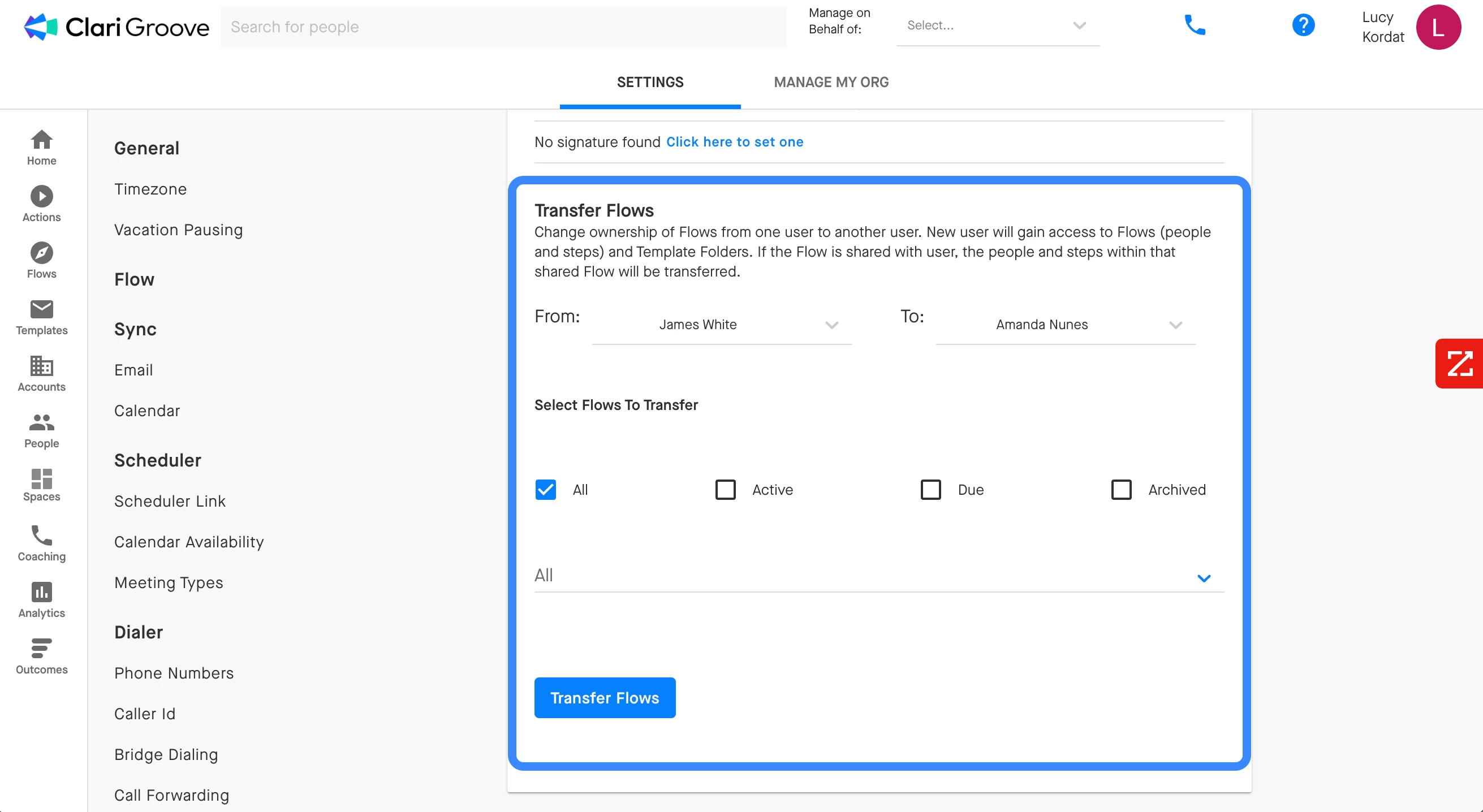
Admins can use the Flow Transfer Tool in the Groove Settings page to transfer ownership of entire Flows. This tool is helpful when a teammate will no longer be using Groove (due to a change in position, them leaving the company, etc.). When the Flow Transfer Tool is used, two things can happen:
- If the ‘From’ user is the owner of the selected Flow, ownership of the Flow will be re-assigned to the ‘To’ user. If the ‘From’ user is not the owner of the selected Flow, ownership of the Flow will not change at all.
- All participants owned by the ‘From’ user in the selected Flow will be reassigned to the ‘To’ user. The ‘To’ user will be able to pick up with the Flow outreach to these participants from where the ‘From’ user left off.
If a user is deactivated, will their flows still show up in the transfer tool? Yes! Deactivated users' flows will still appear in the transfer tool unless they have been hidden from the Manage My Org list. If hidden, they can be unhidden temporarily for the transfer.
Automating Ownership Change Management
Auto-Import Participants and Auto-Assign Owner
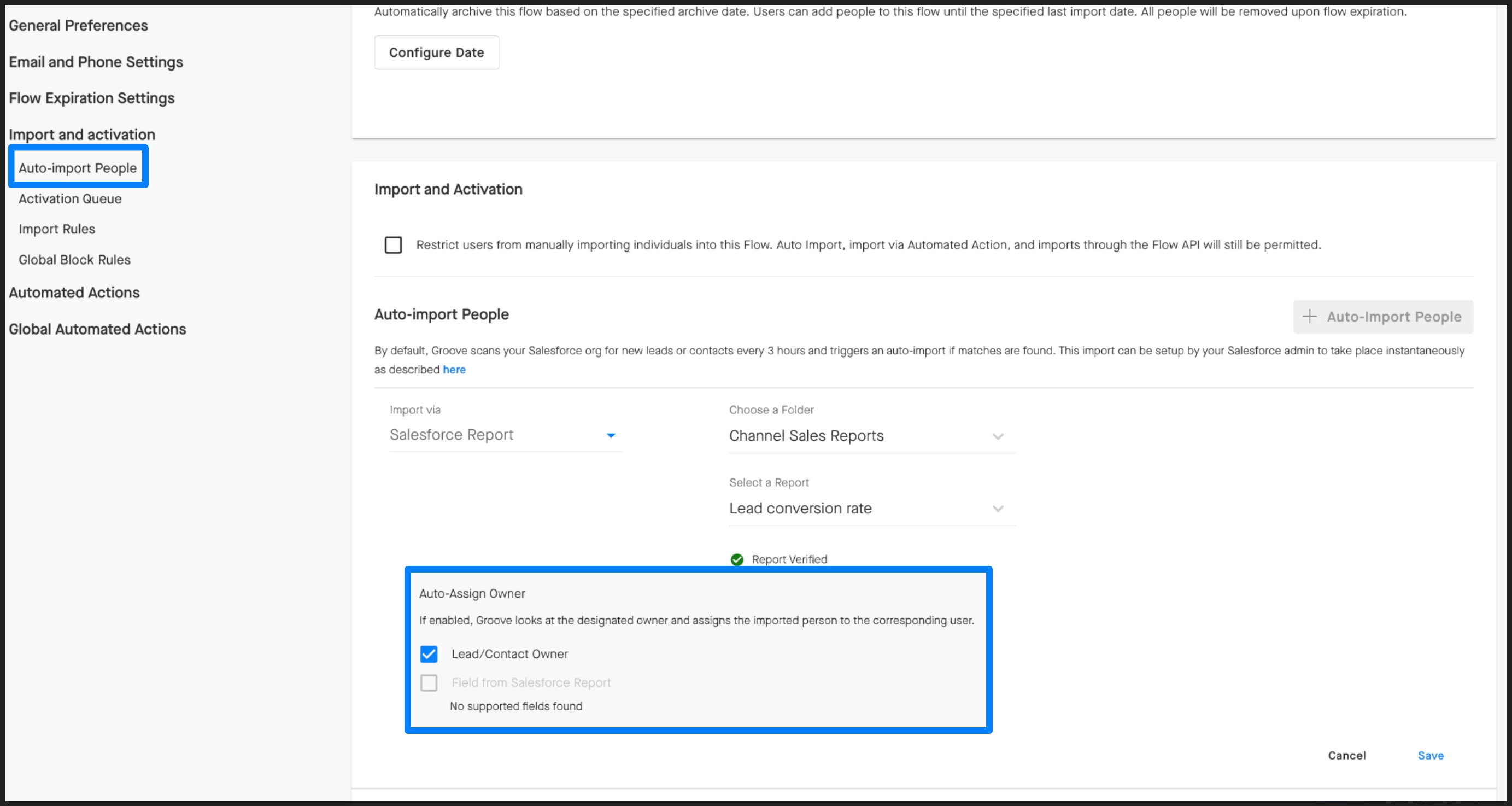
You can Auto-Import People from a Salesforce report in the Flow Settings tab. In these settings, you can enable Auto-Assign Owner, and Groove will look at the designated owner of the person in the Salesforce report, and route that person to the appropriate user in Groove at the time of import.
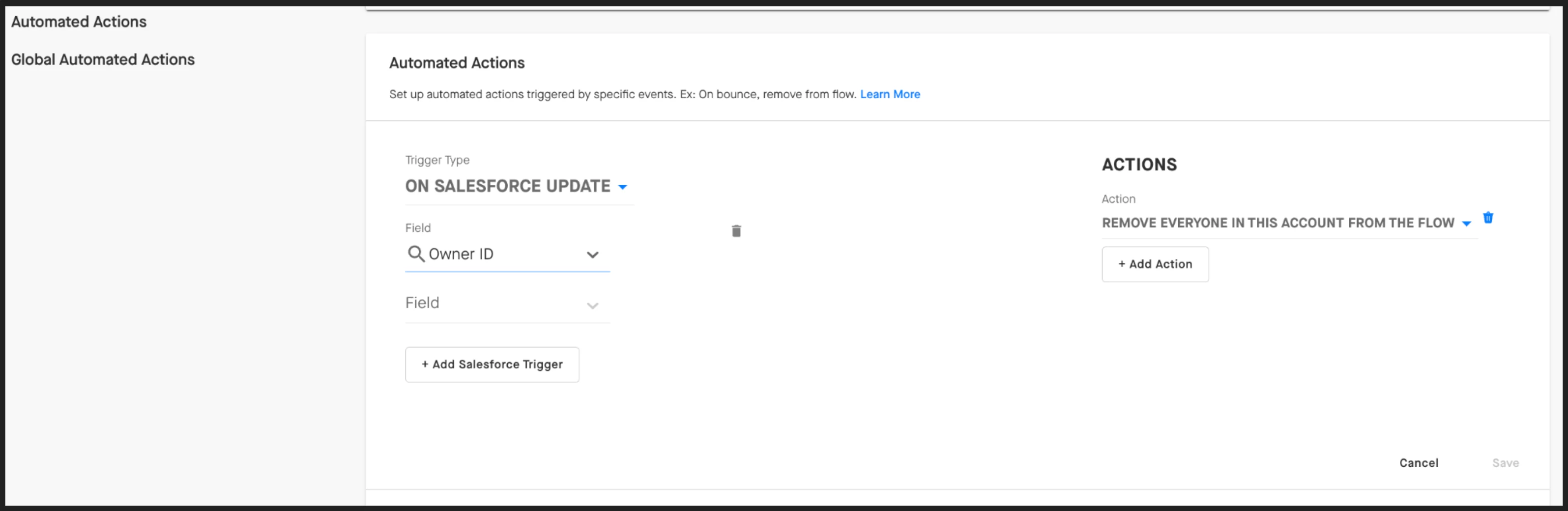
Automated Actions: Remove People from a Flow
Our best practice recommendation to manage account ownership changes is to set up an Automated Action. You can configure Groove to take action when a field update in Salesforce, such as a change of Contact or Lead Owner, happens. In this scenario, you could tell Groove to take the action to automatically remove the person from the Flow, remove everyone in the account from the Flow, or reassign the person to the new owner in Salesforce. This ensures you don’t have to manually track and update flows when Contacts and Leads shift ownership.