



Overview of Clari Studio Labs
If you are an Advanced Ops Admin, you can enable Guide and Revenue Cadences in Clari from Clari Studio Labs, which is where you can share and launch the rollout of cutting-edge features for your team in a more controlled environment. Clari Studio Labs gives you granular control to ensures that your team can designate exactly which users are able to access certain features at a time.
This granular level of control can help with change management as you decide the best rollout strategy for your team. For example, your team might decide to start by enabling Guide and Revenue Cadences for just your operations and admin teams so that you can review what Revenue Cadences and Guide will look like to end-users. You might, then, decide to expand the rollout to one or two pilot teams as you refine your Cadences. One you feel you’re ready to expand, you might enable Guide and Cadences for the rest of your team.
Enabling Guide and Revenue Cadences for Your Team
To enable Guide and Revenue Cadences for your team:
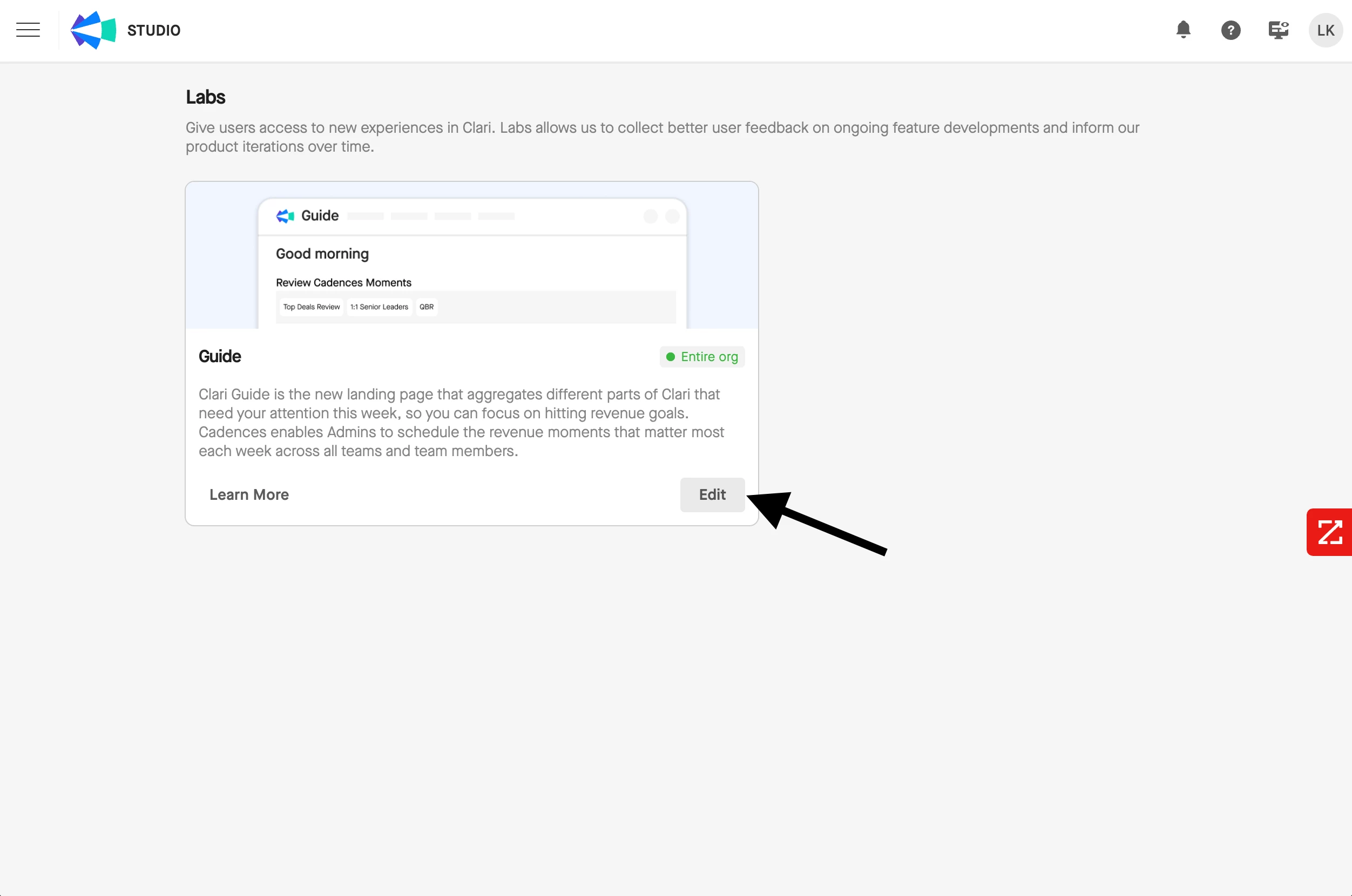
- Navigate to Clari Studio > Labs
- Click the Edit button in the lower-right corner of the Guide card.
- Select None to enable this feature for no users, Organization to enable this feature for all users, or Roles and Users to hand-select which users to enable this feature for.
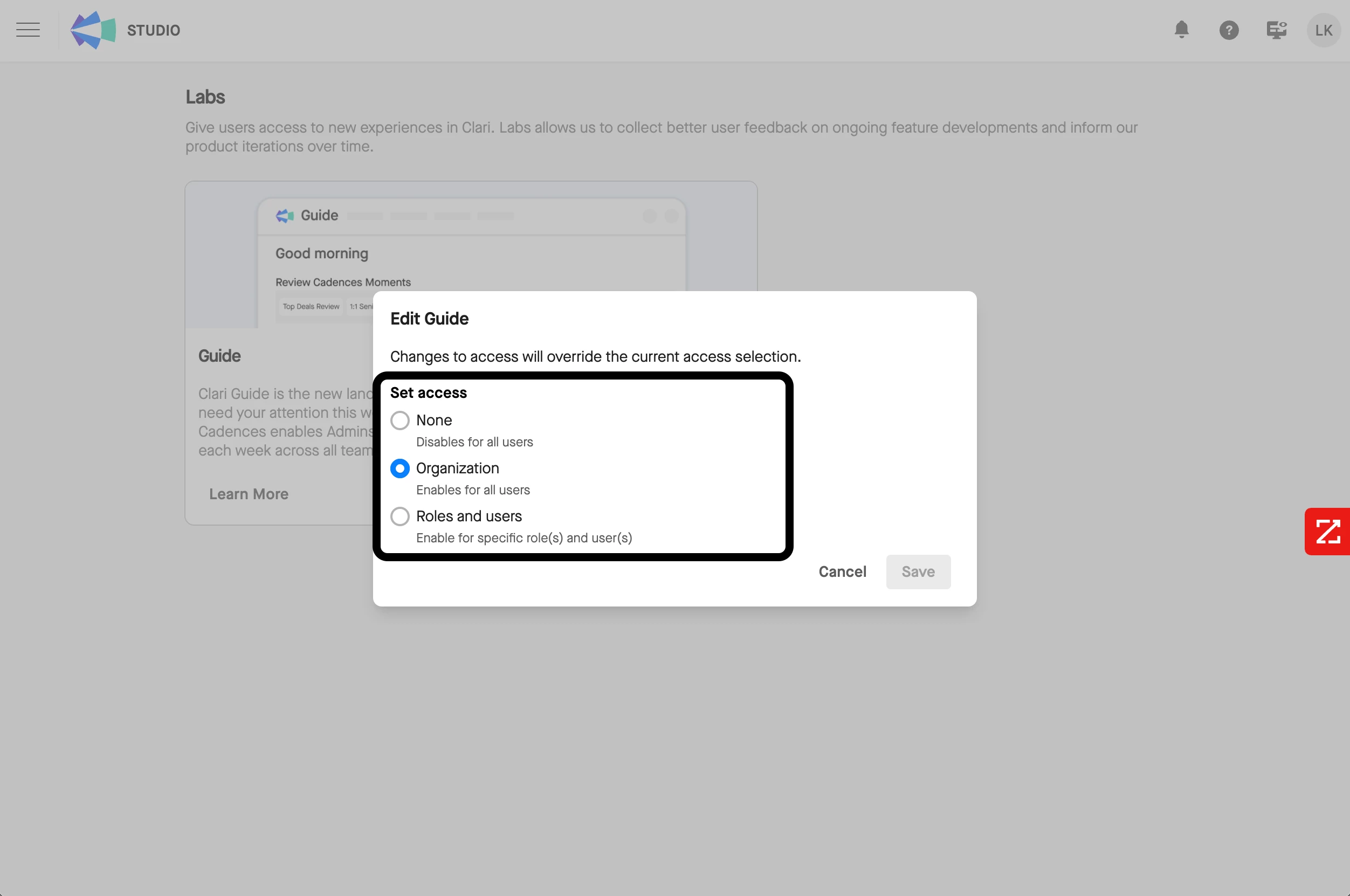
- Press Save to save your changes
How Guide and Cadences Surface to Admins and End-Users
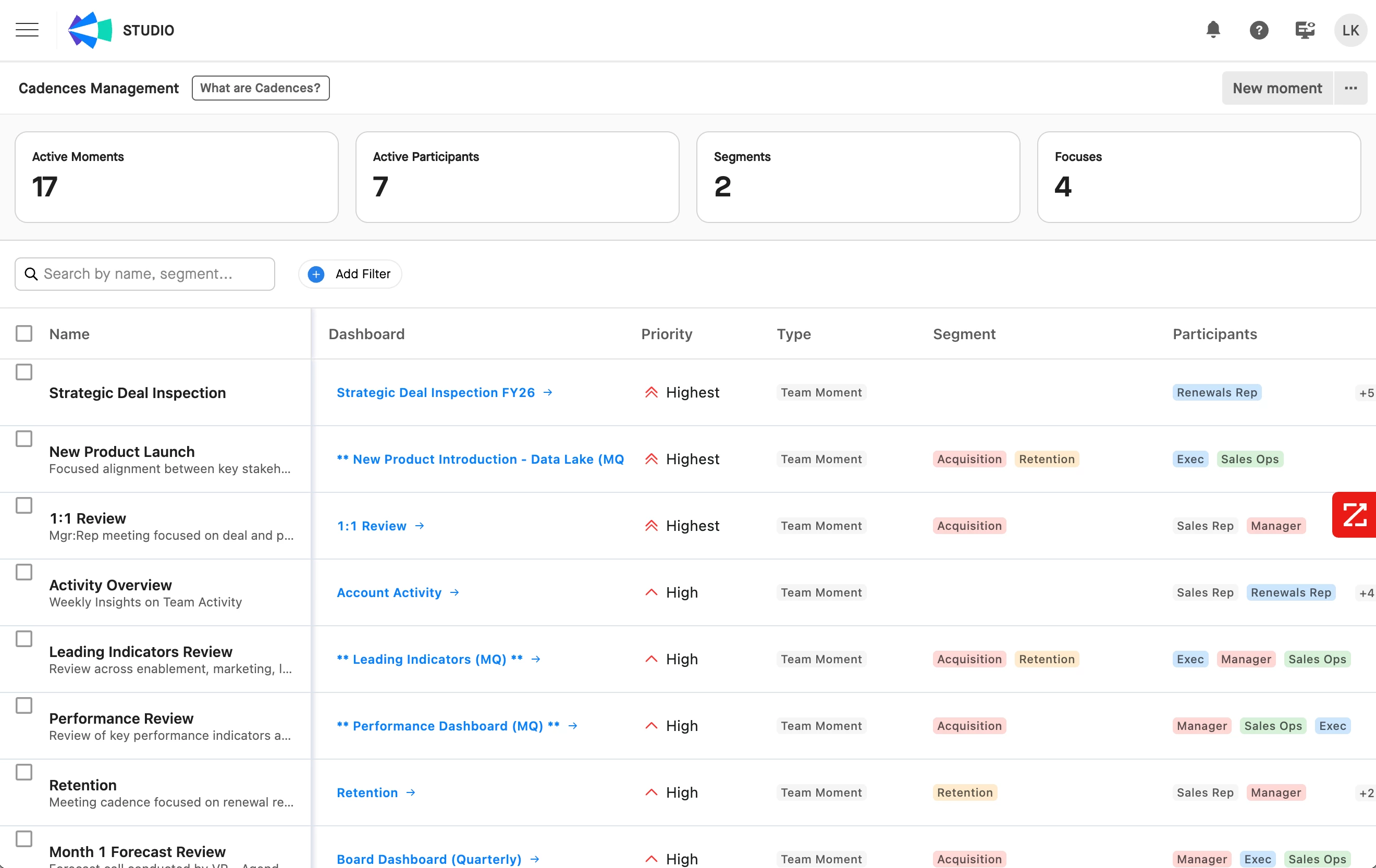
Once you’ve enabled Guide in Clari Studio Labs, you can manage your team’s Cadences from Clari Studio > Cadence Management. This is where you can build your Revenue Moments that will be assigned to Cadences.
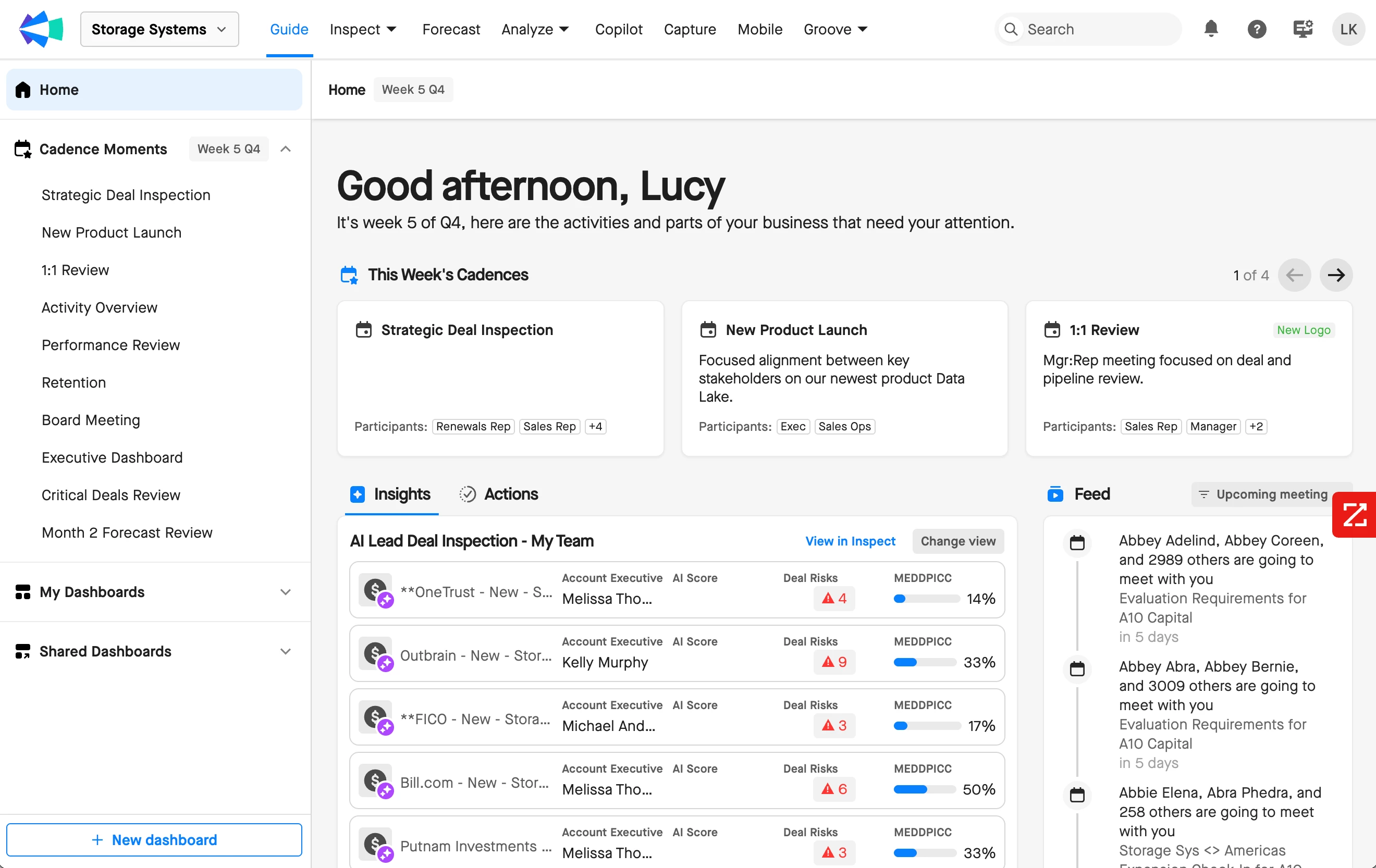
The Clari Guide homepage will also be available for the users for which you enabled Guide in Clari Studio Labs.
Additional Resources
Check out the Revenue Cadences Hub in the Community for documentation, best practices, and other resources that will help your jumpstart your team’s Revenue Cadences rollout and adoption.