




Yep! You can add columns directly from Salesforce data or create custom fields for additional notes and collaboration in a Space. You can surface up to 15 fields in your Space at a time.
Adding a Field from Salesforce as a Column
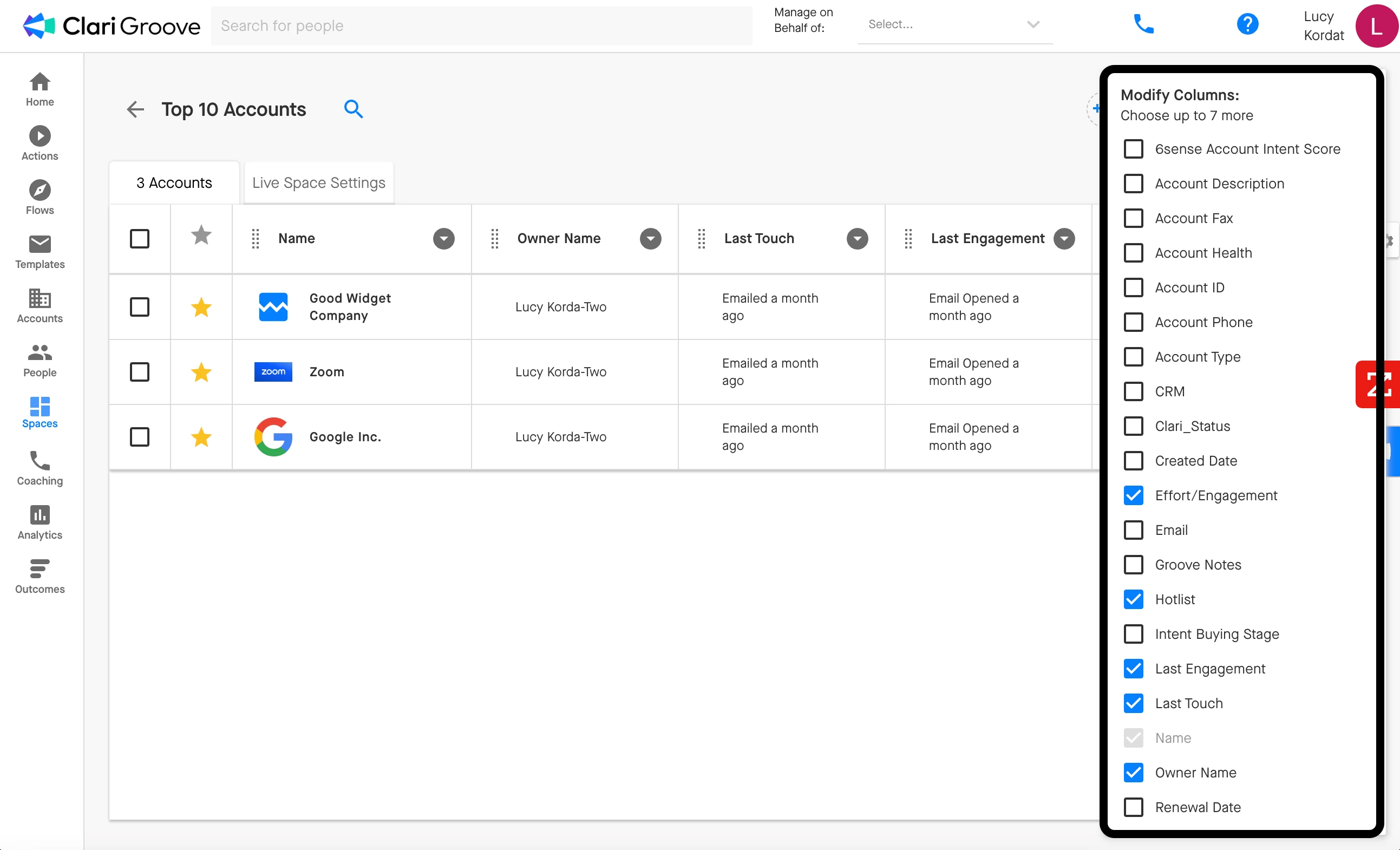
To add a field on the Account or Opportunity object as a column in your Groove Space, click on the ‘gear’ icon in the upper-right corner of the space, then select the field you want to add to your Space.
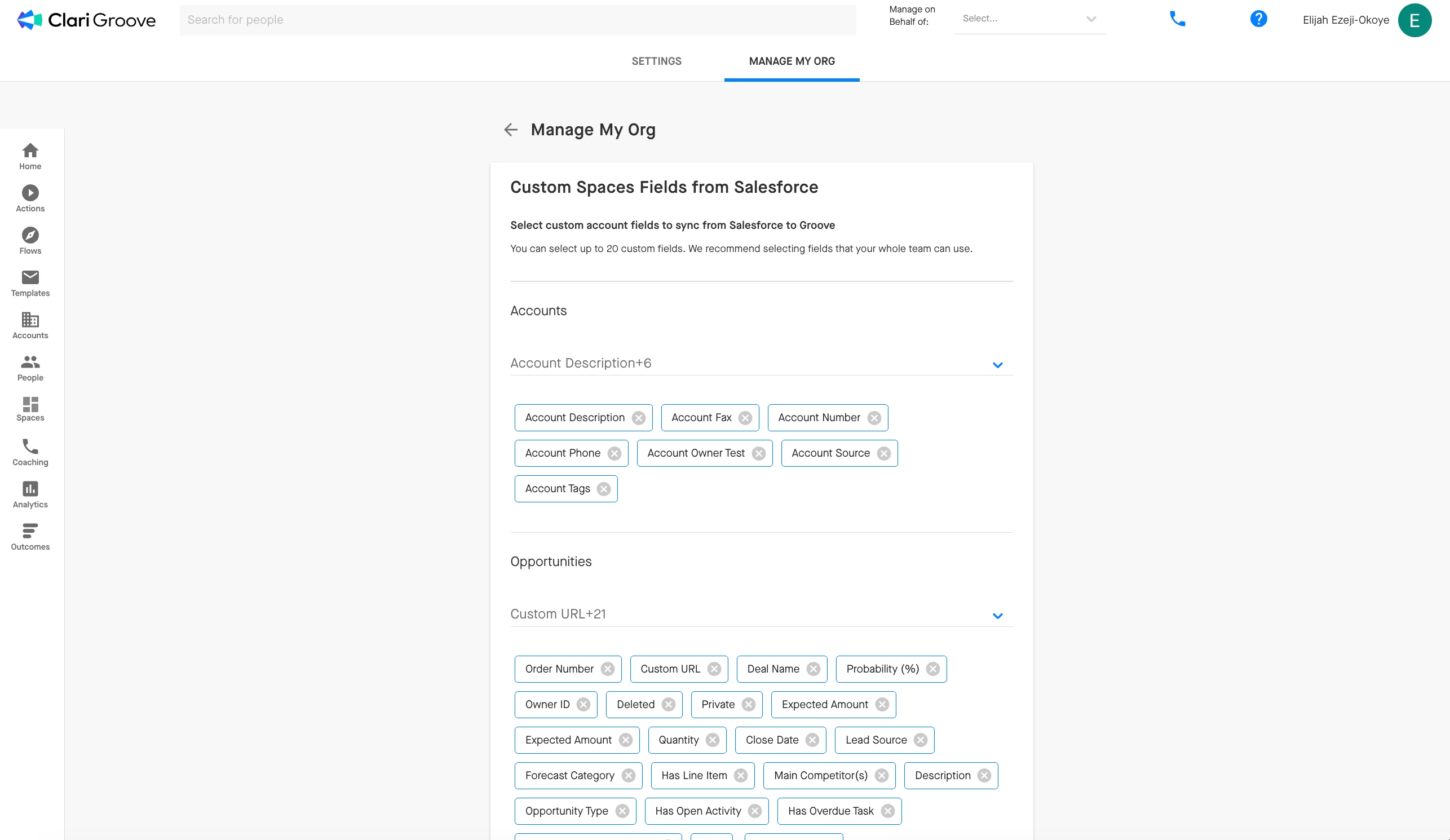
The Salesforce fields that you can pull into your Space is controlled by your internal Groove admin team. If you don’t see the field you’re looking for, your Groove admin team can make it available in Manage My Org > My Org > Custom Spaces Fields from Salesforce.
Creating and Adding a Custom Column
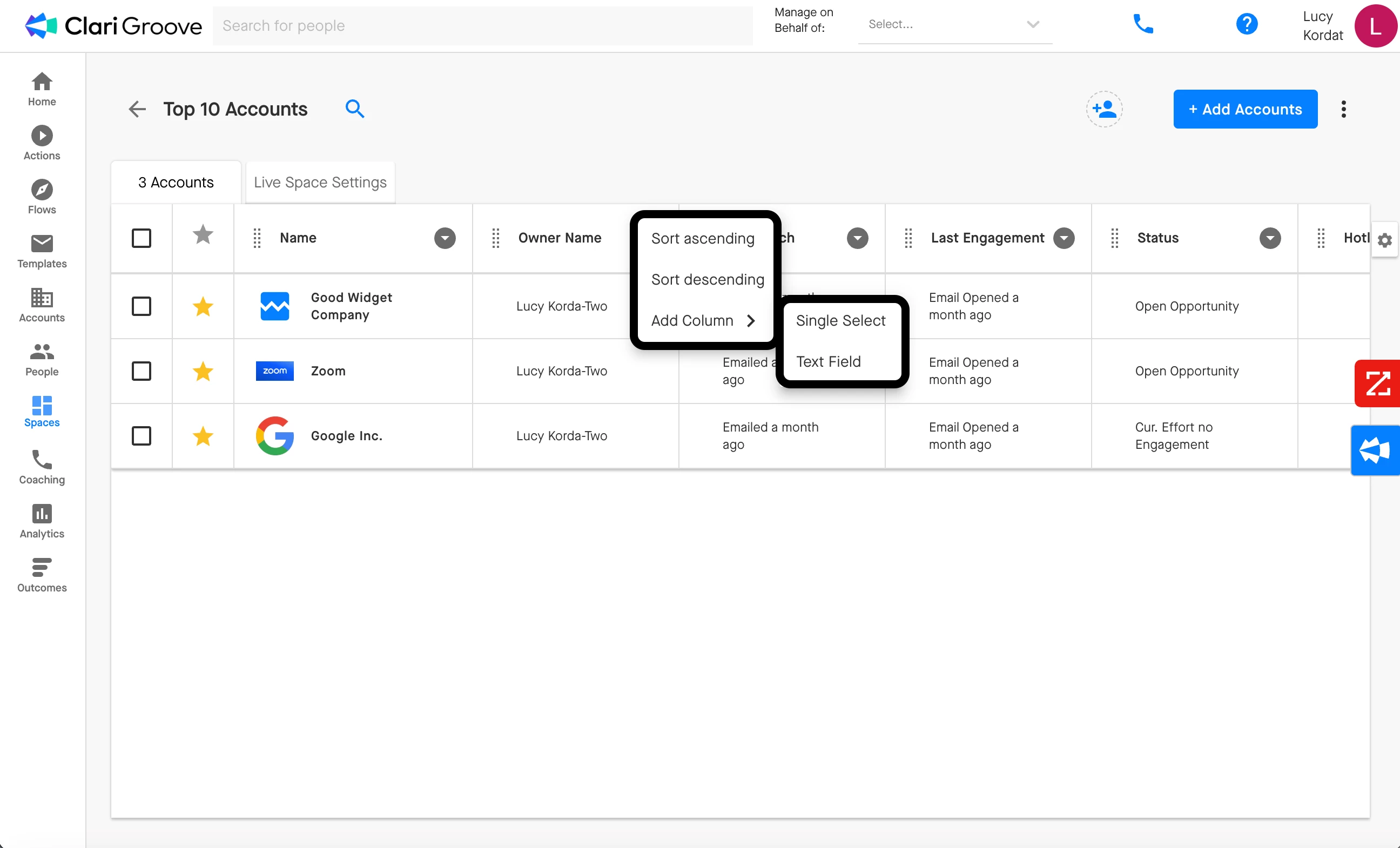
You can also add custom columns to your Space by clicking the downward-facing arrow to the right of a column name, selecting ‘Add Column’, then selecting either the ‘Single Select’ or ‘Text Field’ option. This option allows you to add either a custom picklist field or a custom text field to your Space.
Are the notes that are taken in a custom column stored in Salesforce?
No. Notes created in a custom text column are stored within the Space in Groove. They do not sync with Salesforce. If the custom column or the Space itself is deleted, then any notes stored in the column will be lost. If you’re looking for a place to take notes that will sync to Salesforce, you can use the Notes tab in the Omnibar!