




You can track and manage email bounces with Groove.
Report on Bounced Emails in Salesforce
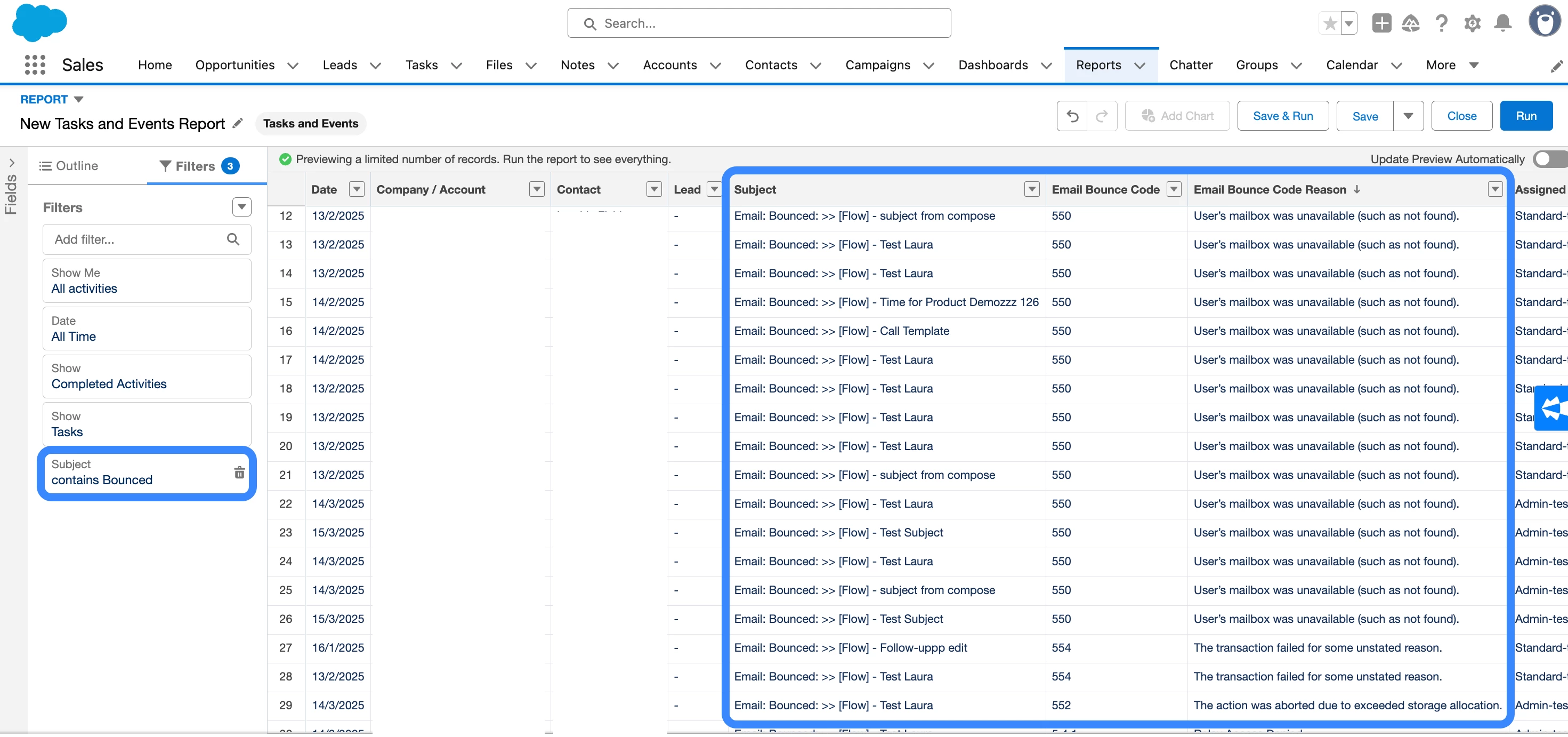
You can leverage the data Groove writes back to Salesforce to report on bounced emails using Salesforce reports. If you have the Groove Insights package installed, Groove adds the Email_Bounce_Code__c and Email_Bounce_Code_Reason__c fields to the Activity object. When an email bounces, Groove will log the bounced email as a Task. The Subject field will contain the word “Bounced”, and the Email_Bounce_Code_Reason__c and Email_Bounce_Code__c will be populated with data if available.
You can create a Salesforce report to review all the emails that have bounced from Groove Flows. For example, you could generate a Tasks and Events report, filter it to show only Tasks where [Subject contains “Bounced”], and pull in the Email Bounce Code and Email Bounce Code Reason fields (as well as any others that would be helpful for your reporting needs).
Check out this guide for more information on Groove’s Email Bounce Codes feature.
Note: These bounce reporting features require some additional backend settings to be enabled for your instance. Please reach out to your CSM or the support team if you’d like these features for your instance.
Global Automated Actions: Remove people from Flows and update CRM ‘On Bounce’
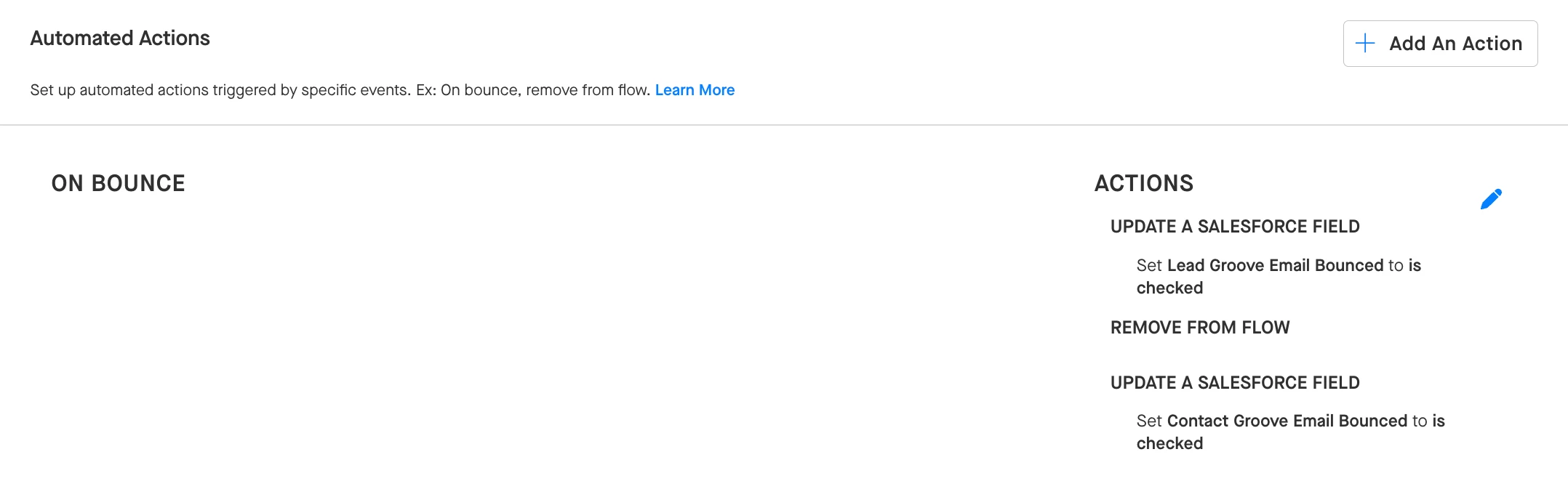
For automated management of email bounces, an admin can configured a Global Automated Action in Manage My Org to remove bounced contacts from Flows and update Salesforce to mark them as bounced. Global Automated Actions apply to all the Flows in your organization, so users would not need to set up this Automated Action on every Flow they build.
Hard Bounces vs. Soft Bounces: What’s the difference and how does Groove treat them differently?
Groove focuses exclusively on hard bounces. Only a hard bounce will count towards your Automated Action. A hard bounce occurs when an email fails to deliver entirely (e.g., because the email address is deactivated).
Soft bounces are more challenging to detect because while the email is delivered, it encounters some issue such as temporary server problems or an out-of-office reply. To help address soft bounces, Groove has out-of-office detection. If a recipient has an automatic vacation response activated, Groove can detect that and pause the contact’s progress in a Flow for a default period of seven days (this period can be adjusted if needed).
By default, Groove is configured so that soft bounces remain in a Flow, and only hard bounces trigger removal from the Flow through the ‘On Bounce’ Automated Action trigger.