



Clari’s Analytics Modules (Pulse, Trend, Flow, Waterfall, Funnel) answer many of the most revenue critical questions, but sometimes you’re left scratching your head on why the numbers don’t align with other parts of the platform or what does any of it all mean?!

While we have a TON of analytics overview resources that can help answer many of your basic questions for each analytics module, I will be posting a series of articles focusing on answering some of the nerdiest questions you’ve all been asking (or not), so put your thinking cap 🎩 on because it’s about to get spicy 🌶!
FORMULA FIELDS
An often overlooked part of analytics is the use of FORMULA FIELDS. Now, we do have an existing well-written hidden gem 💎 article that explains this, so I don’t want to reinvent the wheel. You can read about formula field support before you go to bed since sleeping is what helps create memories.
BUT, for some of us that fall asleep just reading anything that looks like a math equation, hopefully this will simplify it.
As you may be already aware, the analytics modules will always use an amount field that has been configured per the mode selected.
Example (Pulse Module):
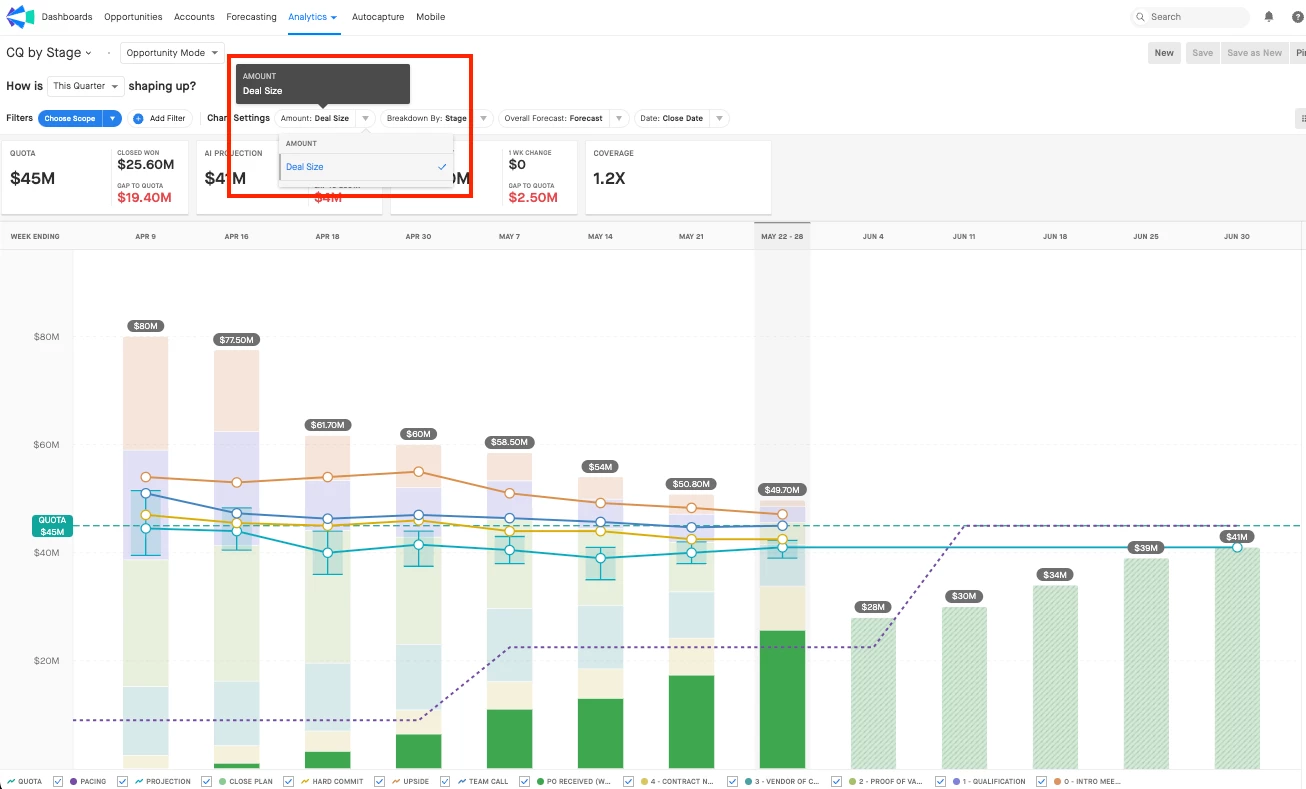
Deal size is an amount field in this example, like TCV, ACV, etc.
Not all amount fields are created equally, however, since some may be the summation of two independent amount fields, let’s call it Amount A and Amount B and the output, Amount C (A+B=C). Amount C is the formula field you’re hypothetically using in analytics or maybe even plan to use in the future.
Did you know that Clari looks for a records lastModifiedDate field in each SFDC object to determine if the record was updated and therefore ‘tells’ Clari to snapshot all the field inputs for that opportunity? I know you did, but I didn’t at the time.
Because Amount C is a formula field, amount changes may not actually update the lastModifiedDate and what ends up happening in some cases is Clari will snapshot say $5M closed won end of Week 2 in pulse and snapshot $5M end of Week 3 when in reality closed won was $5.2M, giving the impression that there was no change or the data is stale.
Thankfully, there are ways to solve for this. The article mentioned above outlines this over this in detail but basically we have two main solutions:
1. Create a new field on the object where the formula field exists.
2. Build a workflow that populates the value in the formula field to the new field.
The benefit of this solution is that it updates the lastModifiedDate since the new field isn't a formula field.
Also, the new field can be history tracked since it’s not a formula field. This would allow for the color highlighting to display in the opportunity grid—giving you visibility to any changes to that field.”
While technically Clari supports the use of Formula Fields, it’s important to understand the impact this has and options you have available to ensure you are using reliable and updated data.
Still confused? Ask questions below or reach out to your CSM/AM for additional support!