




We wanted to share the top workflows teams are already running — so you can help your reps get value fast. See the kickstart guide
FOR FRONT-LINE MANAGERS: INSPECTION TO ACTION LIVE
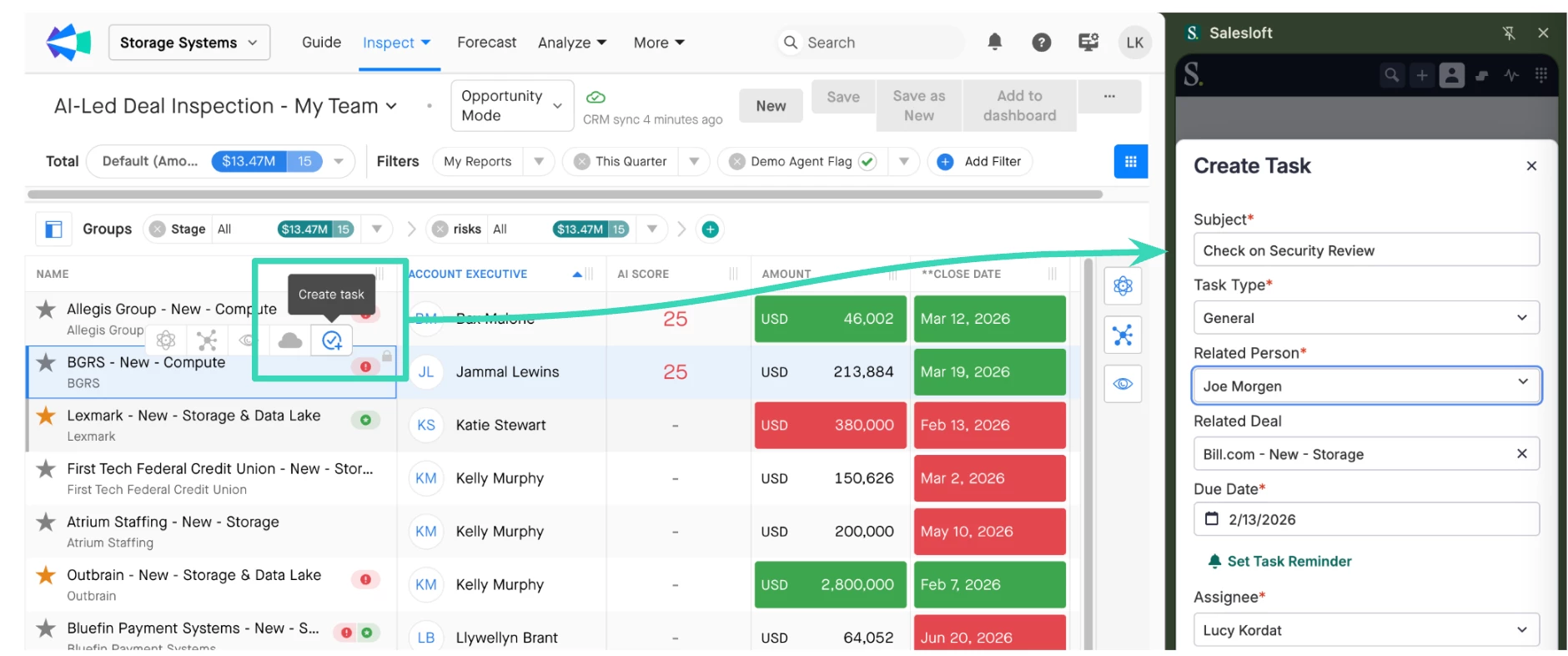
In 1:1s & Forecast Cadences: Walk reps through their pipeline and deal activity live — then assign next tasks and spin up emails without leaving the conversation.
Quick Deal Inspection: Run through your reps' committed deals live, and have them create follow-up tasks or AI-generated emails in seconds, tracked and optimized in Salesloft.
FOR REPS: COPILOT FOLLOW-UPS (FEWER CLICKS, MORE SELLING)
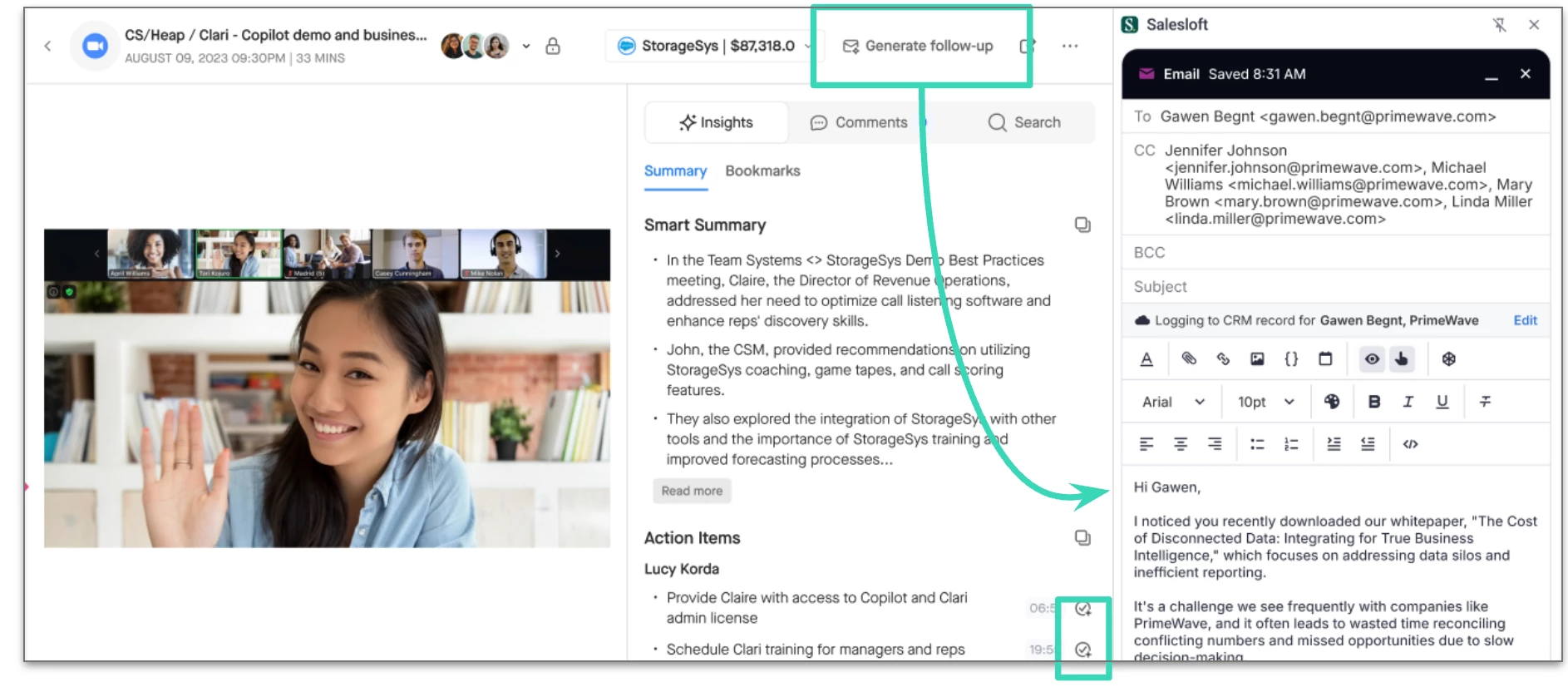
Before: After a call, reps had to grab the Smart Summary, copy it into an email, write a subject line, and manually add call participants.
Now: One click. The summary is generated, populated into Salesloft with a subject line, and all call participants are copied automatically.
FOR REPS: THE SIDE PANEL (NEW!)
This is a game-changer. Tell your reps to keep the Salesloft side panel open everywhere they work — Gmail, Salesloft, and Clari.
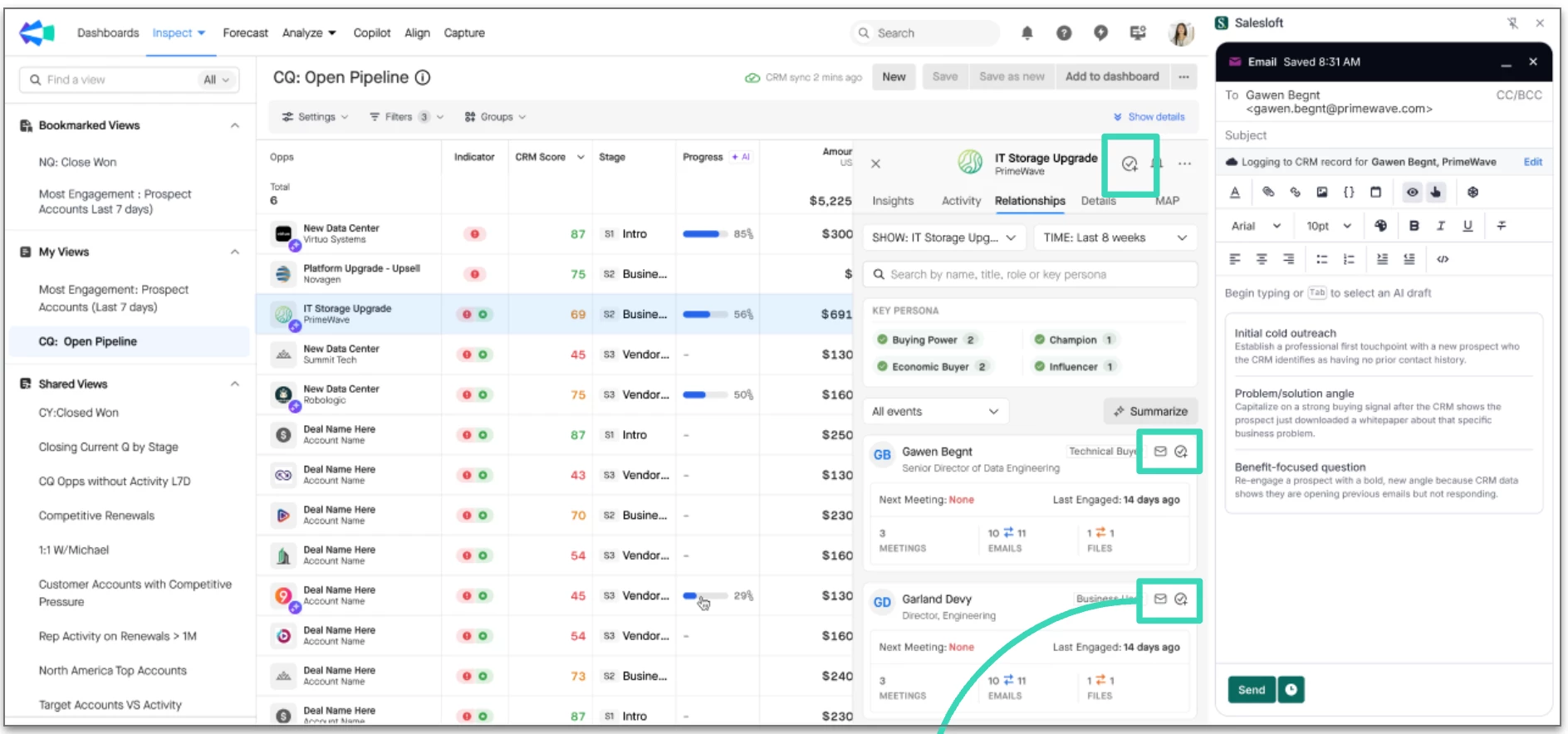
Before: Sellers could see deal insights in Clari (risk signals, momentum, deal summaries, Copilot calls) — but had to leave Clari to actually execute on what they found.
Now: They can inspect and act in the same place.
• Pop out the Salesloft extension right from Clari and get pre-filled information.
• Set tasks and reminders to follow up on at-risk deals.
• Re-engage buyers with AI email templates informed by real contact data.
• Hover over risk and momentum indicators to spot deal risks — then act on them immediately.
See the kickstart guide to learn more