




Have you ever looked at your top performing reps and wondered what they're doing differently on their calls? What is their secret? Is there a difference in how they engage with customers that helps them win more deals? Or which reps excel at asking those thoughtful, open-ended questions that uncover true pain points?🤔
If these questions sound familiar, the Team Insights Dashboard is the perfect place to find your answers. It's a powerful tool that helps you move beyond gut feelings and use objective data to understand what great conversations look like within your organization. Let's jump in and see how👇
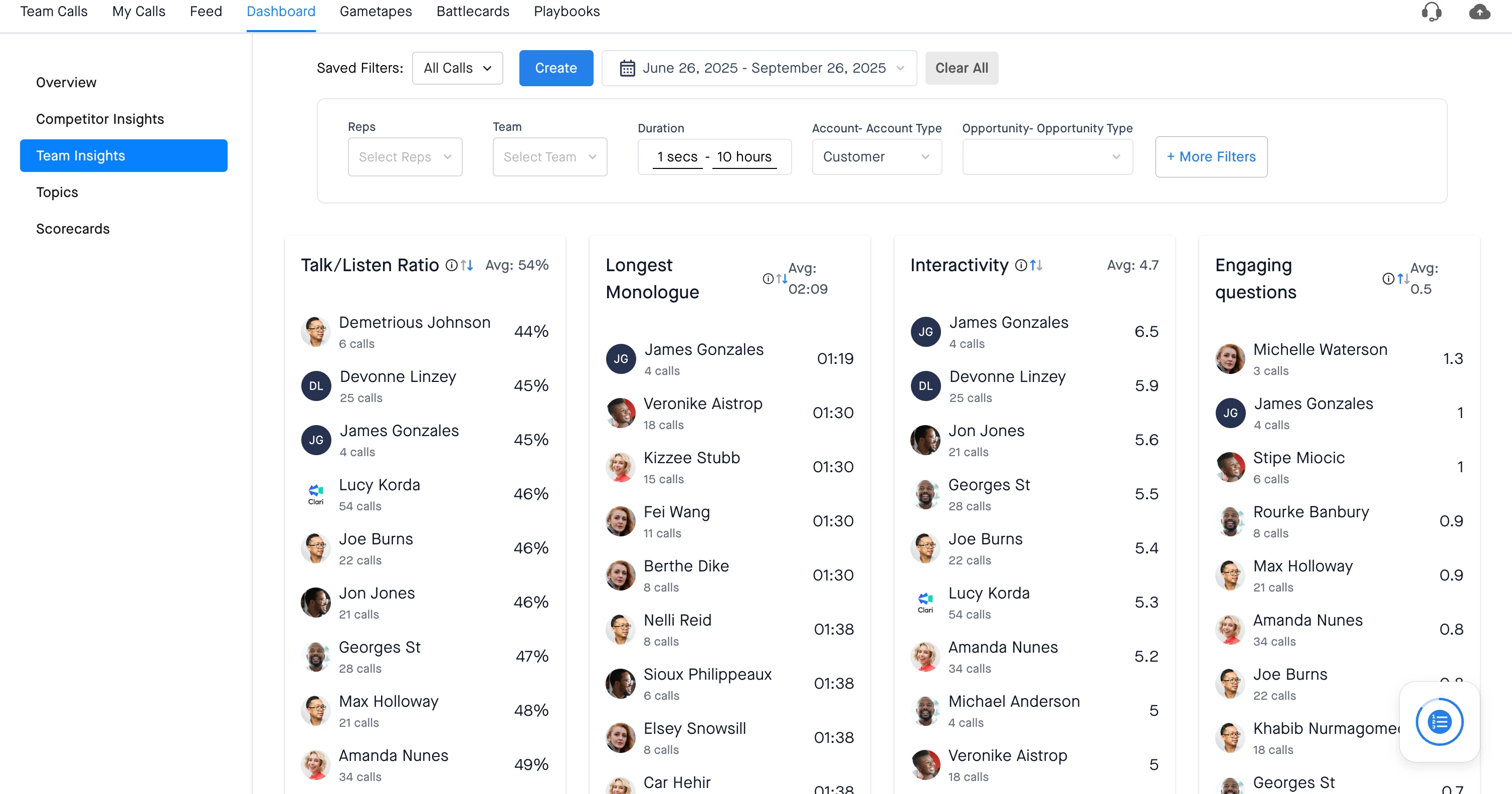
The Four Key Call Quality Metrics
The Team Insights Dashboard ranks reps over a specified time period across four key metrics. These aren't just numbers; they are proxies for call quality that can reveal a lot about your team's conversations.
- Talk/Listen Ratio: This is the ratio of the time a rep spends talking versus listening. It's a great way to assess if your reps are monopolizing the conversation or keeping it engaging. For discovery and qualification calls, you should aim for a ratio of less than 50%.
- Interactivity: This metric measures how often the conversation switches between the rep and the customer on a scale from 1 to 10. A higher score indicates that the rep is doing a great job of engaging with participants.
- Engaging Questions: This metric counts the average number of questions a rep asks that get a reply of 30 seconds or longer. It's a direct proxy for whether your reps are asking open-ended "how" or "what" questions instead of simple "yes/no" questions.
- Longest Monologue: This metric shows the longest uninterrupted time a rep spent talking on a call. With the exception of an enablement or demo call, ideally you do not want your reps at the top of this list.
How to Leverage the Dashboard for Coaching
The Team Insights Dashboard can be your starting point for driving better coaching outcomes. Here are a couple of ways to use it:
- Understand Patterns and Differentiate Top Performers: This dashboard is an excellent way to figure out what differentiates your top-performing reps from others. Once you identify your top reps, look at how their four metrics compare. You might find a clear pattern—for example, top reps might consistently have a low Talk/Listen ratio and a high score for Engaging Questions. You can make it more interesting by adding filters to look at different teams, segments (Enterprise vs Commercial, for example), or regions.
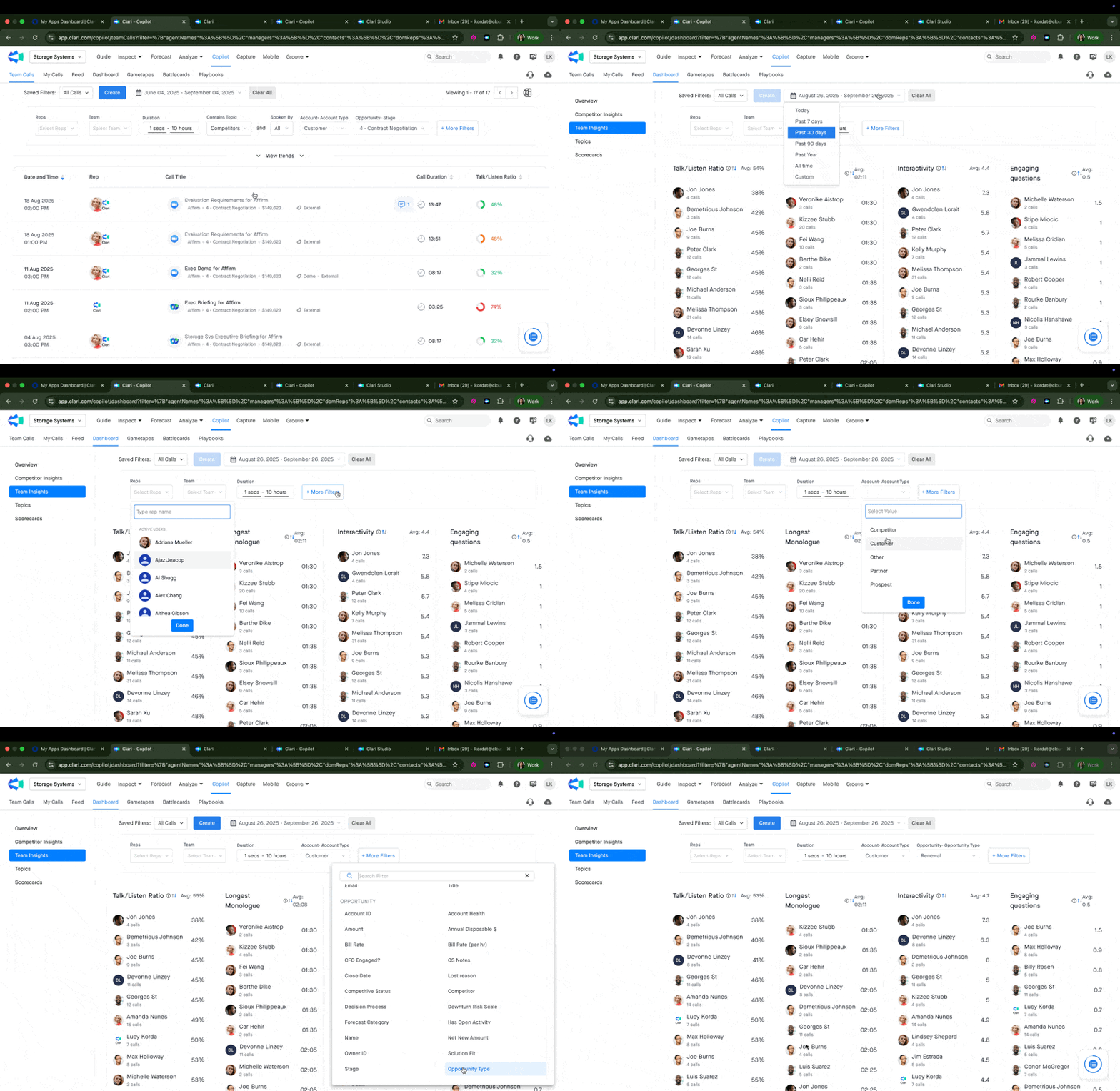
- Pinpoint Coaching Needs for Individual Reps: As a manager, you can filter this dashboard to focus on your team. You can quickly see which reps are strong at asking questions and which have room for improvement. The dashboard gives you a starting thread—a direction—for who to focus on and how to coach. You can then dive into their specific calls to gather more feedback.
- Drive Peer-to-Peer Coaching: For smaller, tight-knit teams, you can use this dashboard to facilitate peer-driven coaching. For example, if Rep A has a high Interactivity and Engaging Questions score compared to Rep B, you could pair them up. Having Rep B shadow Rep A's calls can be a powerful learning experience.
In our experience, the dashboard can be a fantastic starting point to help you get a direction as a coach or as a front line manager. Layer it with your unique subjective tribal knowledge about your reps or teams to help drive meaningful coaching outcomes.
Hope this helps you get the most out of your Team Insights Dashboard! Curious to know what other use cases come to your mind? Let us know in the comments below and if you have any questions feel free to reach out to your Clari account team 😊